
How to Build a Work Shutdown Routine That Fits Into 15 Minutes
Table of Contents
It is 6.05pm. You close the laptop, head for the MRT and remember three things before the train arrives: the attachment you promised, the spreadsheet you left halfway through and the meeting you have not prepared for.
By dinner, work is open again on your phone.
A work shutdown routine gives unfinished work a reliable place to wait. The point is to leave a clear record of what happens next, rather than trying to finish everything before you leave.
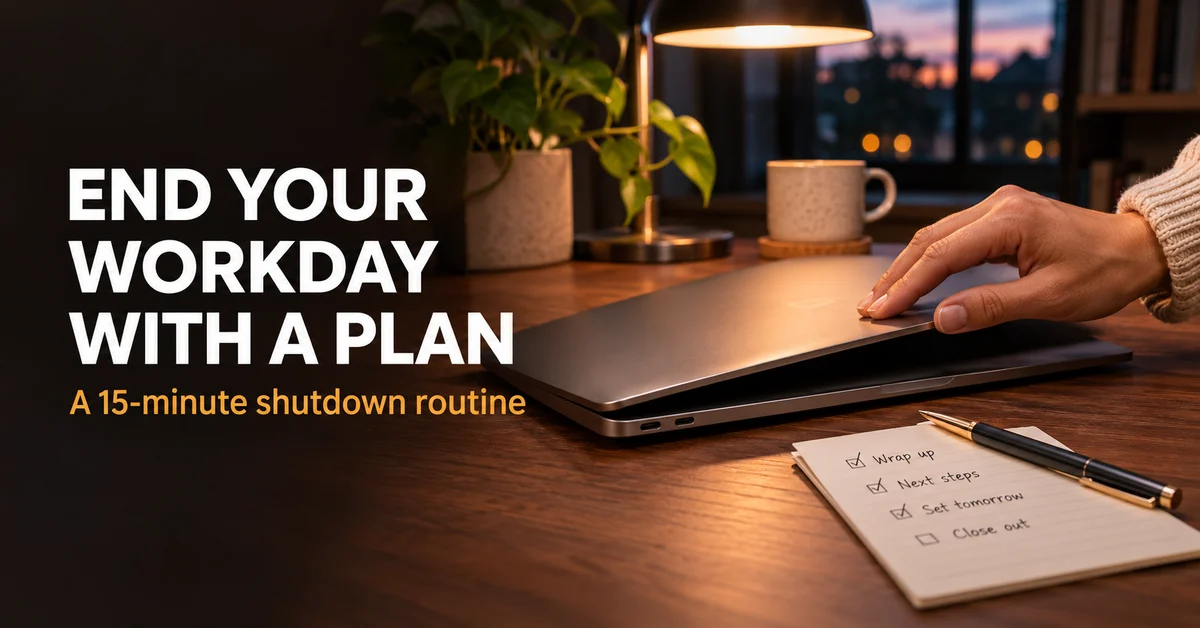
I recommend a 15-minute handover to your future self: collect loose tasks, check tomorrow, write restart notes, handle necessary handovers and close. On a chaotic day, use a three-minute version.
This is a suggested workflow, not a tested promise that 15 minutes will switch off every work thought. It works best when your task list is usable and your team has clear expectations about urgent contact.
Why Closing the Laptop Often Leaves Work Open
Stopping at the moment a meeting ends or a document saves gives you a physical finish. It does not necessarily give you a clear next step.
“Continue presentation” leaves several questions unanswered. Which version? What is missing? Where should you begin? Those questions return when you reopen the file, or when you remember it later that evening.
The other common mistake is trying to earn a clean stop by clearing the whole inbox. That makes leaving depend on a queue other people can refill.
You need a finish condition you control.
Cal Newport describes a work shutdown ritual built around reviewing commitments and preparing to stop. The routine below adapts that general idea into a short checklist for office, remote and handover-based work.
There is a relevant research distinction too. In experiments, Masicampo and Baumeister found that making specific plans for unfinished goals reduced interference on other tasks. That supports writing a concrete plan rather than a vague reminder. It does not establish that this particular checklist will solve work stress.
The core principle: stop when unfinished work has a trustworthy next step, not when there is no unfinished work left.
The Three Things You Need
One capture list you already use. This can be an approved task manager or a notebook. Its role is to hold commitments, including tasks collected in meetings and messages.
Your existing work calendar. Use it to check tomorrow’s fixed appointments and preparation needs. A task list alone will not reveal a 9am meeting that requires a document tonight.
A restart note in the work itself. Put a short note in the project document, approved task system or another location your team uses. Keep the relevant file link with the task.
The additional software cost is S$0 if those tools are already available. Do not introduce a new app solely for this routine. A second task system creates another place to check.
Keep work information in approved systems. A useful personal reminder can say “review client proposal at 9am” without copying client details into a personal notes account.
Before your first session, choose when the routine starts. For a 6pm finish, try 5.45pm. On days with a late meeting, reserve a short slot after it or capture the handover during the meeting’s close.
If daily tasks are currently scattered, start with the capture-list setup in time blocking vs to-do lists. The routine needs one place it can trust.
The Full Work Shutdown Routine: Step by Step
Step 1: Collect Loose Commitments (3 minutes)
Check the small places where today’s tasks accumulated: meeting notes, a notepad and the messages you marked for follow-up.
Move actionable items into the capture list. Write them as actions, not topics. “Budget” becomes “compare the two supplier quotes before Friday’s review”.
Separate reference material from tasks. A useful article does not become a commitment simply because someone sent it. Keep it in a reading location or leave it where it is.
Do not start completing the captured tasks. Even a short reply can turn into a conversation that consumes the whole shutdown slot. Capture it, then decide whether it requires action before you leave.
For anything that genuinely cannot wait, pause and deal with it explicitly. Record that the routine has been interrupted rather than continuing to call the next half-hour “shutdown”.
If the loose pile is too large for three minutes, gather it in one inbox and schedule a separate processing session. The immediate goal is to prevent commitments disappearing, not to organize years of notes.
What you end up with: Today’s new commitments in one reliable place.
Time comparison: Budget three minutes for collection instead of checking every source repeatedly during the evening. Actual time varies with the amount of incoming work.
Step 2: Check Tomorrow’s Commitments (3 minutes)
Open the next working day in your calendar. Check the earliest appointment, fixed deadlines and anything that requires preparation.
Ask three questions: Where do I need to be? What needs to be ready? Is anyone waiting for something from me before I return?
For an office day, include travel and location. A 9am meeting at another site changes your morning even if it looks like an ordinary calendar block.
For remote work, check whether the first call needs a file, a decision or input from someone in another time zone. Record preparation as an action rather than leaving it as a vague concern.
Choose one sensible starting task for the next available work block. It does not have to be the largest project. It should be a useful action that fits the time before the next fixed commitment.
Do not fill tomorrow minute by minute here. The daily schedule guide covers broader planning. This check prevents avoidable surprises at the start of the day.
What you end up with: A clear first commitment, any necessary preparation and one starting task.
Time comparison: Allow three minutes for a targeted calendar check rather than rebuilding the entire week every afternoon.
Step 3: Leave Restart Notes for Unfinished Work (4 minutes)
Choose the one or two pieces of work you are most likely to struggle to resume. Write enough context that tomorrow’s first step is visible.
A restart note needs four parts: where the work lives, the current state, the next action and the blocker if there is one.
For example: “Supplier comparison is in the project folder, version dated today. Delivery and warranty columns are complete. Next: add installation costs from the two quotes. Waiting for Finance to confirm the tax treatment.”
That is more useful than “finish spreadsheet”. It tells you what is done and prevents you from reconstructing the same state twice.
Keep the note near the work. If it lives in a task, link the correct file. If it lives at the top of a draft, make it clearly temporary so it does not accidentally enter the final deliverable.
Do not document every open tab. Some tabs are reference material, some are distractions and some are unrelated to your next session. Save only the context required to resume important work.
For work you are handing to a colleague, write for that person rather than yourself. Spell out assumptions and decisions they were not present to hear.
What you end up with: A restart point for the work that would otherwise require the most reconstruction.
Time comparison: Spend four minutes preserving context now. The benefit is less reorientation later, without claiming a fixed number of minutes saved.
Step 4: Make Necessary Handovers Explicit (3 minutes)
Check whether anyone needs an update before you leave. Send only the handovers that matter for continuity or a deadline.
A useful handover contains the current state, the owner of the next action, its timing and the route for a genuine urgent issue.
For example: “The draft is ready for review in the shared folder. Mei is checking the figures tomorrow morning. I will address comments after 10am. For tonight’s live incident, contact the duty lead through the agreed channel.”
Use the team’s established process. Do not nominate an escalation contact, change coverage or promise another person’s availability without agreement.
If you regularly receive after-hours messages, clarify expectations separately. Ask which matters need immediate attention, who covers them and which channel carries the alert. Muting a group cannot settle those questions by itself.
For jobs with formal shift handovers, safety procedures or incident protocols, those requirements take priority. This personal checklist can support the handover but cannot replace it.
If no handover is required, skip the message. Broadcasting a daily “logging off” update to everyone can create more noise than clarity.
What you end up with: Necessary information in the right place, with ownership and coverage understood.
Time comparison: Budget three minutes for specific updates instead of a broad round of “anything else?” messages that starts new work.
Step 5: Record the Finish and Close (2 minutes)
Save the work, confirm the restart note is accessible and close the documents you do not need open. Follow your workplace’s normal device security process.
Mark the checklist complete. A short written finish condition is enough: “Captured, checked, handed over, ready to restart.” You do not need a special phrase or elaborate ritual.
For a home office, use a physical transition if it helps. Put the laptop away, leave the work area or switch to the next planned activity. The aim is a clear change of activity, not a performance of being productive.
Set communication availability according to agreed responsibilities. If you are on call, preserve the required alert route. If you are not, use the boundaries your team has agreed.
When a work thought appears later, capture one line if necessary. Avoid opening the full project merely to reassure yourself that the note exists.
What you end up with: A saved handover and a defined end to the work session.
Time comparison: Allow two minutes for closure rather than adding another undefined inbox check before leaving.
A Worked Example: From Late Meeting to a Clear Restart
Imagine an analyst whose final meeting ends at 5.50pm, with a presentation due the following afternoon. The deck is partly complete and a colleague still owes two figures.
Without a routine, the analyst leaves the deck open and writes “presentation” on tomorrow’s list. At home, they reopen it to remember what is missing.
With the shorter shutdown version, they capture the missing figures, link the current deck and write: “Slides one to five complete. Next: draft the recommendation slide before inserting final figures. Follow up with Arun at 10am if the numbers have not arrived.”
They check the morning calendar, see a 9.30am call and choose an available block afterward. If a status update is needed, they send it through the usual team channel.
The presentation still needs work. The difference is that its state no longer needs to live in memory.
This is an illustrative scenario, not a claim about a person I observed or a measured improvement.
Copy This End-of-Workday Checklist
Keep this checklist beside the task list you already use.
- I captured commitments from today’s notes and follow-up markers.
- I checked the next working day’s calendar and preparation needs.
- I chose a useful starting action for tomorrow.
- I saved a restart note for important unfinished work.
- I recorded blockers and who owns the next action.
- I sent any required handover through the agreed channel.
- I preserved the correct escalation route if I am on call.
- I saved the work and followed normal device security steps.
- I marked the session complete and moved to the next activity.
For the restart note, copy four labels into the relevant task: Location. Current state. Next action. Waiting for.
If you skip an item, decide whether it is irrelevant today or needs a follow-up. The checklist should support judgment rather than become another incomplete list to feel bad about.
The Full Time Breakdown
These are suggested limits for a routine day, not observed averages or a guaranteed productivity gain.
| Task | Ad hoc ending | Suggested routine |
|---|---|---|
| Collect loose tasks | Remember them during the commute | Three minutes in one capture list |
| Check tomorrow | Discover preparation needs in the morning | Three minutes in the calendar |
| Preserve context | Leave a vague “continue” reminder | Four minutes for restart notes |
| Hand over | Send updates whenever someone asks | Three minutes for necessary updates |
| Close | Check the inbox again without a limit | Two minutes to save and finish |
| Total | No defined boundary | 15 minutes |
If it takes 30 minutes every day, inspect the content. You may be doing project work, a full weekly review or too much inbox processing inside the shutdown slot.
Those tasks need time of their own. Expanding the routine indefinitely makes it harder to maintain.
What a Shutdown Routine Cannot Do
It cannot fix an impossible workload. If urgent work repeatedly prevents a finish, discuss priorities, deadlines and coverage. Better notes cannot make every request fit.
It cannot create a team agreement. A personal decision to stop checking messages does not tell colleagues how to reach the duty person. Set the process together.
It cannot guarantee mental detachment. You can still think about difficult work after a careful handover. Judge the routine by whether it leaves clear plans, rather than whether your mind is perfectly quiet.
It cannot replace the weekly review. The end-of-day routine handles today’s loose ends and tomorrow’s start. A weekly review checks the whole project system and upcoming commitments.
Five Ways to Make the Routine Easier to Keep
Start before your intended finish. A reminder at the exact moment you need to leave leaves no space for the process.
Use a minimum version. A three-minute handover is more useful on a difficult day than abandoning the routine because the full checklist is impossible.
Keep the next action physical and specific. “Open the latest deck and draft the recommendation slide” gives you a start. “Make progress” does not.
Review the repeated exceptions. If the same late request appears every Thursday, treat it as a planning issue. Change the schedule or discuss coverage.
Measure clarity before speed. For a week, note whether you could start tomorrow without searching for context. That is a more relevant check than timing every click.
If messages are the main source of reopened work, use the WhatsApp overload guide to reduce group noise alongside the agreed work process.
The Budget Version: A Three-Minute Handover
Use the first minute to capture anything you must not forget. Use the second to write the next action and file location for your most important unfinished task. Use the third to check the next appointment and communicate an essential handover if one is required.
If a formal handover needs longer, give it the time it requires. The short version is a personal fallback, not a time limit on team responsibilities.
The trade-off is coverage. You are less likely to catch loose commitments from every source. Put a proper review on the next available workday rather than pretending the minimum version processed everything.
A notebook you already own can do this. There is no paid tool to unlock before you can begin.
Adapting the Routine to Different Workdays
For an office day, run it before you leave your desk. The commute can then be a transition instead of an improvised task-reconstruction session.
For remote work, make the saved note and physical close more deliberate. When the laptop stays on the dining table, the next activity needs a clear start too.
For shift work, attach the personal restart note to the existing handover process. Record the next scheduled shift rather than assuming “tomorrow” is the next workday.
For a side project, end each session with one small next action. If you only return on Saturday, a week’s gap makes a good restart note especially useful.
For an on-call period, distinguish finishing routine work from ending coverage. You can close project work while remaining reachable through the designated incident route.
Keep the sequence consistent but adapt the timing. The routine serves the workday you have.
Frequently Asked Questions
What if my final meeting ends after my planned finish?
Use the short handover version and capture the meeting’s actions before leaving. If this happens regularly, move the routine or discuss the meeting schedule. Do not rely on adding an unpaid extra session at home to make the plan look successful.
Should I reach inbox zero before shutting down?
No. Check for time-sensitive responsibilities according to your role, capture the next actions and leave ordinary processing for its planned slot. An empty inbox is a moving target and a poor universal finish condition.
Does a shutdown routine work when I am on call?
Yes, if it preserves your agreed coverage. Close routine work, record its restart point and keep the designated incident route available. The checklist does not override response requirements or formal handover procedures.
What should I do if I remember a task at night?
Capture a short reminder in an appropriate location and review it at the next work session. If it is a genuine incident, use the agreed escalation process. Avoid treating every remembered task as a reason to reopen the whole work environment.
How long should I try the routine before changing it?
Try it across several normal working days, then inspect what was useful and what repeatedly failed to fit. Shorten irrelevant checks and preserve the steps that improve the next start. There is no universal adaptation period that guarantees the habit will stick.
Is this different from planning tomorrow in the morning?
Yes. The evening handover preserves context while the work is fresh. Morning planning can then account for new information and choose the day’s order, using that handover rather than reconstructing everything.
Final Thoughts
The work shutdown routine is a handover, not an attempt to empty your workload before dinner.
Capture what is loose, make the next action visible and check who needs to know what. Then finish according to your actual responsibilities.
Start with the three-minute version today. Expand it only where a step solves a problem you keep encountering.
→ Build a daily schedule with room for a clear finish
→ Use a weekly review for the bigger project picture
What usually makes you reopen work after you have finished for the day? Share it in the comments.
Continue reading: