
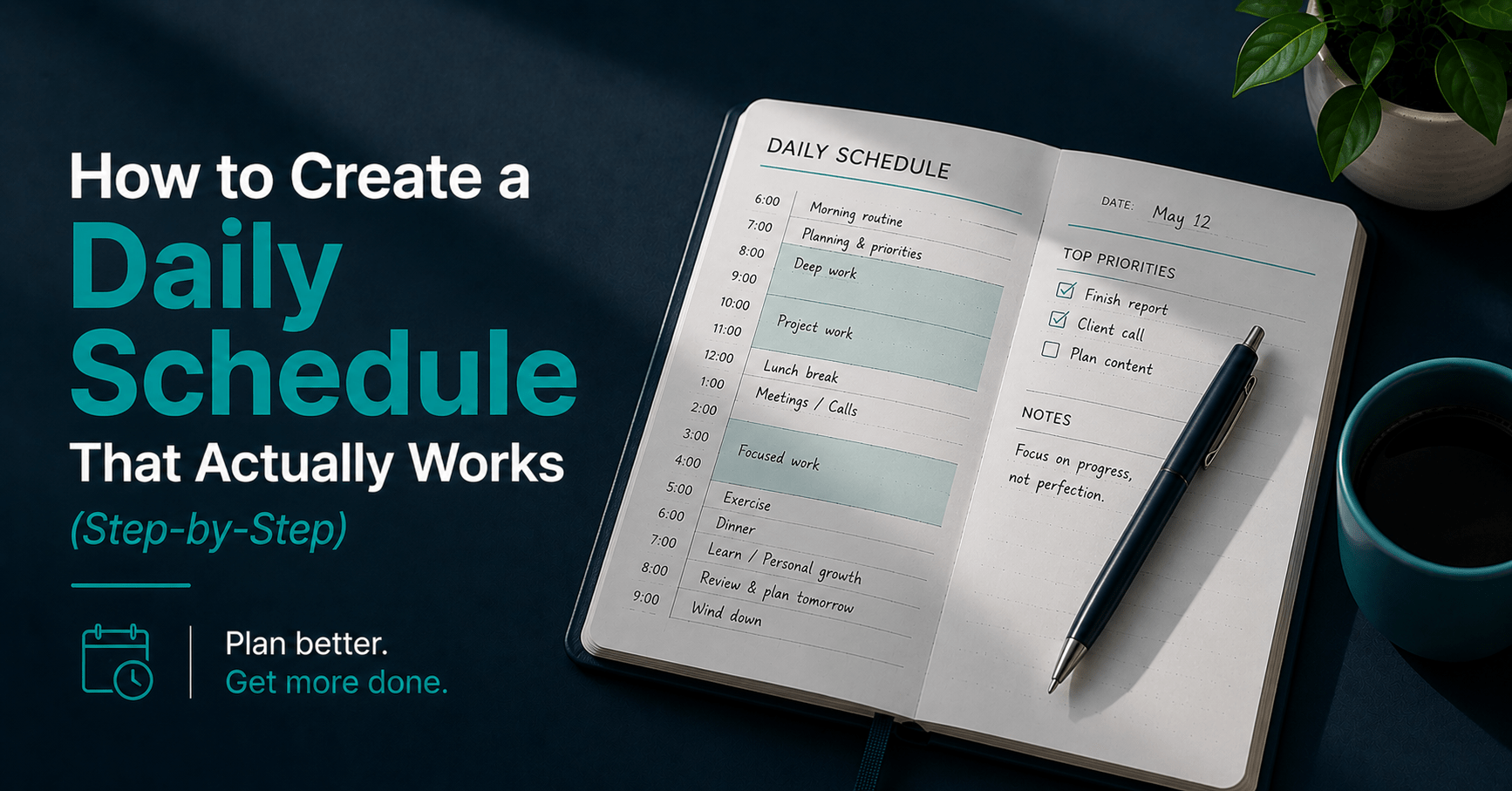
How to Create a Daily Schedule That Actually Works (Step-by-Step)
Table of Contents
A typical daily schedule survives until the first unplanned meeting. You wrote it at 8am with five priorities and a clean calendar. By 10am, a colleague needs ten minutes that becomes thirty. By noon, two of your five priorities have quietly become tomorrow’s problem. By 5pm, the schedule you wrote that morning bears almost no resemblance to the day you actually had.
This is not a willpower problem. It is a design problem.
Researchers have studied what is called the “planning fallacy” — the well-documented tendency to underestimate how long tasks will take, even when you know from experience that you always underestimate. A separate body of research on implementation intentions, tested across more than 90 studies, found that a specific plan for when and where you will do something dramatically increases the odds you actually do it. A to-do list without scheduled times is a collection of good intentions. A daily schedule, built correctly, converts those intentions into commitments.
The problem is that most daily schedules are built wrong from the start — packed too tightly, blind to energy patterns, and with no room for the reactive work that always shows up. Here is the system that fixes that.
Why Most Daily Schedules Fail by 10am
The standard approach to daily scheduling is to list every task you want to complete and assign each one a slot, back to back, until the calendar is full. This produces a schedule that looks complete and functions like a house of cards.
The first flaw is treating every hour as equally productive. Cognitive performance varies meaningfully across the day — research on time-of-day effects shows performance differences of 15 to 30% between peak and low-energy hours. A schedule that ignores this puts demanding work in low-energy slots and routine work in peak hours, wasting the very capacity it was trying to use well.
The second flaw is zero buffer. Project management research recommends 25 to 30% schedule buffer for risk management, yet most personal daily schedules carry none. Without it, a single ten-minute overrun on the first task cascades through every block that follows.
The third flaw is ignoring how much of the day is genuinely reactive. If 80% of your day is already claimed by meetings and interruptions outside your control, scheduling the remaining 20% as if it were a fully blank canvas guarantees disappointment by the first interruption.
The core principle this system is built on: a schedule is a plan for how you intend to spend your attention, not a list of everything you hope to finish — and it needs buffer built in from the start, not added after it breaks.
The Tools You Need
A calendar — Google Calendar, Apple Calendar, or Outlook all work. The calendar is where the schedule lives, not a separate planning app, because a schedule disconnected from your actual meetings is a schedule that gets overridden by them. Free.
Reclaim.ai ($10/month, Starter plan) — automatically defends focus blocks against new meeting requests and reschedules them when conflicts arise. The best option if your calendar fills up faster than you can protect time on it manually.
A task manager — Todoist (free tier) or any equivalent. The schedule pulls tasks from here; it does not replace it. Keep task capture and daily scheduling as two separate steps.
A timer — built into your phone, free. Used in Step 4 to test planned durations against actual durations.
Total cost: $0 using a free calendar and task manager. $10/month if you add Reclaim.ai for automatic schedule defense.
The Full Workflow: Step by Step
Step 1 — Audit Your Actual Energy Pattern (20 minutes, one-time)
Before building a single schedule, you need real data on when you are actually sharp and when you are not. Most people guess at this and guess wrong, defaulting to “I’m a morning person” or “I work best under pressure” without ever testing it.
For three to five days, rate your focus and energy on a simple one-to-five scale every two hours. No special tool required — a notes app or a sticky note works. At the end of the test period, a pattern will be visible: most people have a primary peak window and a secondary one, with a predictable trough somewhere in the early afternoon.
What you end up with: An honest map of your actual peak and low-energy hours, replacing assumption with data.
Time saved vs manual: Building schedules around a wrong assumption about your energy pattern means putting demanding work in slots where you are reliably unproductive — every day, indefinitely, until you test it. Twenty minutes spread over a few days fixes this permanently.
Step 2 — Build the Schedule Backwards From Fixed Commitments (10 minutes daily)
Start with everything that is already fixed: meetings, calls, appointments, anything with a time that is not yours to move. Block these first. This is the part of your day you do not control, and pretending otherwise is the first mistake most schedules make.
With fixed commitments blocked, look at what is left. This remaining time is your actual planning surface — not the full 24 hours, not even the full working day, but whatever genuinely remains.
Identify your peak energy windows from Step 1 within that remaining time. These are reserved first, before anything else gets assigned, for the single most demanding or important task of the day. Everything else — email, routine tasks, low-stakes meetings — fills the lower-energy windows.
What you end up with: A schedule built in the correct order: fixed commitments first, peak-energy work protected second, everything else filling the remaining gaps.
Time saved vs manual: Scheduling demanding work into whatever slot happens to be open, rather than your actual peak window, produces work that takes longer and comes out worse. Building backwards from fixed commitments and protecting peak time first prevents this every single day.
Step 3 — Assign Specific Tasks, Not Vague Categories (10 minutes daily)
This is the step most schedules skip, and it is the one with the strongest research support behind it. A block labeled “work on report” is significantly weaker than a block labeled “write the report’s introduction and first section.”
The research on implementation intentions is consistent: specificity is what drives follow-through. A vague block leaves room for hesitation about where to start, and hesitation is where procrastination gets its opening. A specific block removes the decision entirely — you already know exactly what the first move is.
For each block in your schedule, write the task as a specific first action, not a category. “Email” becomes “reply to the three flagged client emails.” “Project work” becomes “draft the outline for section two.” If a block cannot be described as a specific action, it usually means the underlying task has not actually been planned yet — that is worth noticing before the day starts, not during it.
What you end up with: A schedule where every block has a defined starting action, eliminating the moment of hesitation that derails focus before it begins.
Time saved vs manual: Vague blocks routinely run long because there is no clear definition of done. Specific blocks have an obvious finish line, which makes both starting and stopping easier.
Step 4 — Build in Buffer Before You Need It (5 minutes daily)
Buffer is not the thing you add after a schedule breaks. It is built in from the start, because the schedule will break without it — that is not pessimism, it is the planning fallacy operating exactly as documented.
Add 10 to 15 minutes between every block, not as dead time but as a deliberate cushion. This buffer absorbs two things: tasks that run slightly over, which almost all of them do, and attention residue — the lingering mental engagement with the previous task that measurably reduces effectiveness on the next one until it clears.
For the day as a whole, hold one larger flex block of 60 to 90 minutes for the reactive work that will show up regardless of how well you planned — the urgent message, the unscheduled question, the small fire that needs putting out. If nothing urgent arrives, that block becomes early progress on tomorrow. If something does arrive, it has a home that is not cannibalized from your protected peak-energy work.
What you end up with: A schedule that has absorption capacity built in, so a single overrun does not cascade through the rest of the day.
Time saved vs manual: A back-to-back schedule with no buffer means any single delay pushes every subsequent block later, until the day collapses into pure reaction by mid-afternoon. Buffer prevents that collapse from a single point of failure.
Step 5 — Review at the End of the Day and Adjust (5 minutes daily)
The schedule you build in the morning is a hypothesis. The end-of-day review is where you check it against what actually happened and adjust the model for tomorrow.
Look at what ran long, what ran short, and what got bumped entirely. If a task type consistently takes longer than scheduled, that is a planning fallacy signal specific to you — adjust the default time allocation for that task type going forward, rather than continuing to under-budget it every day.
If the same type of block keeps getting bumped by reactive work, that is informative too — either the flex block needs to be larger, or that task needs to move into a time slot less exposed to interruption.
What you end up with: A schedule that improves with each iteration, because every day’s actual outcome feeds directly into tomorrow’s plan.
Time saved vs manual: Without this review, the same scheduling mistakes repeat indefinitely. Five minutes of honest comparison between planned and actual time prevents weeks of the same underestimation.
The Full Time Breakdown
| Step | Task | Old way | This system |
|---|---|---|---|
| 1 | Energy audit | Never tested — pure assumption | 20 mins one-time, permanent accuracy gain |
| 2 | Build backwards from fixed commitments | Tasks listed with no regard for energy or fixed time | 10 mins daily — correct order, peak time protected |
| 3 | Specific task assignment | Vague categories like “work on project” | 10 mins daily — every block has a defined first action |
| 4 | Buffer built in | Zero buffer, schedule collapses on first delay | 5 mins daily — 10–15 min cushions plus a flex block |
| 5 | End-of-day review | Never reviewed — same mistakes repeat | 5 mins daily — schedule improves with every iteration |
| Total daily time cost | 0 mins planning, full day of reactive drift | ~30 mins daily, compounding accuracy |
What This System Cannot Do
It cannot work if your day is fully reactive. The research behind this approach assumes some genuine control over your calendar. If 80% of your day is dictated by other people’s schedules — client-facing roles, support functions, on-call work — blocking the remaining 20% still helps, but expect proportionally smaller gains than someone who controls most of their own time.
It cannot fix a fundamentally overloaded day. A daily schedule organizes the time you have. It cannot create more of it. If the honest total of fixed commitments plus essential work exceeds the hours available, the problem is workload, not scheduling technique — no amount of buffer or specificity fixes a day that has more demanded of it than is physically possible.
It cannot replace judgment in the moment. A specific, well-built block can still be reasonably interrupted by something genuinely urgent. The schedule is a strong default, not an inflexible rule. Treating it as unbreakable regardless of circumstance produces its own kind of dysfunction.
It cannot compensate for an inaccurate energy audit. If Step 1 was rushed or based on a single atypical day, the entire schedule built on top of it inherits that error. The 20-minute audit is worth doing properly, across several representative days, not skipping or shortcutting.
Tips to Get Better Results From This System
Schedule your hardest task in your actual peak window, not your assumed one. Most people assume mornings are their best hours without ever testing it. The energy audit in Step 1 frequently surprises people who discover their real peak arrives later than expected.
Use timeboxing for tasks that tend to expand. A time block says you will work on something from ten to noon. A timebox says you are giving it exactly 90 minutes regardless of whether it feels finished — a useful distinction for tasks that have no natural end point and will absorb any amount of time you give them.
Protect peak-energy blocks from meetings specifically. If you have any influence over your own calendar, decline or move meetings out of your identified peak window before they become a habit. Once a recurring meeting claims that slot, it rarely gives it back voluntarily.
Theme entire days where possible. If your role allows it, dedicating whole days to a single type of work — all meetings on one day, all deep work on another — reduces the context-switching cost that a mixed schedule imposes every time you move between task types.
Don’t schedule every single minute. A schedule with no white space at all is indistinguishable from no schedule once the first thing runs long. The buffer in Step 4 is not optional padding — it is what makes the rest of the plan survive contact with an actual day.
Revisit your energy audit every few months. Energy patterns shift with seasons, sleep changes, and life circumstances. A peak window that was accurate in January is not guaranteed to still be accurate by June.
The Budget Version of This Workflow
Every step in this system works with tools you already have.
Free calendar: Google Calendar or Apple Calendar — either handles the full backwards-build process from Step 2 without any paid add-on.
Free task manager: Todoist’s free tier or even a paper list — the specificity principle in Step 3 applies regardless of where tasks are captured.
Free energy audit: A notes app and a recurring two-hour phone reminder for three to five days. No app purchase required.
Free timer: Your phone’s built-in timer for testing planned versus actual durations in Step 4 and Step 5.
The only paid upgrade worth considering is → Try Reclaim.ai at $10/month if your calendar fills up faster than you can manually defend your peak-energy blocks — it automates the protection that Step 2 otherwise requires you to enforce by hand every time a new meeting request arrives.
Frequently Asked Questions
How do I make a daily schedule that I actually stick to?
Build it backwards from fixed commitments, protect your tested peak-energy window for the most demanding task, write every block as a specific first action rather than a vague category, and include 10 to 15 minutes of buffer between blocks. Schedules fail most often because they skip the buffer and assume every hour is equally productive — fixing those two issues produces the single biggest improvement in follow-through.
Is time blocking the same as a daily schedule?
Time blocking is one method for building a daily schedule — assigning specific tasks to specific time slots on your calendar. A daily schedule is the broader output; time blocking is the technique most commonly used to produce it. The system in this guide uses time-blocking principles but adds the energy audit and buffer requirements that many basic time-blocking explanations skip.
How long should a daily schedule take to plan?
After the one-time 20-minute energy audit, daily planning takes about 30 minutes total across building the schedule, assigning specific tasks, adding buffer, and the end-of-day review. Most of that time investment pays for itself by preventing the far larger time cost of a day that drifts into pure reaction by early afternoon.
What if my schedule keeps getting derailed by meetings?
This is the most common failure mode and it has two fixes. First, protect your peak-energy block specifically — decline or move meetings out of that window before it becomes a precedent. Second, build a daily flex block of 60 to 90 minutes specifically for the unplanned items that meetings and interruptions generate, so they have a designated home instead of cannibalizing protected work time.
Do I need an app to build a daily schedule?
No. A calendar — paper or digital — and a way to capture tasks are sufficient. The system in this guide works identically whether you use Google Calendar and Todoist or a paper planner and a notebook. Apps like Reclaim.ai add automation for defending blocks against new meetings, which becomes valuable once your calendar gets busy enough that manual defense is no longer sustainable.
Final Thoughts
A daily schedule that survives contact with an actual day is not built by listing everything you hope to finish. It is built backwards from what is already fixed, protected around your real energy pattern rather than an assumed one, written in specific actions rather than vague categories, and cushioned with buffer from the very first draft.
The transformation: a schedule that used to collapse by 10am now absorbs the first interruption, the first overrun, the first unplanned request — because it was built expecting them, not surprised by them.
Over weeks, the compounding effect is in the data the end-of-day review generates. Every day you compare planned against actual, the next day’s schedule gets a little more accurate. After a month, the gap between what you plan and what actually happens narrows considerably — not because the days got easier, but because the schedule got smarter.
Start tomorrow. Run the energy audit for three days this week. Build the next schedule backwards from your fixed commitments, with buffer included from the start.
→ Try Reclaim.ai for automatic schedule defense | → Try Todoist for task capture
Found a scheduling approach that works better for your specific energy pattern? Drop it in the comments.
Continue reading: