
How to Use the Eisenhower Matrix When Everything Feels Urgent
Table of Contents
It is Monday, 9.15am. You have 38 unread emails, three WhatsApp groups pinging and a message from your boss asking for “a quick deck” before lunch. The quarterly report due on Friday sits at the bottom of your list.
By 6pm, you have answered everything, sat through two meetings and fixed a colleague’s spreadsheet. The report has not moved.
The problem is not effort. It is sorting — and learning how to use the Eisenhower Matrix fixes it in about 20 minutes a week.
Look at where a day like that goes. Email and chat take roughly 90 minutes, and meetings that only needed an update take another hour. Other people’s “quick” requests eat 45 minutes, and switching between all of it costs half an hour. That is close to four hours of work that felt urgent, and none of it moved your biggest goal. Working longer will not fix it either — full-time employees in Singapore already averaged 44.3 paid hours a week in 2025, according to the Ministry of Manpower.
This guide turns the matrix into a weekly system. You get the seven steps, 10 Singapore examples sorted into quadrants, the apps that have the matrix built in and an honest look at what the method cannot do.
Why Most People Prioritize the Wrong Work
Most people run their day from the top of the inbox. Whatever pinged last, whoever asked loudest and whatever has the nearest deadline goes first.
That feels productive. The research says otherwise.
In 2018, Meng Zhu, Yang Yang and Christopher Hsee published five experiments on what they called the mere urgency effect in the Journal of Consumer Research. People chose tasks that only felt urgent over important tasks with objectively bigger payoffs. The effect was stronger in people who saw themselves as busy, and weaker when people were reminded of the payoffs at the moment they chose.
One experiment, as reported by The Washington Post, made the trade-off concrete. Given two short tasks, one paying three chocolates and one paying five, almost everyone picked the bigger reward. Once the smaller task got a 10-minute window and the bigger one a 24-hour window, 31% chose the smaller, urgent reward.
Your workday runs the same experiment hundreds of times. Every ping is a tiny deadline. Each switch also has a cost. Organizational researcher Sophie Leroy calls it attention residue: part of your mind stays on the last task while you start the next one.
The fix is not more discipline in the moment. In the moment, urgency wins. The fix is deciding before the moment arrives.
The core principle: sort your work by importance once a week, in advance, so the urgent pings cannot decide for you.
What Is the Eisenhower Matrix?
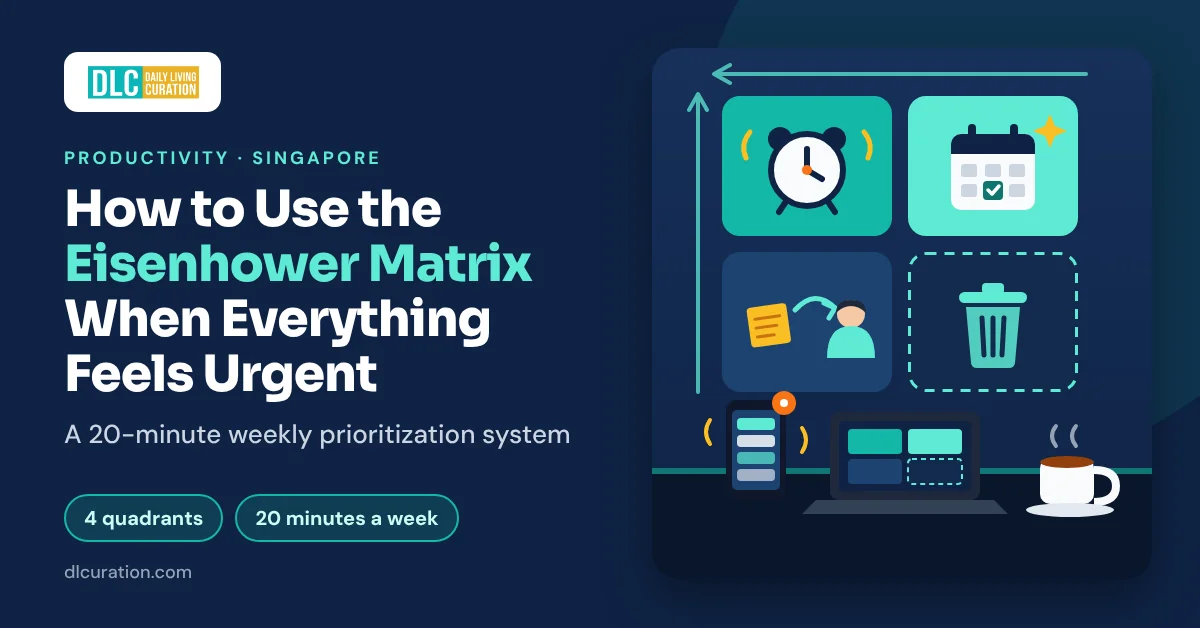
The Eisenhower Matrix is a two-by-two grid that sorts tasks with two questions: is it urgent, and is it important? Every task lands in one of four quadrants, and each quadrant has one action.
It is named after US President Dwight D. Eisenhower. In a 1954 speech in Evanston, Illinois, he quoted “a former college president”: “I have two kinds of problems, the urgent and the important. The urgent are not important, and the important are never urgent.”
Two details most articles get wrong. Eisenhower was quoting someone else, and the speech contains no grid. The four quadrants come from Stephen Covey’s 1989 bestseller The 7 Habits of Highly Effective People, which numbered them I to IV. The labels most people use today — Do, Schedule, Delegate, Delete — came later.
| Quadrant | Urgent? | Important? | Action | Singapore example |
|---|---|---|---|---|
| 1 | Yes | Yes | Do it today | Final numbers for tomorrow’s 9am client meeting |
| 2 | No | Yes | Schedule it | Starting the quarterly report three weeks early |
| 3 | Yes | No | Delegate, batch or push back | A colleague’s “quick” request; a group chat poll |
| 4 | No | No | Delete it | Scrolling Carousell at your desk |
Covey called Quadrant 2 “the heart of effective personal management.” It holds the work with the biggest long-term payoff — planning, learning, relationships and health — and nothing in it ever pings you. That is why it gets neglected, and why neglected Quadrant 2 work becomes next month’s Quadrant 1 crisis.
The Four Things You Need
You can run the whole system on paper. An app helps once your list passes 20 or 30 tasks.
- Paper, a notebook or a whiteboard (free) — The fastest way to start. Draw a cross, label the four boxes and sort.
- Your calendar (free) — Quadrant 2 lives in your calendar, not your to-do list. Important work without a time slot rarely happens.
- TickTick (free, or US$49.99 a year for Premium) — A task app with a built-in Eisenhower Matrix view. The app lists the matrix as “Basic” on the free plan and “Unlimited” on Premium. On the Singapore App Store, Premium costs S$6.98 a month or S$69.98 a year.
- Todoist (free, or US$5 a month billed yearly for Pro) — No native matrix view, but Todoist’s official Eisenhower Matrix template rebuilds it with labels, priorities and filters. Pick it if you already live in Todoist.
Total cost: S$0 with paper or a free app plan.
Budget alternative: A sheet of A4 paper and a pen. Many people never need more.
The Full Workflow: How to Use the Eisenhower Matrix Step by Step
Set aside 40 minutes for the first sort. After that, the weekly version takes about 20 minutes.
Step 1 — Dump Every Task Into One List (10 Minutes)
Write down everything competing for your attention: work tasks, emails that need a real reply, promises made in group chats, life admin and the big project you keep postponing.
Pull from every source — inbox, WhatsApp, Teams or Slack, sticky notes and your own head. The matrix only works if nothing is hiding outside it.
What you end up with: One complete list. Expect it to be longer than you thought.
Time saved vs manual: Ten minutes up front replaces a day of remembering tasks one ping at a time.
Step 2 — Ask Two Questions About Each Task (10 Minutes)
Go down the list and ask two questions about every item. This is the heart of urgent vs important.
Is it important? Does this move one of my top three goals this quarter, or protect my health, family or money? If nobody — including you — would care in a month whether it happened, it is not important.
Is it urgent? Is there a real consequence if this is not done in the next 48 hours? A deadline someone typed into a message is not automatically a real consequence.
Mark each task 1, 2, 3 or 4. If you cannot place a task in 10 seconds, put it in Quadrant 2 for now and move on.
What you end up with: Every task in one of four boxes.
Time saved vs manual: Ten minutes of sorting replaces dozens of small “what next?” decisions through the day.
Step 3 — Do Quadrant 1 First, and Cap It at Three (Daily)
Quadrant 1 is urgent and important: a client deadline tomorrow, a system that is down, a form due today. Do these first, in your best hours.
Cap Quadrant 1 at three items a day. If more than three tasks qualify, pick the three with the worst consequences and treat the overflow as a warning sign — more on that in the limits section below.
Work through each one in a focused block with notifications off. A 25-minute sprint from the Pomodoro Technique is a good default.
What you end up with: The real emergencies handled, usually before lunch.
Time saved vs manual: Crises get your full attention instead of the scraps left between messages.
Step 4 — Book Quadrant 2 Into Your Calendar (10 Minutes)
This is the step that changes your year. Quadrant 2 is important but not urgent: starting the quarterly report early, preparing examples for your appraisal, learning a new skill, booking a health screening or reviewing your savings.
Nothing in Quadrant 2 will ever ping you. It only happens if you book it.
Block two or three slots of 60–90 minutes a week for Quadrant 2 work. Put them in your peak energy hours — the energy audit in my guide to creating a daily schedule shows you when those are. Treat each block like a meeting with your manager: you would not skip that for a group chat.
What you end up with: Your most valuable work in your calendar, with a time and a place.
Time saved vs manual: Every hour here prevents future firefighting. A report started on Monday is not a crisis on Thursday night.
Step 5 — Delegate, Batch or Push Back on Quadrant 3 (5 Minutes)
Quadrant 3 is urgent but not important — urgent to someone else. Think ad hoc requests, most group chat messages and meetings where you only need the outcome.
The classic advice is to delegate. Most people in Singapore offices do not have anyone to delegate to, so use one of these four moves instead:
- Redirect it. If it is someone else’s job, point the request to the right owner, politely and quickly.
- Batch it. Answer messages and small requests in two or three fixed slots a day. My guide to WhatsApp group chat overload shows how to set those slots up.
- Automate it. Templates, saved replies and email filters handle repeat requests.
- Push back on the deadline. Try: “I can get this to you by Thursday 3pm. If you need it sooner, which of my other tasks should move?”
After-hours messages often belong here too. MOM’s Tripartite Advisory on Mental Health and Well-being at Workplaces includes a sample position for employers. After-hours calls, messages and emails do not need a response until the next working day, unless they are marked “Urgent”. It is guidance, not law. Still, 55% of full-time resident employees said in 2025 that their employer had an after-hours communication policy, up from 48% in 2022. Check whether yours does.
What you end up with: A shorter list of things only you can do today.
Time saved vs manual: Batching turns dozens of interruptions into two or three planned sessions.
Step 6 — Delete Quadrant 4 Without Guilt (2 Minutes)
Quadrant 4 is neither urgent nor important: browsing Carousell, reorganizing folders nobody opens, webinars you signed up for and will never watch, refreshing your inbox.
Cross them off. If you cannot bear to delete something, move it to a “someday” list and read that list once a month. Most items look less appealing a month later.
For the digital Quadrant 4 habits — scrolling and checking — the environment changes in digital minimalism work better than willpower.
What you end up with: A shorter list and less background guilt.
Time saved vs manual: Every deleted item is time you stop spending half-doing it.
Step 7 — Re-sort Every Friday (20 Minutes)
Urgency changes daily. Importance changes slowly. So re-sort once a week, ideally on Friday afternoon, when you can see what slipped.
Clear finished tasks, add new ones, check whether any Quadrant 2 task is drifting toward a deadline and book next week’s Quadrant 2 blocks. If you already do a weekly review, make the matrix part of its planning step.
On weekdays, a two-minute look at the matrix each morning is enough.
What you end up with: A matrix that stays current, not a snapshot of one stressful Monday.
Time saved vs manual: Twenty minutes on Friday replaces the Monday-morning scramble.
The Full Time Breakdown
| Step | Task | Old way | With the matrix |
|---|---|---|---|
| 1 | Capture tasks | Remembered one ping at a time | 10 minutes, one list |
| 2 | Decide what to do next | Dozens of small decisions a day | 10 minutes of sorting |
| 3 | Urgent, important work | Squeezed between messages | First, in your best hours |
| 4 | Important, not urgent work | Postponed until it becomes a crisis | Two or three booked blocks a week |
| 5 | Other people’s urgent requests | Answered instantly, all day | Redirected, batched or renegotiated |
| 6 | Time-wasters | Half-done in the gaps | Deleted |
| 7 | Keeping it current | Monday-morning scramble | 20 minutes on Friday |
| Total | Planning time | Scattered across every day | About 40 minutes once, then 20 minutes a week |
The real payoff is not the planning time. It is the hours that move from Quadrant 3 into Quadrant 2.
Eisenhower Matrix Examples: 10 Everyday Tasks Sorted
Here is how I would sort a typical week for a Singapore office worker. Your answers depend on your goals — that is the point of the exercise.
| Task | Quadrant | Why |
|---|---|---|
| Boss needs revised slides for a 9am client meeting tomorrow | 1 — Do | Tied to a key goal, real deadline |
| Your laptop will not connect and you present in an hour | 1 — Do | Real consequence within hours |
| Start the quarterly report due in three weeks | 2 — Schedule | Important, no pressure yet |
| Prepare examples for your mid-year appraisal | 2 — Schedule | Affects your pay and promotion |
| Pick a course to use your SkillsFuture Credit on | 2 — Schedule | Long-term career value |
| File your income tax before the 18 April deadline | 2, then 1 | Turns urgent if you leave it |
| Colleague asks you to “quickly check” a spreadsheet | 3 — Batch or push back | Urgent to them, not to your goals |
| Group chat poll on the team lunch venue | 3 — Batch | Answer in your next message slot |
| Webinar invite unrelated to your goals | 4 — Delete | Nobody will notice you skipped it |
| Scrolling Carousell during a quiet moment | 4 — Delete | Pleasant, not useful |
Notice the tax task. The same task changes quadrant as its deadline approaches, which is exactly why Step 7 matters.
What the Eisenhower Matrix Cannot Do (And Should Not Try To)
It does not rank tasks inside a quadrant. Five Quadrant 1 tasks are still five tasks. You need a second rule to set the order — mine is “cap it at three”.
It ignores effort. A two-minute reply and a two-week project can sit in the same box. Break big Quadrant 2 projects into a first step small enough to book.
It cannot fix an overloaded job. If Quadrant 1 is full every week, the matrix has done its job by showing you that. It is now a workload conversation. Bring the matrix to your manager and ask which items should move.
It assumes you can delegate. Most individual contributors cannot, which is why Step 5 focuses on redirecting, batching and pushing back.
It is not proven on its own. I could not find a controlled study of the Eisenhower Matrix itself. The evidence is for time management in general: a 2021 meta-analysis of 158 studies covering 53,957 people found a moderate link with job performance and a stronger link with well-being.
Tips to Get Better Results From the Eisenhower Matrix
Write the payoff next to every Quadrant 2 task. In the mere urgency research, the effect weakened when people were reminded of the payoffs at the moment of choice. “Report — builds my bonus case” beats “Report”.
Define “urgent” as 48 hours. Anything with a consequence further away is Quadrant 2, however loud the reminder.
Ask whose urgency it is. If the deadline comes from someone else’s poor planning, it is Quadrant 3 for you, not Quadrant 1.
Leave a ready-to-resume note when interrupted. Researchers Sophie Leroy and Theresa Glomb found that a short plan — where you stopped and what comes next — reduced attention residue after an interruption. Two lines in your notes app is enough.
Keep Quadrant 2 out of your afternoon dip. Book it in your peak hours, not straight after lunch. My guide to beating the afternoon slump shows you how to find your low point.
Shrink the first step when you stall. Quadrant 2 tasks are the ones people put off most. The two-minute rule in my guide on how to stop procrastinating gets you past the hardest part, which is starting.
The Budget Version of This Workflow
Everything in this system can be free:
- Draw the matrix on A4 paper and keep it next to your screen.
- Use the calendar you already have for Quadrant 2 blocks.
- Use TickTick’s free plan if you want the matrix on your phone.
The trade-off: paper does not sync or remind you. If you sort on paper, take a photo every Friday so you can compare this week’s matrix with last week’s.
Frequently Asked Questions
Does the Eisenhower Matrix actually work?
It works as a way to make your choices visible, but I could not find a controlled study of the matrix itself. Research on time management in general links it to better job performance and well-being. The matrix helps most when you use it weekly and book your Quadrant 2 tasks into your calendar.
How do I decide what counts as important in my job?
Write down your top three goals for the quarter — the things your appraisal will be judged on — plus one personal goal. A task is important if it moves one of those goals or protects your health, family or money. If you are not sure what your manager sees as important, ask: “What are the three things you most need from me this quarter?”
What is the best Eisenhower Matrix app for beginners?
TickTick is the easiest because the matrix is built in, and a basic version is on the free plan. Todoist users can rebuild it with Todoist’s official template. If you are new to the method, sort on paper for two weeks before you pick an app.
How long does it take to use the Eisenhower Matrix?
The first sort takes about 40 minutes: 10 minutes to list everything, 10 minutes to sort, 10 minutes to book Quadrant 2 time and a few minutes for the rest. After that, plan on about 20 minutes a week plus a two-minute check each morning.
Do I need to re-sort the Eisenhower Matrix every day?
No. Re-sort weekly and glance at it daily. Urgent tasks change daily, but your important tasks should stay fairly stable within a week — if they keep changing, your goals are not clear enough yet.
Did Eisenhower invent the Eisenhower Matrix?
There is no evidence he did. In a 1954 speech, Eisenhower quoted an unnamed former college president on urgent and important problems, but the speech contains no grid. Stephen Covey’s 1989 book The 7 Habits of Highly Effective People popularized the four-quadrant version.
Final Thoughts
Learning how to use the Eisenhower Matrix takes 10 minutes. Using it well takes a weekly habit: list everything, ask two questions, do Quadrant 1, book Quadrant 2, batch Quadrant 3 and delete Quadrant 4.
The compounding happens in Quadrant 2. Move two hours a week from other people’s urgent requests to your own important work. That adds up to about 100 hours a year — more than two full working weeks for the report, the skill or the project that moves your career.
Start this Friday. Spend 20 minutes sorting next week, and book your first two Quadrant 2 blocks before you leave the office.
→ Add the matrix to my 45-minute weekly review
→ Try TickTick’s built-in Eisenhower Matrix free
→ Compare TickTick, Todoist and other productivity apps
What is sitting in your Quadrant 1 this week — and how much of it is someone else’s urgency? Tell me in the comments.
Continue reading: