
How to Restart a Stalled Project Without Starting Over
Table of Contents
You have 40 minutes free on Sunday. Enough time to work on the portfolio, the course assignment or the website you meant to finish last month.
Then you open the folder. There are three drafts, a half-finished outline and a task called “continue project”. You spend the first 15 minutes remembering what you were doing. Suddenly, clearing your inbox looks more appealing.
To restart a stalled project, you need to recover its context and choose a startable action. Adding a larger block called “catch up” leaves those decisions waiting for you again.
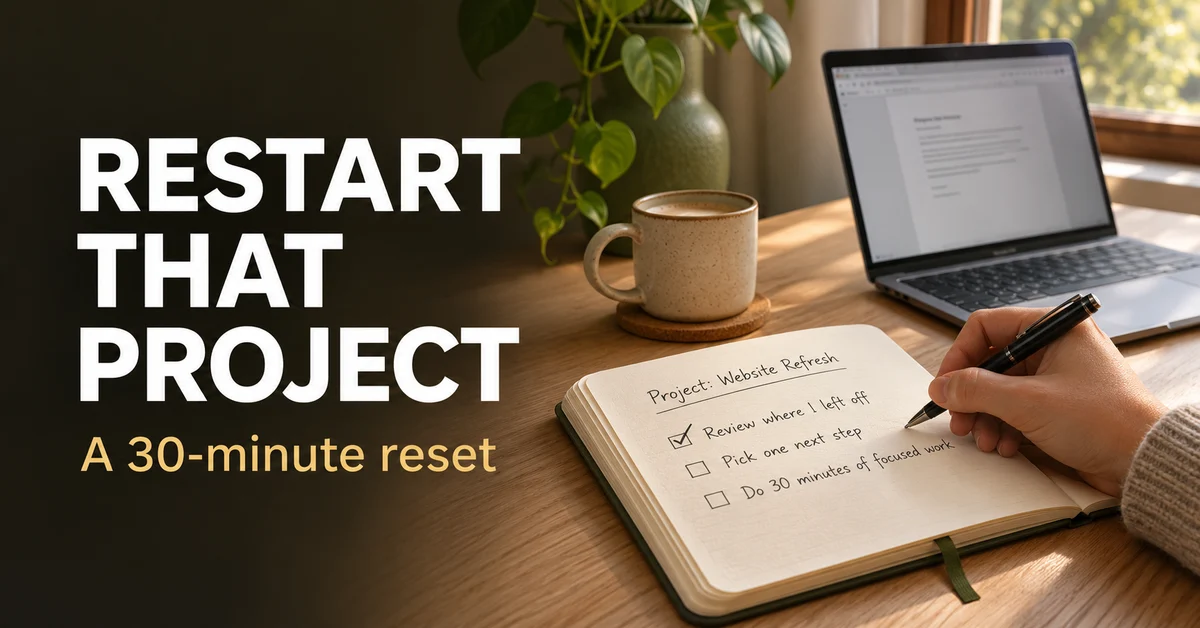
I recommend a 30-minute reset: check whether the project still matters, recover its current state, identify the blocker and make one small piece of progress. The aim is a clear restart, with a result and a next move you can see.
This guide includes six steps, a worked example and a copyable checklist. It fits a quiet Sunday session, but you can use it whenever an unfinished project needs attention.
Why Restarting Can Feel Harder Than Starting
A new project comes with an obvious first move. An interrupted one comes with decisions you have forgotten making.
Which draft is current? Did you decide to remove that section? Were you waiting for a reply, or did you never send the question? Before doing the work, you have to rebuild the state of the work.
The project label can hide another problem too. “Finish portfolio” includes selecting examples, finding evidence, writing explanations and choosing a layout. No single session can begin with all four at once.
Some projects stalled because their scope grew. Others lost a useful time slot or depended on an answer that never arrived. The right restart depends on what interrupted them.
Research offers a useful reason to make the next move specific. In experiments, Masicampo and Baumeister found that making specific plans for unfinished goals reduced interference on other tasks. That finding supports making a concrete plan; it does not establish a universal method for finishing abandoned projects.
The core principle: recover enough context to do one useful action, then leave enough context for the next session.
You do not need to reconstruct every previous thought. You need the information that changes what you should do next.
The Three Things You Need
The working files and relevant notes. Start with the project folder, current draft and any messages that contain actual decisions. Avoid opening every related resource you have ever saved.
One short restart note. Use a document, task or notebook you already check. It will hold the current state, next action and any unresolved blocker.
A timer and your real calendar. The timer limits the recovery session. The calendar gives the next action a place among commitments that already exist.
The additional software budget is S$0 when you use tools you already have. A new project app introduces another setup task before you have touched the project itself.
Keep work documents in approved systems. If the project depends on a shared file, link to the authoritative copy rather than creating a personal version that others cannot update.
Choose one project for this session. Opening five unfinished projects turns a restart into a backlog review. If you need to decide which one deserves attention first, use the Eisenhower Matrix before beginning.
The 30-minute budget below suits a small personal or knowledge-work restart. A construction project, a major team initiative or work with formal approval requirements needs its own restart process.
The Full Project Restart: Step by Step
Step 1: Decide Whether the Project Still Deserves Time (5 minutes)
Write one sentence explaining what completing this project would do for you now.
“I started it in August” explains its history. “I need two relevant work samples for applications next month” explains why it still matters.
Check whether the original outcome remains useful. A course assignment, job portfolio or business experiment can lose its purpose when circumstances change. Continuing out of habit consumes time another commitment needs.
Choose one of four decisions: continue, reduce, park or stop.
Continue means the outcome still deserves active time. Reduce means a smaller version would serve the current need. Park means a specific future date or condition will trigger another look. Stop means you release the commitment.
If other people depend on the project, treat a change as a proposal to discuss. Record who needs to agree and what work must be handed over.
When you choose to stop, close the project deliberately. Save relevant records, communicate where necessary and remove it from the active list. That is a useful result from the reset.
What you end up with: A current reason to continue, a smaller scope or an explicit decision to stop or wait.
Time comparison: Allow five minutes to make this decision before spending the rest of the session recovering work that no longer matters.
Step 2: Recover the Current State (5 minutes)
Find the latest working draft and check what it contains. A recent modified date is a clue, but read enough to confirm that you have the right version.
Write three short lines: what is usable, what remains unfinished and what you were waiting for.
For a portfolio, that could be: “Two examples selected. First case study has an outline. Waiting for permission to use one screenshot.” For a course assignment: “Data collected. Chart unfinished. Need to confirm the required citation format.”
Keep interpretation separate from the record. “Nothing useful here” is a reaction. “Introduction and source list complete; analysis unwritten” tells you where to begin.
If the folder is confusing, create a small index pointing to the working files. Leave uncertain versions intact until you can compare them. The digital file declutter guide covers a larger cleanup when one is needed.
Stop looking once you have enough context for the next decision. Reading every old message can use the entire session without changing the current action.
What you end up with: A brief statement of the project’s actual state and a reliable link to the work.
Time comparison: Budget five minutes for targeted recovery rather than rereading the full project history.
Step 3: Name the Blocker That Changes Your Next Move (5 minutes)
Ask what would prevent you from doing a useful piece of work right now. Be concrete enough that the answer points toward an action.
“No motivation” can describe how the project feels. “I do not know which example to include” identifies a decision you can make. “I need the client’s permission” identifies a dependency.
Use the following questions to narrow it down:
- Is the next action unclear?
- Is the scope too large for the available session?
- Is a decision or input missing?
- Are the files or materials difficult to find?
- Does the project lack a realistic time slot?
Choose the blocker that matters first. You do not need a complete explanation for every week the project has been inactive.
For a missing input, record who can supply it and what you need to ask. Then look for useful work that does not depend on the answer. If everything depends on it, sending a clear request can be the session’s output.
When the issue is capacity, make the trade-off visible. “I will work every evening” will fail if those evenings are already occupied. Reduce the scope, replace another optional commitment or park the project.
What you end up with: One specific obstacle and the response it requires.
Time comparison: Spend five minutes identifying the immediate obstacle rather than redesigning your whole productivity system.
Step 4: Choose a Small Finish Line (5 minutes)
Choose an output you can work toward during the remaining session. It should change the state of the project in a way you can inspect.
For writing, draft the three points a section needs to make. For a portfolio, select one example and list the evidence it needs. For a website, outline the information one page must contain.
Avoid making “get organized” the output unless missing organization is the actual blocker. Choosing folders and colors can feel productive while leaving the difficult decision untouched.
Define the finish condition before starting. “Outline the case study” becomes “write the problem, my contribution and the outcome as three rough bullet points”.
Make the output provisional where that helps. A working choice can be enough to move forward, provided it does not require approval you have not received. Write down what would justify revisiting it.
If the task still looks too large, cut another layer. A full draft becomes one section. A section becomes an outline. An outline becomes the question it must answer.
What you end up with: One startable action and a visible stopping point.
Time comparison: Budget five minutes to shrink the task before committing the remaining time to execution.
Step 5: Do the Small Action (8 minutes)
Open the relevant file and work on the chosen output. Close unrelated tabs and leave the restart note nearby so you do not have to hold the plan in memory.
Begin with the smallest practical move. Type the first rough bullet, compare the two options or write the request for missing information.
When another improvement occurs to you, capture one line and return to the chosen action. A project restart is vulnerable to expanding sideways because every unfinished part suddenly becomes visible.
Use placeholders where a missing detail does not affect the current work. “Add confirmed delivery date here” can let you draft the rest of a handover. A placeholder must remain visible until verified.
If you hit a genuine new dependency, update the blocker and choose the next controllable move. Do not force a task through a decision that belongs to someone else.
At the end of the block, save the result. If the output is incomplete, record what you changed and what remains. You can extend the session when your calendar allows, but choose to do so deliberately.
What you end up with: A piece of work, a resolved choice or a clear request that moves the project forward.
Time comparison: Give eight minutes to doing the chosen action. The reset includes execution so preparation has a defined end.
Step 6: Leave a Restart Note and Choose the Next Slot (2 minutes)
Before closing, record the file location, current state, next action and any waiting-for item. Keep the note beside the work or link it from the task you will reopen.
Then choose the next realistic slot. Use the actual calendar, including meetings, travel and responsibilities outside work.
If you leave the office at 6pm and reach home at 7pm, an empty 6.30pm block is not available project time. A short Saturday morning session might fit better.
Write a fallback for the slot most likely to disappear: “If Tuesday’s session is displaced, I will use Saturday at 10am.” The fallback needs to be available too.
Research reviewed by Gollwitzer and Sheeran on if-then planning distinguishes a general intention from a response tied to a particular situation. Use that distinction to make your next start clear.
What you end up with: A saved handover and a specific next appointment with the project.
Time comparison: Spend two minutes preserving context now rather than rebuilding the same state at the next session.
A Worked Example: The Portfolio That Became a Website Project
Imagine a professional who started updating a portfolio in August. By November, the folder contains a new color scheme, several page templates and no finished case study.
The original need was two useful examples for job applications. Somewhere along the way, the task became a complete website redesign.
During the Sunday reset, the writer decides to reduce the project to a short document containing two case studies. The website can wait until the content is useful.
The state review finds one selected example and a rough outline. The immediate blocker is uncertainty about which second example to include.
The small finish line is a comparison of two candidate examples against three needs: relevance to the target role, available evidence and permission to share the material.
During the work block, the writer makes a provisional selection and lists the missing evidence. The next session is reserved for drafting one case study’s problem, contribution and outcome.
| Before the reset | After the reset |
|---|---|
| Finish my portfolio website. | Produce two relevant case studies in a shareable document. |
| Continue where I stopped. | Compare the two candidate examples. |
| Find time this week. | Draft one case study during Saturday’s available morning slot. |
| Reopen all the old tabs. | Open the document linked in the restart note. |
This example is illustrative. Its useful feature is the change in scope: the next output now serves the original need and fits the available time.
Copy This Project Restart Checklist
Use short answers. The note should help you begin, not become another document to maintain.
- Current purpose: What would completing this project do for me now?
- Decision: Continue, reduce, park or stop?
- Working location: Where is the authoritative file or project record?
- Usable work: What can I keep from the previous sessions?
- Unfinished work: What remains before the next useful output exists?
- Immediate blocker: What changes the next action?
- Small finish line: What visible result will I work toward today?
- Result saved: What changed during this session?
- Next action: What should I do first when I return?
- Waiting for: Whose input is needed, and when will I check again?
- Next slot: When does the work fit in the real calendar?
- Fallback: What will I do if that slot disappears?
For a shared project, add who needs to approve a scope change. Keep a proposed change separate from an agreed one.
If the note fills several pages, move background material into a linked reference. The restart note should make the first move easier to find.
The Full Time Breakdown
The reset uses a 30-minute planning budget. Actual recovery time depends on the project’s complexity and how much context remains available.
| Task | Ad hoc restart | Suggested reset budget |
|---|---|---|
| Check purpose | Continue because the project is still on the list. | Five minutes to continue, reduce, park or stop. |
| Recover state | Read everything in the folder. | Five minutes to find usable work and the current version. |
| Identify the obstacle | Treat the whole project as one problem. | Five minutes for the blocker affecting the next action. |
| Choose the output | Attempt to finish everything. | Five minutes for a small finish line. |
| Work | Keep preparing until time runs out. | Eight minutes for the chosen action. |
| Close | Leave without a next step. | Two minutes for the handover and next slot. |
| Total | No clear stopping point. | 30 minutes. |
The reset does not replace project work. It makes the next work session easier to enter and gives the first small action some time today.
What a Short Restart Cannot Fix
A project with no current purpose. The right outcome can be to stop. Finishing everything you once started is not a sensible definition of progress.
An unresolved team decision. Record what needs agreement and bring it to the person with authority. A private planning session cannot approve a scope change.
A calendar with no capacity. Time blocking and a capture list can expose the conflict. You still need to choose what gives way or reduce the work.
A substantial skill or technical gap. The next action might be a focused practice task or a request for help. Label that dependency instead of repeatedly scheduling work you are not yet equipped to do.
Five Ways to Avoid Another Restart From Scratch
Keep the working file easy to reach. Put its link in the task or project note you actually review. Searching for it should not become the first task every time.
End with a specific next action. “Add the outcome paragraph using the three evidence points below” is easier to resume than “keep writing”.
Separate improvement ideas from current scope. Save a redesign idea without immediately adding it to the finish line. Review additions when you have evidence the current version needs them.
Review parked projects at the promised time. Use the weekly review to check whether a reopening condition has arrived. Parked work should not silently return to the active list.
Close the session while its state is fresh. The same handover logic appears in the work shutdown routine. A brief note now preserves the decisions you would otherwise have to make again.
The Budget Version: A Five-Minute Restart Note
If you only have five minutes, use one minute to check that the outcome still matters. Spend two minutes identifying the current file and writing what is already usable. Use the remaining two minutes to choose one next action and a realistic slot.
This shorter version prepares the return; it does not include the eight-minute work block. Keep that distinction clear so writing a plan does not become your only contact with the project.
On a crowded Sunday, that can be enough. For example, you can locate the unfinished course exercise, identify the question you stopped at and reserve a short practice session before the next weekend.
Use the next available work period to begin the action. If the same slot keeps disappearing, change the schedule or reduce the commitment rather than making the note more elaborate.
Frequently Asked Questions
How do I restart a project after several months?
Begin with its current purpose and working files. Identify what remains usable, then choose the smallest output that would move it forward now. Old deadlines and assumptions need checking before you reuse them.
Should I finish old projects before starting anything new?
Review them before carrying them forward, but do not assume they all deserve completion. Stop or park projects that no longer serve a current need. Then choose new commitments according to the capacity you actually have.
What if I cannot remember why I stopped?
You do not need a complete account of the interruption to act now. Recover the current state and identify what prevents the next useful action. If the original reason becomes relevant, add it to the note when you find it.
Is 30 minutes enough to get a project back on track?
It is a useful budget for a small recovery session, not a promise of full recovery. Aim to make the next step clear and produce one small result. Complex dependencies or shared decisions need additional time and agreement.
Can I use AI to summarize old project notes?
An approved tool can help draft a summary of material you are permitted to share. Check the working version, decisions and outstanding commitments yourself before acting on that summary. Keep sensitive work inside your organization’s approved systems.
How is this different from a weekly review?
A weekly review keeps the overall task and project system current. This reset focuses on one project whose context or next action has become unclear. Use the review to select the stalled project, then give the reset its own short session.
Final Thoughts
To restart a stalled project, recover the useful work, decide what still matters and choose a next action small enough to begin.
Give one project a short session this Sunday. Finish with a saved result and a note that tells your future self where to start.
→ Use a weekly review to keep the project visible
→ Review which commitments deserve to continue into next year
Which unfinished project would you like to give one useful session this weekend? Share it in the comments.
Continue reading: