
How to Use a Wise Referral Link in Singapore (2026): Step-by-Step Guide
Table of Contents
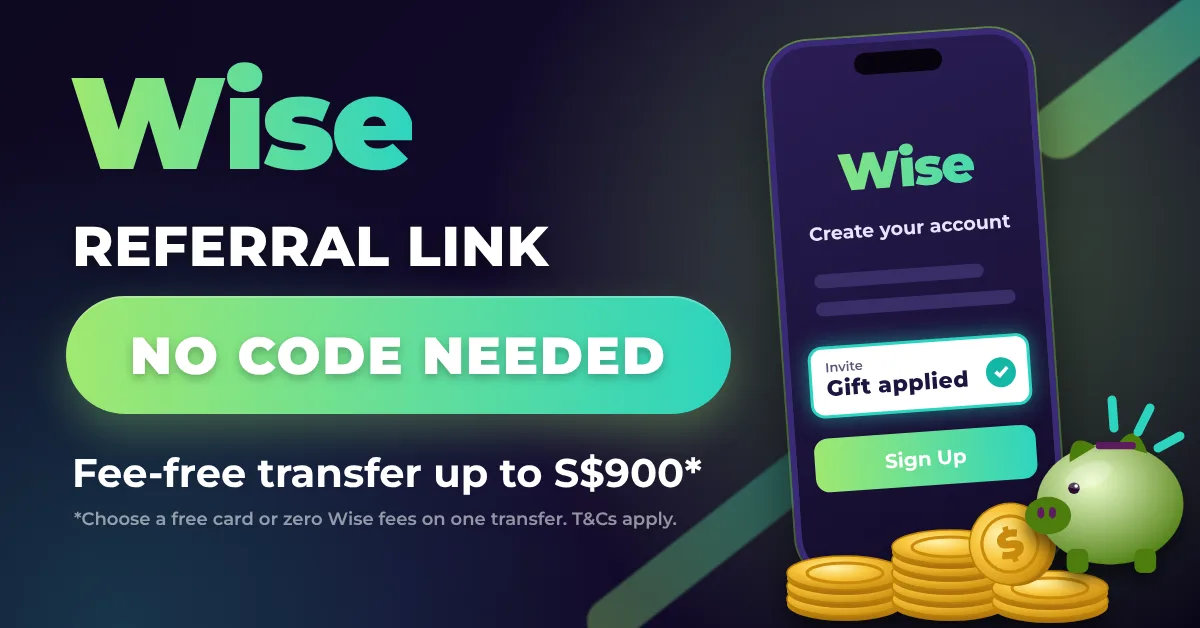
Wise gives new customers a gift for joining through an invite link: a free Wise card, or zero Wise fees on a transfer of up to S$900. You choose one.
There is no Wise referral code to type in. The gift travels with the link, so the only thing that matters at sign-up is that you open the link first.
The part most people get wrong comes later. The fee-free transfer applies itself to your next transfer, whatever its size. Send S$20 to test the app and the gift is used up on a S$20 transfer.
This guide walks through the order to sign up with the DLCuration Wise referral link, which gift to pick in Singapore, and what to do if you already signed up without it.
→ Get the Wise referral link and current gift
Why Most People Use a Wise Referral Link Wrong
Most people think of a referral as a code you enter once and forget. With Wise, both the link and the gift have rules about timing.
Here are the three mistakes I see most often:
- Looking for a code box. Wise’s sign-up has no referral or promo code field. Searching “Wise referral code Singapore” turns up old posts and SWIFT code pages, but the invite link is the only thing that counts.
- Picking the free card by reflex. Wise’s Singapore pricing page already lists the card as free to order. For most people in Singapore, the card gift adds little.
- Wasting the fee-free transfer on a test. The voucher is single use and applies to the next transfer you make. A small trial transfer uses it up.
There is also a deadline people miss. If you sign up without the link, Wise’s terms give you 30 days to add it. After that, the gift is gone for that account.
The principle the whole process is built on: open the link before you register, pick the transfer, and make your first transfer the one you actually need.
What You Need Before You Start
Set aside about 15 minutes for sign-up. Have these ready:
- The Wise invite link. Use the Wise invite link or the DLCuration Wise page, which shows the current gift.
- An email address you have never used with Wise. The gift is for new customers only.
- Your NRIC or passport. Wise verifies every new customer before you can send money.
- A bank account in your own name. Wise’s referral terms only count transfers paid from a card or bank account in your name.
- A real transfer to make within 6 months. Tuition fees, a deposit for an overseas stay, or money to family abroad. This is what the gift is worth using on.
You are not eligible if you already have a Wise account that is more than 30 days old. The programme is also for personal use only, so business accounts are excluded.
The Full Process: Step by Step
Step 1 — Check Whether You Already Have a Wise Account (1 minute)
Search your inbox for emails from Wise. Many people opened an account years ago for a one-off transfer and forgot about it.
If you have an account older than 30 days, stop here. The gift is not available to you, and opening a second account breaks Wise’s terms.
What you end up with: confirmation that you are a new Wise customer.
Step 2 — Open the Wise Invite Link (1 minute)
Open the invite link on the device you will sign up on. It loads Wise’s invite page for Singapore, which shows the gift on offer.
There is no code to copy. The link records the referral by itself.
What you end up with: Wise’s invite page, with the gift showing.
Step 3 — Register From the Invite Page (3 minutes)
On the invite page, enter your email and tap Get your gift, or tap Get the app to register in the Wise app. Either route registers you as a new customer through the link.
Do not close the page and register later from the Wise website or App Store. Start the sign-up from the invite page itself.
What you end up with: a new Wise login tied to the invite.
Step 4 — Choose the Fee-Free Transfer (1 minute)
Wise asks you to pick your gift: a free card or a fee-free transfer up to S$900.
For most people in Singapore, the transfer is the better pick. Wise’s Singapore pricing page lists ordering the physical card and adding the digital card as free already.
Choose the card gift only if the invite page shows it covering something the standard free card does not, such as express delivery.
What you end up with: a fee-free transfer voucher waiting on your account.
Step 5 — Verify Your Identity (5 to 10 minutes)
Follow Wise’s prompts to verify your identity with your NRIC or passport. You cannot send money until Wise has checked your details.
Some checks clear within minutes. Others can take longer if Wise asks for an extra document.
What you end up with: a verified Wise account, ready to send money.
Step 6 — Plan Your First Transfer Before You Send It (2 minutes)
This is the step that decides what the gift is worth. Wise’s help centre says the voucher applies automatically to the next transfer you make, and it can only be used once.
So make the first transfer the one you were going to make anyway. Keep it to S$900 or less to have Wise’s whole fee waived. On a larger transfer, check the fee on the review screen before you confirm.
These do not use the voucher, so they will not waste it:
| Action | Uses the Voucher? |
|---|---|
| Adding SGD to your SGD balance | No — same-currency top-ups are excluded |
| Paying with your Wise card | No — card payments are excluded |
| A cross-currency transfer, such as SGD to GBP | Yes — this is what it is for |
| Tax payments and other external costs | Not covered |
What you end up with: a first transfer sized to get the most from the gift.
Step 7 — Send the Transfer and Check the Fee Line (3 minutes)
Set up the transfer in the app or on the website. On the review screen, Wise shows the discount against its fee. Check it before you pay.
Pay from a bank account in your own name. Wise says payment method fees above the discount still apply, so a bank transfer is the safest way to keep the whole saving.
What you end up with: a transfer sent with Wise’s fee waived.
The Full Time and Reward Breakdown
| Step | What You Do | Time | Counts Toward the Gift? |
|---|---|---|---|
| 1 | Check you are a new customer | 1 minute | Protects eligibility |
| 2 | Open the invite link | 1 minute | Yes — attaches the referral |
| 3 | Register from the invite page | 3 minutes | Yes — creates the account |
| 4 | Choose the fee-free transfer | 1 minute | Yes — picks the gift |
| 5 | Verify your identity | 5–10 minutes | Needed to send money |
| 6 | Plan the first transfer | 2 minutes | Protects the gift’s value |
| 7 | Send it within 6 months | 3 minutes | Reward |
Total: about 15 to 20 minutes of your time. The value is Wise’s fee on your first transfer of up to S$900.
Is the Wise Referral Worth It? Three Realistic Examples
The gift is not cash. It waives a fee, so what it is worth depends on what you send first.
The overseas tuition payment. Your child starts a course in the UK and you owe a S$900 deposit in pounds. You sign up through the link, choose the transfer and send the deposit. Wise’s fee on that transfer is waived, and it is a payment you had to make anyway.
The test transfer. You sign up and send S$20 to a friend in Malaysia to see how Wise works. The voucher applies to that S$20 transfer and is gone. The saving is the small fee on S$20, and the bigger transfer you make next month pays full fees.
The traveller who only wants the card. You want a Wise card for a Japan trip. The card is already free to order in Singapore, so the card gift adds little. Choose the transfer and keep it for a real transfer in the next six months, or skip the gift if you will never send money abroad.
The gift never changes Wise’s exchange rate or makes it a better or worse service. If Wise suits how you send money, the link makes your first transfer cheaper. If it does not, the gift is not a reason to sign up.
What the Referral Link Cannot Do
It cannot be added after 30 days. Wise’s terms say the link must be added within 30 days of signing up. After that, the system does not allow it.
It cannot be split. The fee-free transfer is a single-use voucher. If your first transfer is S$200, the unused S$700 of the ceiling does not carry over.
It cannot cover everything. Same-currency top-ups, Wise card payments, tax payments and other external costs are excluded. Card or bank payment fees above the discount still apply.
It does not wait forever. The fee-free transfer has to be used within 6 months of signing up.
Is Wise Safe? What the Link Does Not Change
Using an invite link has no effect on how your money is held. Wise Asia-Pacific Pte. Ltd. is licensed by the Monetary Authority of Singapore as a major payment institution.
A Wise account is not a bank account. Balances are not covered by SDIC deposit insurance, so treat Wise as a way to move and spend money, not as a place to keep savings.
None of this is financial advice. Choose a transfer service for its rates, fees and how you use it. The gift is a bonus, not a reason.
Tips to Get the Most From the Wise Referral
Line up the transfer first. Sign up when you have a real overseas payment coming. The voucher lasts 6 months, so there is no rush, but there is no point in a gift you never use.
Stay at or under S$900. That keeps the whole of Wise’s fee waived on the transfer. If you need to send more, compare the fee on the review screen before you confirm.
Use the card for spending, not for the gift. Card payments do not touch the voucher. You can order the free card and spend with it without risking the fee-free transfer.
Know the card’s ATM rules. Wise’s Singapore pricing page lists free ATM withdrawals up to S$100 a month, then 1.75% of the amount above that. Wise cards cannot be used for local ATM withdrawals in Singapore.
Screenshot the gift screen. A screenshot of the invite page and the gift you chose helps if the discount does not show on your transfer.
What If You Already Have a Wise Account?
It depends on when you joined. If you signed up within the last 30 days without a link, Wise lets you add one. Log in and go to wise.com/invite/use-invite-link, then paste the invite link.
If your account is older than 30 days, you cannot add a link. Wise’s terms are clear that it is not possible after that.
You can still earn the other way round. Share your own invite link from the Invite section of your Wise account. Wise pays a reward once invited friends meet its qualifying conditions, which are shown on your invite page.
Frequently Asked Questions
Is there a Wise referral code I can enter?
No. Wise’s invite programme works through a link, not a code. Opening the invite link before you register is what ties your account to the gift, and there is no code field during sign-up.
What do I get with a Wise referral link in Singapore?
A choice of one gift: a free Wise card, or zero Wise fees on a transfer of up to S$900. The transfer gift waives Wise’s fee, so your saving is the fee on that transfer, not S$900 itself.
Should I choose the free card or the fee-free transfer?
For most people in Singapore, the fee-free transfer. Wise’s Singapore pricing page already lists ordering the card as free, so the card gift adds little. Pick the transfer if you plan to send money abroad within 6 months.
Can I add a Wise referral link after signing up?
Only within 30 days of signing up. Wise’s terms say you must add the link on its referral page within that window. After 30 days, it cannot be added.
Do I need to transfer S$250 to get the Wise gift?
No. Some guides quote a S$250 figure, but Wise’s help centre says invited customers still get the discount even if they do not spend the qualifying amount. That amount applies to the reward for the person who invited you.
How long do I have to use the Wise fee-free transfer?
6 months from the day you sign up. The voucher applies automatically to your next transfer, so make sure your first transfer after sign-up is the one you want it on.
Final Thoughts
The Wise gift is easy to get and easy to waste. Opening the link first takes care of the referral. The bigger decision is which transfer you make first.
Pick the fee-free transfer, then hold off until you have a real payment to send. Your first transfer after sign-up is the one the gift lands on.
Start with the link, and save the gift for a transfer that matters.
→ Get the Wise referral link and current gift
Signed up already? Let me know in the comments which currency your first Wise transfer is going to.
Continue reading:
- Wise Referral Link — Free Card or Fee-Free Transfer
- How to Use a YouTrip Referral Code
- How to Use a GXS Referral Code
- All Singapore Referral Codes in One Place
Disclosure: this article contains my Wise invite link. If you sign up with it and meet Wise’s conditions, Wise may pay me a referral reward, at no cost to you. DLCuration is independent and is not affiliated with or endorsed by Wise. Information is based on Wise’s referral terms (last updated 5 May 2026), its help centre and its Singapore pricing page, checked on 15 October 2026. Terms can change, so check the gift on Wise’s invite page before you sign up. This is not financial advice.