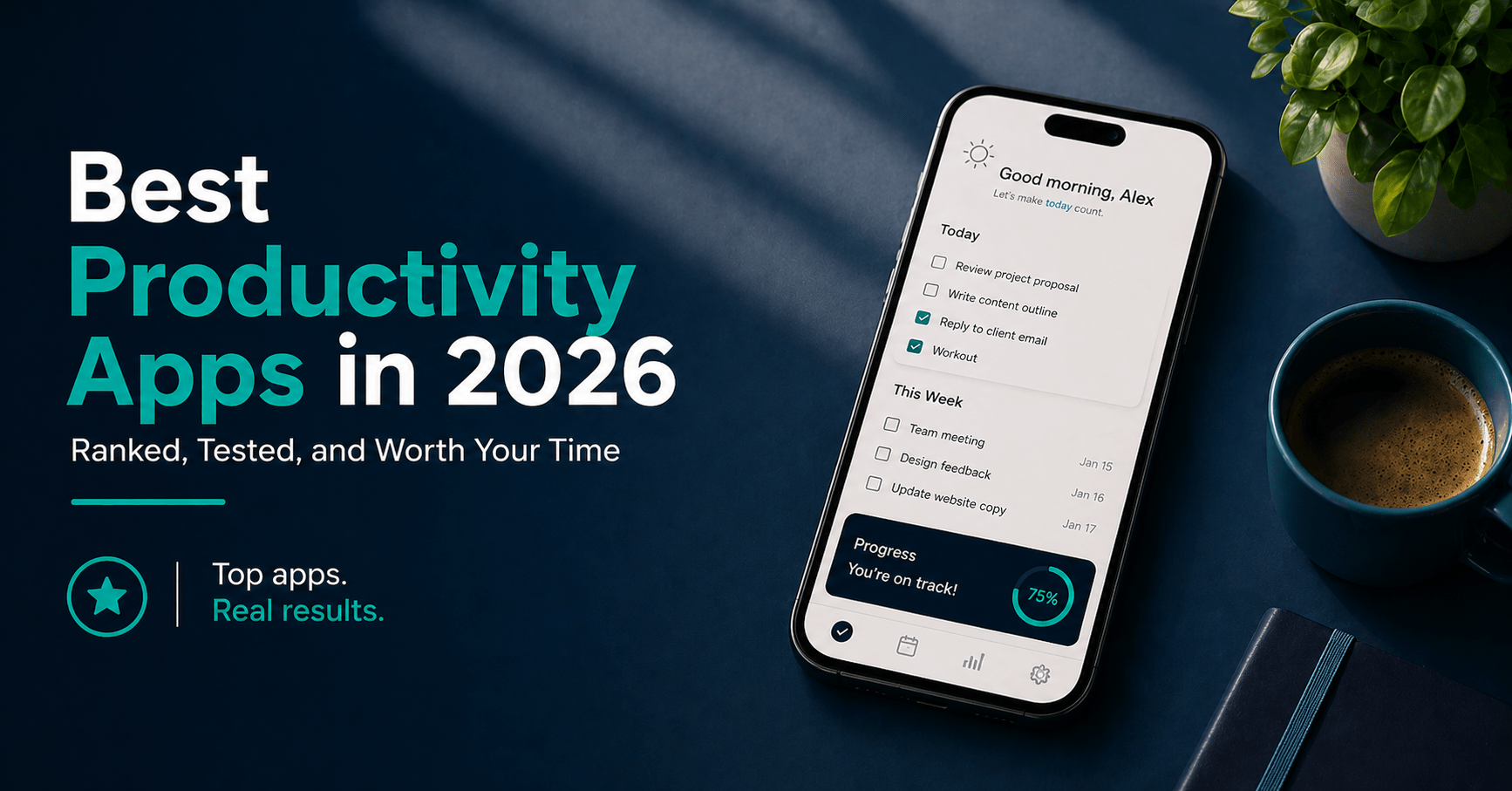
Best Productivity Apps in 2026: Ranked, Tested, and Worth Your Time
Table of Contents
The productivity app market has one problem: there are too many of them. A quick search returns dozens of options, each promising to transform how you work. Most don’t. Many just give you a new system to maintain on top of the work you were already avoiding.
The real filter isn’t which app has the best feature list. It’s which app you’ll still be using in six months — the one that fits how you actually think, integrates with what you already use, and doesn’t require 45 minutes of setup every Monday morning.
I’ve spent real time across all the major options. The shortlist is shorter than the internet suggests. For most people, the right answer is one task manager, one note-taking or reference system, and one focus tool. Anything beyond that is friction wearing the disguise of productivity.
Here are the six best productivity apps in 2026.
What to Look For in a Productivity App
Before the list, here’s the framework I used to evaluate each tool — and what you should weigh before you commit.
Friction at entry. The best productivity app is the one that takes less effort to use than to skip. If capturing a task requires three taps and a category selection, you’ll stop capturing tasks. Speed of entry matters more than depth of features.
Cross-device consistency. You’ll start tasks on your laptop and check them on your phone. An app that behaves differently across platforms creates cognitive overhead that quietly undermines the whole system.
Longevity and data ownership. Your task history and notes accumulate value over time. Apps that store everything in a proprietary cloud with no export option are a liability. Know where your data lives before you go deep.
System fit, not feature count. The app that matches the way you naturally think — visual, list-based, hierarchical, freeform — will get used. The app with the most checkboxes won’t, unless those checkboxes match your brain.
Free tier quality. A genuinely useful free tier signals something important: the company is confident enough in their product to let you experience it before paying. It’s also the right way to test before you commit.
The 6 Best Productivity Apps in 2026
| Tool | Best For | Starting Price | Free Plan |
|---|---|---|---|
| Todoist | Task management and daily capture | $4/month | Yes — generous |
| Notion | All-in-one workspace and notes | $10/month | Yes — fully functional |
| TickTick | Task + habits + Pomodoro in one | $3.99/month | Yes — limited |
| Obsidian | Deep notes and knowledge building | Free (Sync: $4/month) | Yes — core app is free |
| Forest | Focus sessions and screen discipline | $3.99 one-time | No (iOS); Free (Android) |
| Reclaim.ai | Intelligent calendar scheduling | $10/month | Yes — one calendar |
1. Todoist — Best Task Manager for Most People
Todoist has been the benchmark for task management apps for years — and in 2026, it still is. What keeps it at the top isn’t complexity. It’s the quality of its simplest interactions. Natural language input is genuinely fast: type “Submit report every Friday at 9AM” and Todoist creates a recurring task with the right label, project, and priority without any manual configuration. No other app in this category handles natural language input as reliably.
The interface is clean without being sparse. Projects, labels, filters, and priorities give you enough structure to manage complex work without the overhead of a project management tool. The Today and Upcoming views remain two of the most useful productivity views in any app — they show you exactly what you’re committing to without requiring you to build a custom dashboard.
The 2026 AI Task Assist feature — which suggests smart filters based on your task history and past completion patterns — is the most useful AI integration I’ve seen in a task manager. It doesn’t generate tasks for you. It surfaces patterns in what you’ve already captured.
What Todoist is great at:
- Natural language task entry — faster than any competitor at raw capture speed
- Cross-platform consistency across iOS, Android, Mac, Windows, and browser
- Deep integrations with Gmail, Outlook, Google Calendar, and Slack
- Clean, distraction-free interface that works identically on every device
Where it falls short:
- No built-in time blocking or calendar view — you’ll need a separate calendar app
- No native note-taking — task descriptions are functional, not a note-taking replacement
- The Karma gamification system is easy to game and not particularly motivating
Pricing:
- Free: 5 active projects, up to five collaborators per project, basic features
- Pro: $4/month (billed annually) — reminders, filters, calendar sync, AI features
- Business: $6/user/month — team features, admin controls, priority support
Bottom line: Todoist is the right choice if task capture speed and cross-platform reliability matter more to you than an all-in-one workspace. For most people who want one trusted task manager and nothing else, this is it.
2. Notion — Best All-in-One Workspace
Notion is the most ambitious app on this list — and that ambition is both its biggest strength and its most consistent complaint. It combines notes, databases, project management, wikis, and AI-powered automation into a single workspace. Done well, it genuinely replaces three or four separate tools. Done poorly, it becomes a maintenance project in its own right.
What changed in 2026 is the AI Agent layer. Notion can now act on your content, not just store it. You can prompt it to read a meeting transcript and update a project database, or generate a weekly summary from your notes automatically. These aren’t gimmicks — they’re workflows that previously required manual copy-pasting between tools.
The free plan is legitimately functional for individuals. You get unlimited pages, collaborative blocks, basic databases, Notion Calendar, and up to 10 guest invitations — enough to run a personal system or a small freelance workflow without paying.
What Notion is great at:
- Flexibility — it can be a task manager, CRM, knowledge base, or project tracker depending on how you build it
- AI Agents that operate on your existing content rather than generating new text from scratch
- A genuine free tier that doesn’t feel deliberately crippled
- The best team wiki experience of any app at this price point
Where it falls short:
- High setup investment — out of the box it does nothing; you build the system yourself
- Mobile performance, while improved, is still slower than dedicated task apps
- The flexibility that makes it powerful also makes it easy to over-engineer
Pricing:
- Free: Unlimited pages, 10 guests, basic AI, Notion Calendar and Mail included
- Plus: $10/seat/month — unlimited file uploads, automation, custom forms, charts
- Business: $15/seat/month — advanced permissions, private team spaces, bulk export
- AI add-on: Included in all plans as of 2026
Bottom line: Notion is the right choice if you want one place for everything — notes, tasks, projects, and references — and you’re willing to invest time building a system upfront. It’s not a quick-start tool. Treat it as infrastructure, not an app.
3. TickTick — Best Swiss Army Knife App
If Todoist is a precision tool, TickTick is a multi-tool. It bundles a full task manager, a calendar view, a habit tracker, and a Pomodoro timer into one app — and does all of them well enough that many people can eliminate two or three separate subscriptions by switching to it.
The calendar integration is the standout feature. You can drag tasks directly onto a calendar view to time-block your day, seeing at a glance whether you’ve overcommitted. For people who think visually about time rather than maintaining a list, this is a substantial advantage over Todoist. The built-in habit tracker handles three to five daily habits cleanly without needing a separate app.
The Pomodoro timer runs natively within the app, so you can move from task management to a timed focus session without switching tools. The “Annoying Alert” feature — which sends repeat notifications until a task is completed — is exactly as effective as it sounds and should be used sparingly.
What TickTick is great at:
- Calendar drag-and-drop for visual time blocking — the best implementation of this in any task app
- Built-in habit tracking that removes the need for a separate habit app
- Native Pomodoro timer integrated directly with your task list
- Clean interface that runs fast on both mobile and desktop
Where it falls short:
- Natural language input isn’t as reliable or fast as Todoist’s
- The free tier is restricted — one calendar integration and no filter views
- Fewer integrations with external tools compared to Todoist
Pricing:
- Free: Basic task management, limited calendar and habit features
- Premium: $3.99/month or $27.99/year — full calendar, all habit features, Pomodoro, filters
Bottom line: TickTick is the right choice if you want task management, habit tracking, and time blocking in a single app without paying for three separate subscriptions. At $27.99/year, it’s the best per-feature value on this list.
4. Obsidian — Best for Deep Notes and Knowledge Building
Obsidian is not a task manager. It is not a project management tool. It’s a note-taking and knowledge-building application built on one principle most apps have abandoned: your data belongs to you. Everything in Obsidian is stored as plain-text Markdown files on your own device. If Obsidian shuts down tomorrow, you still have every note you’ve ever written in a format readable by any text editor.
The Graph View — a visual map of how your notes connect to each other — sounds like a novelty and turns out to be genuinely useful for anyone doing research, writing, or building knowledge over time. Seeing the relationships between ideas captured over months reveals patterns you wouldn’t notice in a linear note list.
The trade-off is setup investment. Obsidian doesn’t do anything by default. You configure it through community plugins, of which there are thousands. The first hour is confusing. The first week is frustrating. After that, it’s a tool most people who commit to it won’t replace.
What Obsidian is great at:
- Local-first storage — your notes never touch a third-party server unless you choose sync
- Bidirectional linking that builds a personal knowledge network over time
- Thousands of community plugins that extend it into a writing tool, task manager, or research system
- The core app is completely free with no feature restrictions or paywalls
Where it falls short:
- No collaboration features — it’s a personal tool, not a team tool
- High initial setup investment before it becomes genuinely useful
- Sync across devices requires either the paid Sync plan or a manual workaround
Pricing:
- Personal: Free — full core app, unlimited notes, all local features
- Sync: $4/month — encrypted sync across all your devices
- Publish: $8/month — publish your notes as a public website
Bottom line: Obsidian is the right choice if you write, research, or learn seriously and want a note system that gets more valuable the longer you use it. It’s not for people who want something that works immediately. It’s for people willing to invest setup time for a tool with no ceiling.
5. Forest — Best for Focus and Screen Discipline
Forest is the simplest app on this list — and for many people, the highest-impact one. The premise: you plant a virtual tree when you start a focus session. If you leave the app to check social media, the tree dies. Trees you keep alive accumulate into a growing forest. Real trees are planted through the app’s partnership with Trees for the Future.
The gamification works because it makes the abstract cost of distraction visible. Picking up your phone mid-session isn’t just losing focus — it’s killing a tree you’ve been growing. For people whose phone is the primary distraction during work, Forest addresses the problem at the source in a way that willpower alone doesn’t.
It is not a productivity system. It doesn’t manage tasks, track habits, or organize projects. It does one thing — protect focus sessions from phone-based distraction — and does it more reliably than any other app in this category.
What Forest is great at:
- Making the cost of phone distraction immediately visible through the tree metaphor
- One-time purchase model on iOS — no ongoing subscription required
- Pairs cleanly with any task manager as a focus layer on top
- Real tree planting adds genuine meaning to what is otherwise a simple timer
Where it falls short:
- Does nothing beyond focus sessions — it’s not a standalone productivity system
- iOS version is a paid one-time purchase; some users expect free
- No desktop app with the same gamification mechanic as the mobile version
Pricing:
- iOS: $3.99 one-time purchase
- Android: Free with in-app purchases
- Chrome extension: Free
Bottom line: Forest is the right choice if phone distraction is your primary productivity problem. At $3.99 for a one-time purchase, it’s the cheapest upgrade on this list with the highest return for anyone whose phone is their biggest focus killer.
6. Reclaim.ai — Best for Calendar-Based Workers
Reclaim.ai sits in a category most apps don’t touch: intelligent calendar scheduling. Instead of leaving you to manually time-block your week, Reclaim looks at your calendar, your task list, and your work patterns, then automatically schedules focus blocks, habit time, and buffer periods around your existing meetings.
The Habits feature is the strongest part of the product. You tell Reclaim you want 30 minutes of deep work every morning and a 15-minute break after every meeting — and it finds and defends that time automatically, rescheduling when conflicts arise. For people whose calendars are genuinely chaotic, this is the closest thing to a scheduling assistant without the cost of one.
The free plan covers one calendar and basic habit scheduling — enough to test whether the concept fits your workflow before committing.
What Reclaim.ai is great at:
- Automatic defense of focus time — it finds gaps in your calendar before meetings do
- Smart rescheduling when plans change — it moves your protected time, not your meetings
- Habit scheduling that runs in the background without manual maintenance
- Task estimation that integrates your to-do list directly into your calendar
Where it falls short:
- Only valuable if your calendar is your primary work-planning tool
- The free plan is limited to one calendar — won’t work for people juggling personal and work accounts
- Requires full access to your calendar data, which is a legitimate concern for privacy-conscious users
Pricing:
- Lite: Free — one calendar, basic habits and tasks
- Starter: $10/month — two calendars, full habits, task scheduling, analytics
- Business: $15/month — team features, admin dashboard, priority support
Bottom line: Reclaim.ai is the right choice if calendar conflicts and scheduling overhead are your primary productivity problems. It’s not for everyone — but for calendar-heavy professionals, it solves a real problem that no other app on this list addresses.
How to Choose the Right Productivity App
Not everyone needs all six. Here’s the honest decision guide.
If you want one trusted task manager and nothing else → Todoist. Clean, fast, cross-platform, with an excellent free tier. The default choice for most people starting out.
If you want one app for everything — tasks, notes, projects, references → Notion. Accept the setup investment. Build the system once. Use it for everything.
If you want task management, habits, and time blocking without three separate subscriptions → TickTick. The best value-per-dollar option on this list at $27.99/year.
If you write, research, or build knowledge seriously → Obsidian. Pair it with Todoist or TickTick for tasks. Use Obsidian for everything you want to remember and connect.
If your phone is your biggest distraction → Forest. One-time purchase, immediate impact, no system required.
If meetings and calendar chaos are killing your focus time → Reclaim.ai. Pair it with Todoist for tasks. Let Reclaim defend the calendar.
The Best Productivity App Stack for Professionals
For most professionals who want a complete system without over-engineering it:
| Goal | Stack | Monthly cost |
|---|---|---|
| Minimal — one app | Todoist Pro | $4/month |
| Task + Focus | Todoist Pro + Forest (iOS) | $4/month + $3.99 one-time |
| Task + Notes | Todoist Pro + Obsidian Sync | $8/month |
| All-in-one | TickTick Premium | $2.33/month (billed annually) |
| Heavy calendar user | Todoist Pro + Reclaim.ai Starter | $14/month |
The most common mistake is buying all six and using none of them consistently. Start with one task manager. Add a second app only when you’ve hit a real gap the first one can’t fill.
Frequently Asked Questions
What is the best free productivity app in 2026?
Todoist’s free tier is the strongest among task managers — five active projects with no time limit on core features. Obsidian’s core app is completely free with no feature restrictions whatsoever. Notion’s free plan handles unlimited pages and basic databases for individuals. If I had to pick one, Todoist free covers the most ground for the widest range of users without requiring any setup.
Which productivity app is best for beginners?
Todoist. The interface is immediately intuitive, natural language input means you can add tasks without learning any system, and the Today view gives you a clear daily focus with no configuration required. You can be up and running in under five minutes and productively using it within a week — without reading a setup guide or watching tutorials. TickTick is a strong second if you also want habit tracking from day one.
Can productivity apps replace a paper planner?
For most daily planning tasks, yes. The gap is cross-device access — you can’t check your paper planner on your phone mid-meeting — and long-term capture, since notes from paper planners six months ago are rarely referenced. If you prefer paper for daily planning, the only digital layer worth adding is a quick-capture tool like Todoist for tasks that arrive when your planner isn’t in front of you.
What is the difference between Todoist and Notion for productivity?
They solve different problems. Todoist is a dedicated task manager — fast, focused, and built around capturing and completing things you need to do. Notion is an all-in-one workspace built around notes, databases, and documents that can include task management but isn’t primarily a task tool. Many people use both: Todoist for tasks, Notion for reference material and project documentation. If you want only one app, choose based on whether your primary need is capturing actions (Todoist) or organizing knowledge (Notion).
Do I still need to manage my own productivity if I use these apps?
Yes. No productivity app makes decisions for you. These tools reduce friction around capturing, organizing, and reviewing your work — but the judgment calls about what matters, what to prioritize, and when to do which task remain entirely yours. The risk with productivity apps is spending more time managing the system than doing the work. The best apps minimize that overhead. The worst ones add to it.
Final Verdict
The best productivity app is the one you actually use. That sounds obvious. It’s the most ignored piece of advice in this category.
- Todoist — best task manager for most people; fast, reliable, cross-platform
- Notion — best all-in-one workspace; high setup cost, high long-term value
- TickTick — best value for task + habits + time blocking in one subscription
- Obsidian — best for serious writers and researchers; free core app, steep learning curve
- Forest — best single-problem solution for phone distraction; $3.99 one-time
- Reclaim.ai — best for calendar-heavy professionals who need protected focus time
All six apps have free plans or trials. Start with one. Use the free tier for two weeks. If it solves your problem, pay for it. If it adds more friction than it removes, try the next one.
→ Start with Todoist free | → Try Notion free | → Try TickTick free
Have you tried any of these? Drop your experience in the comments — especially if you’ve found a stack combination that works well.
Continue reading:


One Comment