How to Use a Crypto.com Exchange Referral Code in Singapore (2026): Step-by-Step Guide
Table of Contents
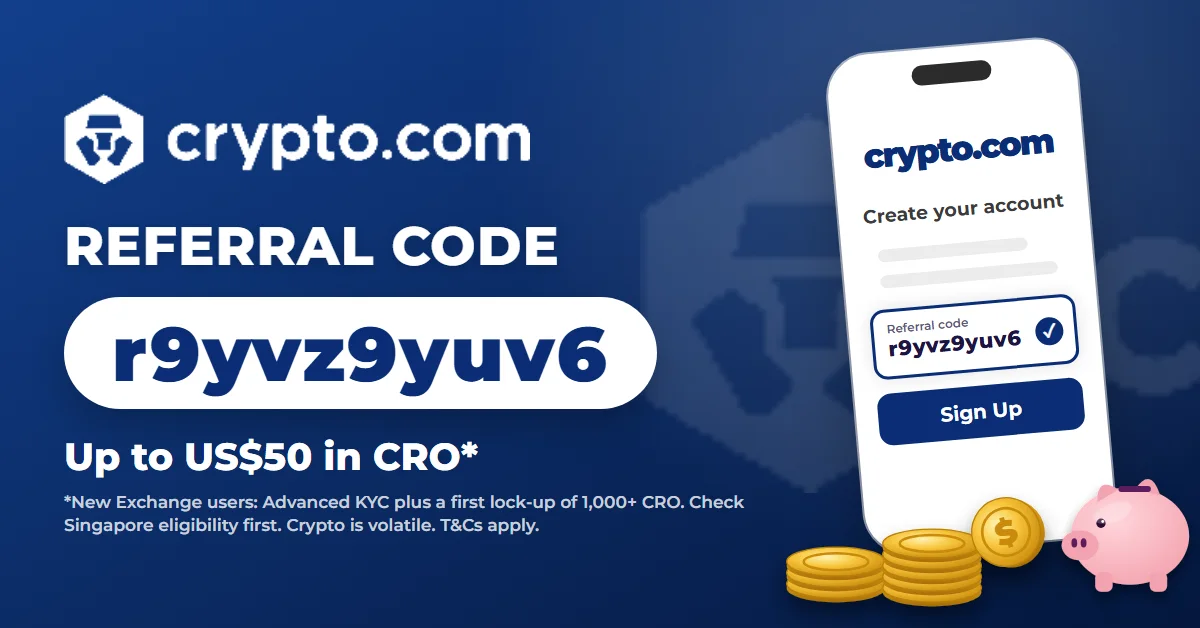
Crypto.com Exchange offers new users up to US$50 in CRO for signing up with a referral code. US$10 needs a first lock-up of 1,000 CRO. The full US$50 needs 5,000 CRO or more.
Before anything else, one important caveat for Singapore readers. Crypto.com’s help pages list the UK, Hong Kong and the EEA as excluded, and they do not say whether Singapore retail users qualify. MAS also restricts licensed digital payment token providers from offering incentives to retail customers. So check eligibility in your account before you lock up any CRO.
If you do qualify, the steps are simple. The commitment is the hard part: CRO you lock up stays locked for 180 days, while its price moves.
This guide walks through how to use the DLCuration Crypto.com Exchange referral code, r9yvz9yuv6, and what to check at each step.
→ Get the Crypto.com Exchange referral code and details
Why Most People Use a Crypto.com Referral Code Wrong
Crypto.com runs two separate products: the Crypto.com App and the Crypto.com Exchange. Their referral programmes are separate too.
Here are the mistakes I see most often:
- Using an App code on the Exchange. An App code only works on the Exchange if its owner has linked their App and Exchange accounts. Sign up at crypto.com/exchange with an Exchange code.
- Stopping at basic verification. The bonus needs Advanced KYC, not the basic level.
- Counting bonus CRO toward the lock-up. Only your own CRO counts toward the 1,000 or 5,000 threshold.
- Locking up before checking eligibility. If Singapore retail accounts are excluded, you could lock CRO for 180 days for no bonus.
The principle the whole process is built on: sign up with the code, confirm the bonus shows for your account, and only then lock up CRO you would hold anyway.
What You Need Before You Start
- The Crypto.com Exchange referral code r9yvz9yuv6. Or use the Crypto.com Exchange referral link, which fills it in.
- A government ID and a selfie. For Advanced KYC.
- At least 1,000 CRO of your own. Which you are comfortable locking up for 180 days.
- A new Exchange account. The bonus is for new Exchange users.
The Full Process: Step by Step
Step 1 — Sign Up at Crypto.com Exchange With the Code (3 minutes)
Open the referral link. It takes you to the Exchange sign-up page with the code filled in.
→ Open the Crypto.com Exchange referral link
Check the referral code field reads r9yvz9yuv6 before you submit.
What you end up with: a new Exchange account with the referral attached.
Step 2 — Complete Advanced KYC (10 minutes)
Upgrade to Advanced-level verification with your government ID and a selfie. Lower levels do not unlock the bonus.
What you end up with: an Advanced-verified Exchange account.
Step 3 — Check the Sign-Up Bonus Shows for Your Account (2 minutes)
Before you lock up any CRO, go to Partnerships → Referral → Referral Rewards and look for the Sign Up Bonus tab. If you are unsure whether your Singapore account qualifies, ask Crypto.com support.
What you end up with: confirmation that the bonus applies to you.
Step 4 — Make Your First CRO Lock-Up (5 minutes)
Lock up CRO on the Exchange. The amount of your first lock-up sets the bonus:
| First CRO Lock-Up | Bonus (in CRO) |
|---|---|
| 1,000 – 4,999 CRO | US$10 |
| 5,000 CRO or more | US$50 |
The lock-up term is 180 days. CRO locked up on the Exchange can only be withdrawn in full once that period ends.
What you end up with: the qualifying lock-up done.
Step 5 — Receive the Bonus (instant)
Once Advanced KYC and your first lock-up are confirmed, the bonus is credited to your CRO wallet. You can check it on the Sign Up Bonus tab.
What you end up with: US$10 or US$50 in CRO.
The Full Time and Reward Breakdown
| Step | What You Do | Time | Counts Toward the Bonus? |
|---|---|---|---|
| 1 | Sign up with the code | 3 minutes | Yes — attaches the referral |
| 2 | Advanced KYC | 10 minutes | Yes — required |
| 3 | Check the bonus tab | 2 minutes | Protects you |
| 4 | First CRO lock-up | 5 minutes | Yes — sets the tier |
| 5 | Receive the bonus | Instant | Reward |
Is the Crypto.com Exchange Bonus Worth It?
If you already hold CRO and planned to lock it up, the bonus is free extra CRO.
If you would buy 1,000 CRO just for US$10, it is not worth it. A small price move during 180 days can wipe out the bonus many times over.
If your Singapore account does not show the Sign Up Bonus, do not lock up anything for the bonus.
What the Referral Code Cannot Do
It cannot guarantee Singapore eligibility. Check the bonus tab first.
It cannot shorten the lock-up. Locked CRO stays locked for 180 days.
It cannot count bonus CRO. Only your own CRO meets the threshold.
Is Crypto.com Safe? What the Code Does Not Change
Crypto.com lists a Major Payment Institution licence in Singapore on its official licences page. You can check the licence holder on the MAS Financial Institutions Directory.
Crypto assets are not bank deposits and are not covered by SDIC. They are volatile, and you can lose some or all of the money you put in. This is not financial advice.
Frequently Asked Questions
Can Singapore users get the Crypto.com Exchange sign-up bonus?
It is not confirmed. Crypto.com’s help pages exclude the UK, Hong Kong and the EEA but do not mention Singapore, and MAS restricts incentives for retail customers. Check the Sign Up Bonus tab in your account, or ask support, before locking up CRO.
How much is the Crypto.com Exchange referral bonus?
Up to US$50 in CRO. A first lock-up of 1,000 to 4,999 CRO earns US$10, and 5,000 CRO or more earns US$50.
Is a Crypto.com App referral code the same as an Exchange code?
No. The programmes are separate. An App code only works on the Exchange if its owner has linked their App and Exchange accounts.
How long is the CRO lock-up?
180 days. CRO locked up on the Exchange can only be withdrawn in full after that period.
Can I add a Crypto.com Exchange referral code after signing up?
According to Crypto.com’s referral help article, as summarised on DLCuration’s Crypto.com page, a code can be added up to one year after registration under Partnerships → Referral.
Final Thoughts
The Crypto.com Exchange bonus only makes sense for people who already hold CRO and plan to lock it up. For everyone else, the 180-day lock-up outweighs a US$10 to US$50 bonus.
Sign up with the code, finish Advanced KYC, and check the Sign Up Bonus tab before you commit a single CRO.
→ Get the Crypto.com Exchange referral code and details
→ Open the Crypto.com Exchange referral link
Holding CRO already? Tell me in the comments whether the bonus showed up for your account.
Continue reading:
- Crypto.com Exchange Referral Code — Bonus Details
- How to Use a DeCard Referral Code
- How to Use an eToro Referral Link
- All Singapore Referral Codes in One Place
Disclosure: this article contains my Crypto.com Exchange referral code. If you sign up with it and qualify, Crypto.com may give me a referral reward, at no cost to you. DLCuration is independent and is not affiliated with or endorsed by Crypto.com. Information is based on Crypto.com’s Exchange help articles, checked in October 2026. Crypto assets are volatile and you can lose all of your money. This is not financial advice.