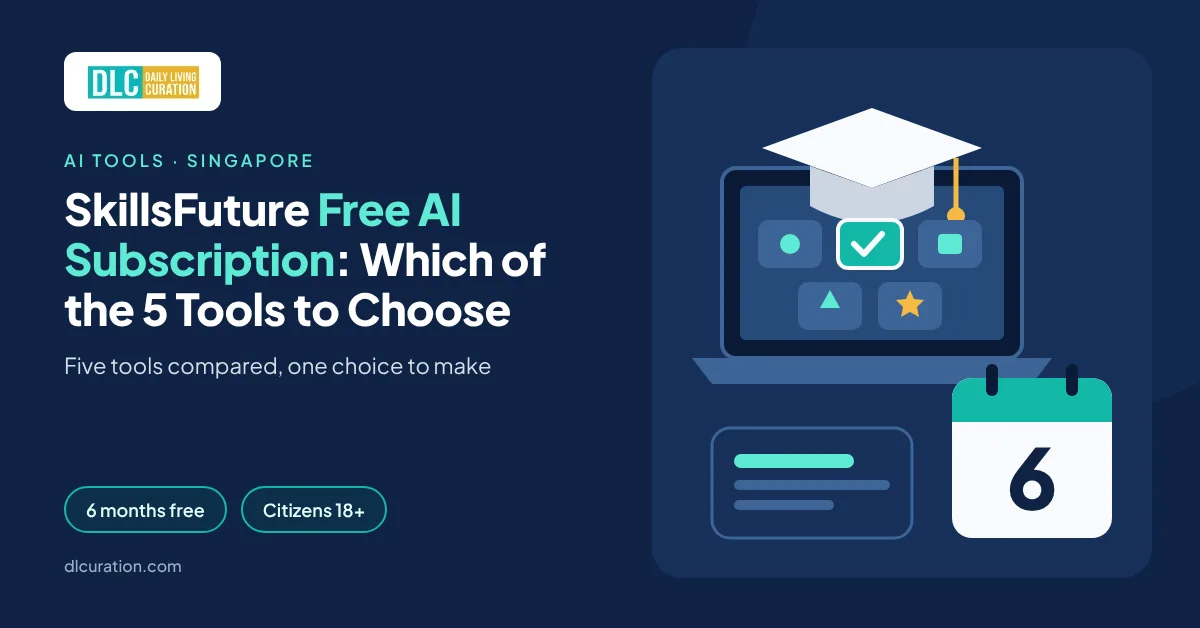
SkillsFuture Free AI Subscription: Which of the 5 Tools to Choose
Table of Contents
ChatGPT Plus costs about S$28 a month in Singapore once GST is added. Google AI Pro costs S$28.99. Pay for either for six months and you have spent around S$170.
Since 16 September 2026, Singapore Citizens can get one of them — or one of three other premium AI tools — free for six months. The condition is that you attend an AI course that carries the “Free AI sub” label on MySkillsFuture.
It is a good deal, but it comes with a decision most people make in 30 seconds on a form. You get one subscription per person, ever. Your choice is final once you submit. And the five options are not equal — one is worth less than half of another in retail terms, and two of them change how you work in ways that matter after month six.
I went through the official terms, the plan details and the fine print of each option. Here are the five free AI subscriptions you can choose through SkillsFuture in 2026, and how to pick the right one.
How the SkillsFuture AI Subscription Works
The scheme was announced in Budget 2026 and launched by the Skills and Workforce Development Agency (SWDA) — the new agency formed from SkillsFuture Singapore and Workforce Singapore — at the SkillsFuture Festival in September 2026.
The rules, from the official redemption terms:
- Who qualifies: Singapore Citizens aged 18 and above. Permanent Residents are not included.
- Which courses: any course run labelled “Free AI sub” on MySkillsFuture that ends on or after 16 September 2026. SWDA says more than 200 curated AI courses from about 30 training providers are part of it.
- What counts: you must attend. Registering is not enough.
- How many: one complimentary subscription per person, no matter how many eligible courses you take.
- How you claim: you get a notification email after the course, then submit a redemption form yourself within 60 days. Trainers cannot submit it for you.
- The choice is final once the form is in.
The subscription is free. The course is not. Course fees still apply, although SkillsFuture Credit and course-fee funding can cover much of them.
What to Look For When You Choose
Before you look at the five tools, decide what you want from them. These five criteria separate a useful six months from a forgotten login.
- Daily use, not features. Pick the tool you will open every working day. A tool you use twice is worth nothing, whatever its retail price.
- Your existing ecosystem. If your life runs on Gmail and Android, or on Word and Outlook, the tool that sits inside those apps saves the most time.
- What happens in month seven. Some tools leave you with files, storage or habits that cost money to keep. Know the price before you depend on it.
- Usage limits. Agent tools such as Manus run on monthly credits. Heavy tasks use them up fast.
- Retail value. The options range from about S$93 to about S$174 for six months. It is a tiebreaker, not the main reason.
The 5 Free AI Subscriptions You Can Choose in 2026
| Tool | Best For | Usual Price | Free Plan After Six Months |
|---|---|---|---|
| ChatGPT Plus | All-round daily use | US$20/month (about S$28 with GST) | Yes (limited) |
| Google AI Pro | Gmail, Google Docs and Android users | S$28.99/month | Yes (with Google account) |
| Microsoft 365 Personal | Word, Excel and Outlook users | S$15.49/month or S$154.99/year | Partly (free web apps) |
| Manus AI | Research, slides and websites done for you | About S$25/month (4,000 credits) | Yes (limited credits) |
| Singtel AI Pass | Creators who want to try several tools | Bundle (no single retail price) | Depends on the tool |
The six-month value works out to about S$167 for ChatGPT Plus, S$174 for Google AI Pro, S$93 for Microsoft 365 Personal and S$150 for Manus at the prices above.
1. ChatGPT Plus — Best for All-Round Daily Use
ChatGPT Plus is the safe choice. It is the plan most working professionals end up paying for, and it covers the widest range of everyday tasks — writing, summarizing, analyzing spreadsheets, making images, voice conversations and research.
Over the free plan, Plus adds OpenAI’s stronger reasoning models, deep research, projects, scheduled tasks and custom GPTs, with much higher limits. The key upgrade is volume: on Plus, you stop running into the “you have reached your limit” message in the middle of a task.
What makes it the default pick is that ChatGPT is not tied to any one ecosystem. It works the same on an iPhone, an Android phone, a Windows laptop or a Mac. My ChatGPT vs Claude vs Gemini comparison covers how it stacks up against the other big chatbots.
What ChatGPT Plus is great at:
- Handling almost any writing, research or analysis task in one app.
- Working across every device and operating system.
- Deep research reports that pull together dozens of sources.
- Custom GPTs and projects that keep your instructions and files in one place.
Where it falls short:
- It does not sit inside Gmail or Word, so you copy and paste between apps.
- No storage or other extras come with it.
- After six months, the free plan feels noticeably limited if you have got used to Plus.
Pricing:
- Free: S$0, with limited messages, uploads and image generation.
- Go: US$8 a month, may include ads.
- Plus: US$20 a month, about S$28 with GST — the plan you get free.
Bottom line: if you are not sure what you want, pick ChatGPT Plus. It is the hardest choice to regret.
2. Google AI Pro — Best for Gmail, Google Docs and Android Users
Google AI Pro has the highest retail value of the five, at S$28.99 a month — about S$174 over six months. It is a bundle, not only a chatbot.
You get Gemini’s Pro models with higher limits, Deep Research, Gemini inside Gmail, Docs and Sheets, NotebookLM with higher limits, image and video generation, and 5TB of Google storage shared across Gmail, Drive and Photos.
If you already use Gmail and Google Docs for work or side projects, this is the option that saves the most time. You can ask Gemini to summarize a long email thread, draft a reply or pull figures from a sheet without leaving the app.
What Google AI Pro is great at:
- Working inside Gmail, Docs, Sheets and Drive.
- Research with Deep Research and NotebookLM on your own documents.
- Phone use, especially on Android, where Gemini is built in.
- Giving you the most retail value for your one choice.
Where it falls short:
- The storage is a trap if you fill it. After six months, you go back to 15GB free. If you are over that, you cannot upload new files, and Gmail can stop receiving email until you delete files or pay.
- It is less useful if you work mainly in Microsoft apps.
- Image and video features have their own limits.
Pricing:
- Free: S$0 with a Google account.
- Google AI Plus: S$6.98 a month, 400GB storage.
- Google AI Pro: S$28.99 a month, 5TB storage — the plan you get free.
Bottom line: the best pick for Google users, as long as you do not move your whole photo library into storage you will lose.
3. Microsoft 365 Personal — Best for Word, Excel and Outlook Users
Microsoft 365 Personal has the lowest retail value of the five — S$15.49 a month, or about S$93 for six months. It can still be the right choice.
The subscription gives you the full desktop versions of Word, Excel, PowerPoint, Outlook and OneNote, 1TB of OneDrive storage and Copilot built into those apps, with higher usage than the free Copilot. If your work happens in Excel and PowerPoint, Copilot can draft slides from a Word document, explain a formula or summarize a long Outlook thread where you already are.
It suits people who need the Office apps anyway — students, freelancers and people whose employer does not give them a license for personal use.
What Microsoft 365 Personal is great at:
- Giving you the full desktop Office apps, not only an AI tool.
- Copilot inside Word, Excel, PowerPoint and Outlook.
- 1TB of OneDrive storage for backups.
- Being easy to keep afterwards — S$154.99 a year is less than most AI plans.
Where it falls short:
- Copilot usage is capped. Microsoft describes it only as “higher than free”.
- It is the lowest value of the five on paper.
- If your employer already gives you Microsoft 365 with Copilot, you gain little.
Pricing:
- Free: Office web apps and the free Copilot app.
- Microsoft 365 Personal: S$15.49 a month or S$154.99 a year — the plan you get free.
- Microsoft 365 Premium: S$28.99 a month, with much higher Copilot limits.
Bottom line: pick it if you need Office apps on your own laptop. Skip it if you only want a better chatbot.
→ Learn more about Microsoft 365
4. Manus AI — Best for Research, Slides and Websites Done for You
Manus is different from the other four. It is an AI agent: you give it a goal, and it works through the steps on its own — browsing websites, gathering information, writing code and producing a finished file.
Ask a chatbot for a market overview and you get an answer in the chat. Ask Manus and it can come back with a slide deck, a spreadsheet or a working web page. Its features include Wide Research across many sources, AI slides, website and app building, scheduled tasks and connectors to other apps.
Manus runs on credits. Its Singapore promotion page lists a plan worth S$25 a month with 4,000 credits a month. Simple tasks use a few credits. Long research or app-building tasks use many more.
What Manus is great at:
- Multi-step tasks that end in a file — decks, reports, sites.
- Research that needs dozens of web pages read and compared.
- Scheduled tasks that run without you.
- Showing you what AI agents can do, which most courses only describe.
Where it falls short:
- Credits run out, and big tasks use them quickly.
- It is slower than a chatbot for quick questions.
- Results need checking — agents can follow the wrong source with confidence.
Pricing:
- Free: limited monthly credits.
- Paid plans: about S$25 a month for 4,000 credits (the value of the sponsored plan).
Bottom line: the most interesting option if you already have a free chatbot you like and want something that does whole tasks.
5. Singtel AI Pass — Best for Creators Who Want to Try Several Tools
The Singtel AI Pass is a bundle. According to training providers who quote the official terms, months one to three give you access to a set of AI tools, including Manus, Hailuo AI for video, Otter.ai for meeting transcription, MiniMax Agent, MiniMax Audio and AKOOL for AI video and images. For months four to six, you keep one tool.
That makes it the choice for experimenting. If you make videos, podcasts or social content, you get three months to find out which tool fits before you commit to one.
The trade-off is complexity. You manage several accounts and vouchers, and Manus’s own page says its voucher must be redeemed in a web browser and that distribution and validity details come from Singtel.
What the Singtel AI Pass is great at:
- Trying several specialist tools without paying for each.
- Video, audio and image creation.
- Meeting transcription with Otter.ai.
- Finding out which tool you would pay for later.
Where it falls short:
- More setup — several sign-ups and vouchers.
- Only three months with the full bundle.
- No general chatbot like ChatGPT or Gemini in the list.
- Details are less clearly published than the other four.
Pricing:
- Free through the scheme. There is no single retail price, as it is a bundle of separate tools.
Bottom line: pick it if you create content and want to test before you commit. Skip it if you want one tool that works on day one.
→ Find “Free AI sub” courses on MySkillsFuture
How to Claim Your Free AI Subscription
- Find a course. On MySkillsFuture, search for AI courses and filter by the “Free AI sub” label. Check that the specific course run you book carries the label and ends on or after 16 September 2026.
- Pay with SkillsFuture Credit if you can. Singaporeans aged 25 and above have S$500 of credit, and those aged 40 and above can use an extra S$4,000 mid-career credit on selected courses. On one training provider’s list, two-to-three-day AI courses cost S$750 to S$1,200 before funding and GST.
- Attend. Attendance is checked. Registration alone does not count.
- Watch your email. After the course, you get a notification with the redemption details. Make sure your MySkillsFuture contact details are up to date.
- Submit the form within 60 days. Choose your tool. You must submit it yourself, and you cannot change your choice afterwards.
- Activate. Follow the activation email and set a calendar reminder for five months later, so you decide whether to keep paying before the free period ends.
One warning: scammers follow every government payout. The real redemption comes through the official notification email after your course — never through a random SMS or WhatsApp link. If something looks off, run it through my guide on how to spot AI scams in Singapore.
How to Choose the Right SkillsFuture AI Subscription
- If you are not sure what you want → ChatGPT Plus. It is useful for almost anyone.
- If you live in Gmail, Google Docs or Android → Google AI Pro. Watch the storage.
- If you need Word, Excel and PowerPoint on your own laptop → Microsoft 365 Personal.
- If you already have a chatbot you like and want AI to finish whole tasks → Manus AI.
- If you make videos, podcasts or social content → Singtel AI Pass.
- If you are job hunting → ChatGPT Plus or Google AI Pro for resumes, cover letters and interview practice. My guide to job hunting with AI shows the workflow.
The Best Free AI Stack for Singapore Learners
You only get one paid subscription, but you can pair it with free plans:
- Your free subscription: ChatGPT Plus or Google AI Pro as your main tool.
- A second chatbot on its free plan: Claude or Gemini for a second opinion on important writing.
- Free Office web apps if you picked a Google option, or free Google Docs if you picked Microsoft.
- The SWDA AI Ready Quiz: a free 12-question self-assessment, built with SIT, that takes about 15 minutes and suggests courses for your level. Take it before you book.
Total cost during the six months: S$0 beyond the course fee. After that, compare what you actually used with my guide to free vs paid AI tools before you pay for anything.
Frequently Asked Questions
Is the SkillsFuture free AI subscription real, and what is the catch?
Yes. It is a government scheme launched by SWDA in September 2026 as part of a Budget 2026 initiative. The catches are that you must pay for and attend an eligible course, you get only one subscription, and you must claim it within 60 days of the notification email.
Which free AI subscription is best for beginners?
ChatGPT Plus. It is the easiest to start with, works on any device and handles the widest range of tasks. Google AI Pro is equally easy if you already use Gmail and an Android phone.
Can I use the free AI subscription for work?
Yes, for most everyday tasks — writing, summarizing, research and slides. Check your employer’s AI policy before you paste in company documents, and do not upload clients’ or colleagues’ personal data.
Do I still need to learn AI skills if I get a premium tool?
Yes. The tool is only as useful as the instructions you give it, which is why the scheme ties it to a course. The people who get the most out of six months are the ones who build one or two AI habits into their week during the course.
What is the difference between ChatGPT Plus and Google AI Pro?
ChatGPT Plus is a stand-alone assistant that works the same on any device. Google AI Pro puts Gemini inside Gmail, Docs and Android and adds 5TB of storage. Pick ChatGPT for range and Google for convenience if you already use Google’s apps.
Can Permanent Residents get the free AI subscription?
No. The current terms cover Singapore Citizens aged 18 and above only. PRs can still take the courses and may qualify for course-fee funding, but not for the subscription.
Final Verdict
- ChatGPT Plus — the best default for most people.
- Google AI Pro — the best value and the best fit for Google users.
- Microsoft 365 Personal — the best pick if you need Office apps.
- Manus AI — the best pick for hands-off research and file creation.
- Singtel AI Pass — the best pick for creators who want to test several tools.
The free subscription is a bonus on top of the course, not a reason to take any course. Pick a course you would take anyway, use your SkillsFuture Credit, then choose the tool you will open every day.
→ Search “Free AI sub” courses on MySkillsFuture
Which tool did you pick, and would you choose it again? Tell us in the comments.
Related reading: