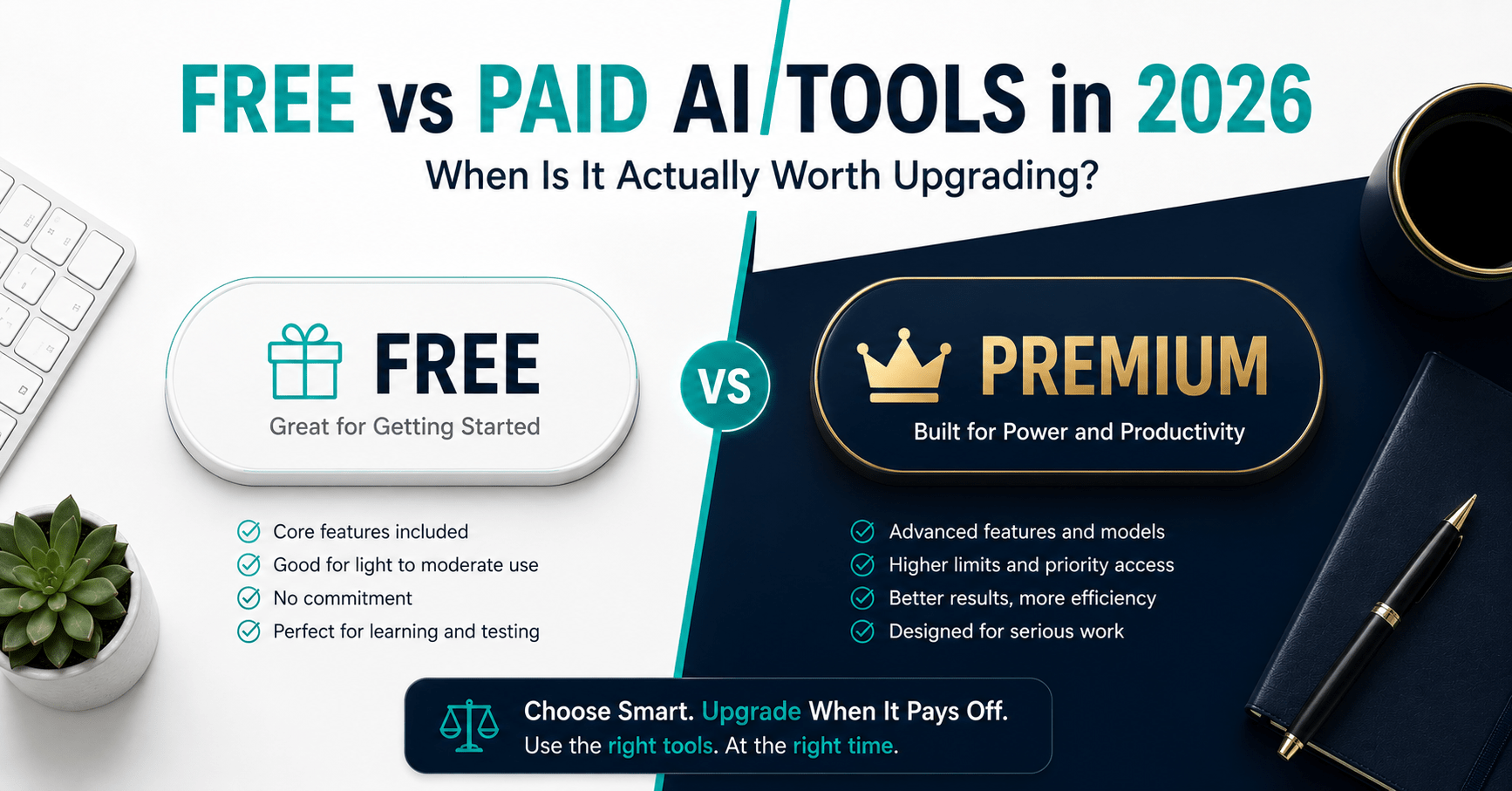
Free vs Paid AI Tools in 2026: When Is It Actually Worth Upgrading?
Table of Contents
The average professional in 2026 pays for three to five AI tool subscriptions simultaneously. According to usage data, while 35% of people use AI tools daily, the majority are paying for premium features they rarely or never touch.
That is a specific, expensive problem. Not because AI tools are overpriced — most are not — but because the free tiers have improved so dramatically in the past two years that the gap between free and paid is narrower than most people assume. Companies know this, so their upgrade messaging is deliberately designed to create anxiety about what you might be missing. Most of the time, you are missing very little.
This guide is the honest version of that conversation. For each of the ten most widely used AI tools, I have assessed what the free plan actually covers, what the paid upgrade genuinely adds, and the specific trigger — a concrete condition in your workflow — that makes paying worth it.
The goal is not to push you toward or away from paid plans. It is to help you spend money on AI tools only when you will actually feel the difference.
The Upgrade Decision Framework
Before the tool-by-tool breakdown, a principle worth applying to every subscription decision.
A paid AI tool earns its place in your budget when it meets at least one of these three conditions.
The time test. The paid upgrade saves you more time per month than the subscription costs at your effective hourly rate. If you earn $30/hour and a $20/month upgrade saves you 45 minutes per week — three hours per month — it pays for itself with $90 in recovered time.
The capability test. The paid upgrade enables something you genuinely need and cannot get elsewhere. Not something that would be nice. Something that is actively blocking your workflow on the free plan.
The volume test. You are consistently hitting the free plan’s limits — word caps, usage quotas, storage ceilings — in your normal workflow. Not occasionally. Consistently.
If an upgrade meets none of these three tests, stay free. The paid tier will not change how much you use the tool. It will only change how much it costs you.
1. ChatGPT — Free Is Genuinely Good. Plus Is Better for Daily Users.
Free plan: GPT-4o with daily usage limits, limited image generation via DALL-E, basic web search, file uploads (3 per day), voice mode.
Paid plan (Plus): $20/month — unlimited GPT-4o access, priority during high demand, more DALL-E generations, advanced voice, higher file upload limits.
Honest verdict
The free tier in 2026 is significantly better than it was 12 months ago. OpenAI has pushed features downstream — GPT-4o mini handles everyday writing, research orientation, and email drafts more than competently at no cost. For casual users, the free plan genuinely covers 80% of daily use cases.
The friction appears at two specific points: rate limits during peak hours that force you to GPT-4o mini mid-conversation, and daily caps that reset at midnight. For a professional using ChatGPT as a primary work tool — multiple sessions per day, complex multi-turn conversations, regular file analysis — these limits actively interrupt workflow.
Upgrade trigger: You are hitting the GPT-4o limit before noon on a regular working day, or you are using ChatGPT for file and data analysis frequently enough that the 3-file daily limit creates queuing.
Stay free if: You use ChatGPT for occasional writing assistance, research, or brainstorming. One to two sessions per day rarely hits the free limit.
Pricing:
- Free: GPT-4o with daily limits
- Plus: $20/month
- Team: $25/user/month
→ Start with ChatGPT free — upgrade when you feel the ceiling
2. Grammarly — Free Covers the Essentials. Pro Is Worth It If You Write Professionally.
Free plan: Grammar and spelling corrections, basic punctuation, cross-platform browser extension, Google Docs integration.
Paid plan (Pro): $12/month (annual) — clarity rewrites, tone detection, full sentence restructuring, passive voice flags, plagiarism checker, 2,000 AI prompts/month.
Honest verdict
The free plan is not a demo. Basic grammar and spelling correction — deployed passively across Gmail, Google Docs, Slack, and your browser — is genuinely useful at no cost. For anyone who wants a safety net against typos and simple errors, the free plan delivers that indefinitely.
The Pro upgrade becomes meaningful at a specific threshold: when the quality of your written communication directly affects professional outcomes. Client proposals, published articles, cold outreach, professional reports — content where a poorly worded sentence costs money or credibility.
Tone detection is the feature that justifies Pro most consistently in professional contexts. Knowing whether a client email reads as confident, apologetic, or formal before sending it prevents miscommunication that is expensive to undo.
Upgrade trigger: You publish written content professionally (articles, client communications, sales outreach) and the quality of your writing directly affects revenue or professional reputation.
Stay free if: You use Grammarly primarily as a typo catcher for internal communications, casual emails, or personal writing.
Pricing:
- Free: Basic grammar and spelling
- Pro: $12/month (annual) / $30/month (monthly)
- Business: Custom
→ Install Grammarly free — upgrade to Pro when you publish professionally
3. Canva — Free Is Surprisingly Complete. Pro Pays Off Quickly for Regular Content Creators.
Free plan: 250,000+ templates, core design editor, limited AI image generation (20/day), basic Background Remover (limited uses), 5GB storage, standard export.
Paid plan (Pro): $12.99/month — Brand Kit (custom colours, fonts, logo), Magic Resize (one-click reformatting for all platforms), unlimited AI image generation, unlimited Background Remover, 140 million premium assets, 1TB storage, 500 AI credits/month.
Honest verdict
Canva’s free plan is the most genuinely capable free tier on this entire list. The template library is vast, the editor is polished, and the AI features — even on the free tier — remove most of the friction from basic design work. For occasional social posts, a presentation once a month, or personal projects, the free plan handles everything.
The Pro upgrade compounds in value with usage frequency. Magic Resize alone — reformatting one design for every social platform in a single click — saves 20–30 minutes per content piece for anyone managing multiple platforms. At three to four content pieces per week, that is 90–120 minutes weekly returned from a $12.99/month subscription.
The Brand Kit is the second major value driver. Setting your exact brand colours, fonts, and logo once means every subsequent design is on-brand by default. For solopreneurs and small businesses producing regular content, the alternative is manually selecting brand assets every session — which is where most off-brand content originates.
Upgrade trigger: You produce visual content three or more times per week, manage content across multiple platforms, or need Brand Kit consistency across everything you publish.
Stay free if: You design occasionally — less than once per week — and do not need consistent brand asset management.
Pricing:
- Free: Core editor, limited premium features
- Pro: $12.99/month (or $119.99/year)
- Teams: $14.99/month per user
→ Try Canva Pro free for 30 days
4. Writesonic — Free Is Useful for Testing. Individual Plan Is Worth It for Bloggers.
Free plan: 10,000 words/month, access to Article Writer and Chatsonic (real-time web), basic content generation across templates.
Paid plan (Individual): $16/month (annual) — unlimited word generation, full SEO tools (keyword research, content grader, competitor analysis), brand voice profiles, GEO tracking on Professional plan.
Honest verdict
10,000 words per month is approximately six to eight standard blog posts. For someone testing whether AI content generation fits their workflow, or producing content occasionally, the free plan is a genuine evaluation tool — not a crippled demo.
The ceiling appears when content production becomes systematic. A blogger publishing two posts per week hits the 10,000-word limit in the first two weeks of the month. At that point, the Individual plan at $16/month unlocks unlimited generation and — critically — the built-in SEO tools that turn Writesonic from a text generator into a complete SEO content workflow.
The SEO tools are what separate Writesonic’s paid tier from the free plan in practical value. Keyword research, content scoring against competitor articles, and GEO tracking for AI search visibility are features that directly affect whether your content ranks. They are not available on the free plan.
Upgrade trigger: You are producing more than six articles per month, or you are running a content-driven business where SEO rankings directly affect affiliate income or traffic.
Stay free if: You are testing AI content generation for the first time, or you produce fewer than five articles per month.
Pricing:
- Free: 10,000 words/month
- Individual: $16/month (annual)
- Small Team: $45/month (4 users)
→ Start Writesonic free — 10,000 words, no credit card
5. Notion — Free Is Excellent for Individuals. AI Features Require Upgrading.
Free plan: Unlimited pages and blocks for individuals, 5MB file upload limit, limited block history, limited AI responses.
Paid plan (Plus): $10/month (annual) — unlimited file uploads, 30-day version history, unlimited guest access. Paid plan (Business): $20/month (annual) — full Notion AI, Google Drive and Slack integration, 90-day version history.
Honest verdict
Notion’s free plan for individual users is one of the most generous in the productivity software category. Unlimited pages and blocks covers the full personal knowledge management use case — client notes, project tracking, content calendars, research databases — at no cost.
The 5MB file upload limit is the primary practical constraint on the free plan. Attaching documents, images, and PDFs to project notes becomes frustrating quickly once file sizes exceed the limit. The Plus plan at $10/month removes that ceiling.
The full Notion AI — natural language search across your workspace, AI-powered action item extraction, document summarisation — requires the Business plan at $20/month. For users who rely on Notion as their primary business operating system and want the AI layer to compound their knowledge management, the Business plan is worth it. For users who primarily use Notion as a structured notes app, the free or Plus plan covers their needs entirely.
Upgrade trigger: You consistently hit the 5MB upload limit (go Plus), or you are managing complex projects and client work where AI-powered search and summarisation across your workspace saves 30+ minutes daily (go Business).
Stay free if: You use Notion for personal organisation, light task management, or as a note-taking system with modest file attachment needs.
Pricing:
- Free: Unlimited pages, limited AI, 5MB uploads
- Plus: $10/month (annual)
- Business: $20/month (annual)
→ Get started with Notion free
6. Fireflies.ai — Free Is Worth Installing Immediately. Pro Unlocks Daily Use.
Free plan: 800 minutes of meeting storage, basic AI summaries, limited AI credits per month.
Paid plan (Pro): $10/month (annual) — unlimited transcription, unlimited storage, full integrations (Notion, Slack, HubSpot, Zapier), more AI credits.
Honest verdict
The free plan is worth installing the moment you finish reading this sentence. Zero cost, one-time setup, automatic joining of every call, and basic transcription that immediately eliminates manual note-taking. There is no workflow friction reason not to use the free plan from today.
The 800-minute storage limit is the practical ceiling. At 30 minutes per call average, that is approximately 26 calls before storage fills. For a professional with five or more calls per week, the free limit is reached in five to six weeks. The Pro plan’s unlimited transcription and storage removes that ceiling.
The integrations are the second reason to upgrade for power users. Fireflies Pro connects directly to Notion, Slack, HubSpot, and Zapier — meaning post-meeting action items can flow directly into your project management system without manual handoff. For users who have built a connected workflow, this integration alone justifies $10/month.
Upgrade trigger: You have more than five calls per week and are hitting the 800-minute storage limit, or you want direct integration with Notion or your CRM for automatic action item routing.
Stay free if: You have fewer than five calls per week, or you want to test whether transcription changes your workflow before paying for it.
Pricing:
- Free: 800 minutes, basic summaries
- Pro: $10/month (annual) / $18/month (monthly)
- Business: $19/month (annual)
→ Install Fireflies free — it pays off from the first call
7. Frase — No Free Plan. The $1 Trial Is the Right Starting Point.
→ Try Frase for $1 (5-day trial)
Free plan: None.
Paid plan (Solo): $14.99/month — keyword research, SERP analysis, content brief generation, live SEO scoring, AI content generation, Google Search Console integration.
Honest verdict
Frase is the only tool on this list with no permanent free tier — and it is also the tool with the clearest upgrade logic. If you produce SEO content with the goal of ranking on Google, Frase is not optional infrastructure. If you do not, there is nothing to evaluate.
The $1 five-day trial is the right entry point. It gives full access to the platform — keyword research, competitor analysis, content brief generation, live scoring — with enough time to run three to four complete articles through the workflow. After five days, the decision is either obvious or irrelevant.
At $14.99/month, Frase replaces the need for a separate keyword research tool for most bloggers — saving $30–$50/month on tools like Ahrefs or SEMrush at the entry level, while integrating the research directly into the drafting workflow rather than requiring a context switch between platforms.
Upgrade trigger: You are publishing SEO content with the explicit goal of ranking on Google, and you want to research, brief, and optimise in a single integrated workflow.
Stay free (i.e., skip Frase) if: You produce content primarily for social media, email, or internal use where search rankings are not a goal.
Pricing:
- Solo: $14.99/month
- Basic: $44.99/month
- Team: $114.99/month
→ Try Frase for $1 — 5-day full-access trial
8. Zapier — Free Proves the Concept. Professional Unlocks the Real Power.
Free plan: 100 tasks/month, two-step Zaps only (one trigger, one action).
Paid plan (Professional): $19.99/month (annual) — 750 tasks/month, multi-step Zaps (unlimited actions per Zap), filters, conditional logic, premium app connections.
Honest verdict
The free plan’s 100 tasks per month covers approximately three to four simple two-step automations running daily. It is an accurate representation of what Zapier does — useful for testing whether automation changes your workflow, but not enough to automate a real multi-step business process.
The capability wall hits at two-step Zaps. The most valuable automations — new lead → CRM entry → task creation → Slack notification → welcome email — require multi-step Zaps, which are Professional-only. The free plan lets you do one trigger and one action. Real workflow automation is three to six steps.
For anyone whose workflow involves regular cross-app data movement, the Professional plan at $19.99/month is the minimum functional tier. Build three multi-step Zaps targeting your most repetitive manual tasks. If those Zaps save you 30 minutes per week collectively, the plan pays for itself inside the first month.
Upgrade trigger: You have identified three or more manual cross-app tasks in your daily workflow that repeat predictably, and you have hit the two-step Zap limit on the free plan.
Stay free if: You want to test a single simple automation before committing, or your automation needs are limited to one trigger and one action per workflow.
Pricing:
- Free: 100 tasks/month, two-step Zaps only
- Professional: $19.99/month (annual)
- Team: $69/month
→ Start automating with Zapier free
9. Jasper AI — No Free Plan. Worth It for Teams, Not for Individuals.
Free plan: None — 7-day free trial on Creator or Pro plan (credit card required).
Paid plan (Creator): $39/month (annual) — full document editor, one Brand Voice, five Knowledge Assets, AI image generation, browser extension. Paid plan (Pro): $59/month per seat (annual) — three Brand Voices, 10 Knowledge Assets, team collaboration, Surfer SEO integration, campaign workflows.
Honest verdict
Jasper’s value proposition is specific and genuine: brand-consistent AI content across a team. If you manage a marketing team where multiple writers produce content that must all sound like one organisation, Brand Voice training is the feature that justifies the price.
For everyone else — solo bloggers, freelancers, solopreneurs — Jasper is overbuilt and overpriced. Writesonic at $16/month delivers comparable long-form drafting quality with better built-in SEO tools at less than one-third the price. ChatGPT Plus at $20/month offers more flexibility with stronger general-purpose capability.
The 7-day trial is genuinely useful for teams evaluating whether Brand Voice consistency is worth $59/month per seat. Run actual client content through it during the trial. Measure how much post-production editing is required to achieve brand consistency compared to your current process. The evidence will make the decision.
Upgrade trigger: You manage a content team of two or more writers who produce brand-consistent output daily, and voice drift across team members is a measurable operational problem.
Stay free (i.e., choose a different tool) if: You are a solo operator. The price-to-value ratio for individual use does not hold up against Writesonic or ChatGPT Plus.
Pricing:
- Creator: $39/month (annual) / $49/month (monthly)
- Pro: $59/month per seat (annual) / $69/month (monthly)
- Business: Custom
→ Start Jasper’s 7-day free trial — test Brand Voice on real content
10. Canva Pro vs Midjourney — Two Different Visual Needs
→ Try Canva Pro free for 30 days → Get Midjourney
These two tools sit in the same visual content category but serve different needs. The comparison is worth addressing directly.
Canva Pro ($12.99/month) is for branded content creation — social graphics, presentations, reports, email headers. It works within templates and brand guidelines. It requires no artistic prompting skill. The output is consistent, on-brand, and fast.
Midjourney ($10/month, Basic plan) is for generating original, custom imagery from text prompts — blog featured images, unique illustrations, photorealistic concepts. The output is visually distinctive and never found elsewhere on the internet. It requires learning prompt syntax to get consistent results.
For most content creators and solopreneurs, the right answer is both — Canva Pro for branded template-based content, Midjourney for featured images and custom visuals that stand apart from stock photography.
Upgrade trigger for Midjourney: You need unique, non-stock-photo visual content for blog posts, social media, or presentations, and you are willing to invest 30–60 minutes learning basic prompting syntax.
Stay with Canva free if: Your design needs are covered by template-based graphics and you do not need custom AI-generated imagery.
Midjourney pricing:
- Basic: $10/month (~200 image generations)
- Standard: $30/month (unlimited relaxed generations)
- Pro: $60/month (faster generation, stealth mode)
The Recommended Stack by Budget
Not everyone needs the same tools. Here is the clearest upgrade path by budget tier.
Free only ($0/month)
ChatGPT free + Grammarly free + Canva free + Notion free + Fireflies free + Zapier free (100 tasks) + Writesonic free (10,000 words)
This stack is genuinely functional. It covers AI writing, design, knowledge management, meeting transcription, and basic automation — at zero cost. The limitations become real only when you hit specific usage ceilings. Use this stack for 30 days before paying for anything.
Starter paid tier ($35–$45/month)
ChatGPT Plus ($20) + Grammarly Pro ($12) + Fireflies Pro ($10)
Writing quality, communication polish, and automatic meeting notes. The three highest-ROI upgrades for a professional whose work primarily involves writing and client calls. Combined time saving: two to four hours per week.
Content creator tier ($65–$80/month)
ChatGPT Plus ($20) + Canva Pro ($12.99) + Writesonic Individual ($16) + Grammarly Pro ($12)
Full content creation workflow — research, drafting, visuals, and editing. Suitable for bloggers, content marketers, and affiliate site operators. Monthly content output that would take 25–30 hours manually takes eight to ten hours with this stack.
Full solopreneur stack ($115–$130/month)
ChatGPT Plus ($20) + Canva Pro ($12.99) + Writesonic Individual ($16) + Grammarly Pro ($12) + Notion Business ($20) + Zapier Professional ($19.99) + Fireflies Pro ($10)
Complete workflow automation, content creation, knowledge management, and professional communication. Replaces the equivalent of a part-time administrative assistant and a part-time content writer, running 24 hours a day.
The One Rule Worth Keeping
Free tiers exist to let you determine whether a tool fits your workflow before you pay. Use that offer seriously.
Install the free plan. Use it for a full month in your actual workflow — not a test scenario, your real daily work. Track whether you hit the limits. Identify whether the upgrade would remove a genuine friction point or just provide features you saw in a demo.
The tools that earn a monthly subscription are the ones you would genuinely miss if they disappeared. That is the only test worth applying.
Frequently Asked Questions
Are free AI tools good enough for professional use in 2026?
For many use cases, yes. ChatGPT free, Grammarly free, Canva free, Notion free, and Fireflies free all deliver genuine professional-grade functionality within their limits. The free tiers have improved dramatically in the past 12 months as competition between AI companies has pushed more capability downstream. For casual to moderate professional use, the free stack covers roughly 70–80% of daily needs. The paid tiers add value primarily at the edges — high-volume users, team-level features, and workflow integrations.
What is the most worthwhile paid AI tool upgrade in 2026?
ChatGPT Plus at $20/month delivers the broadest productivity return for the widest range of users. The jump from free (limited GPT-4o with caps) to Plus (unlimited GPT-4o) is immediately felt by any professional who uses it daily. For content creators specifically, Writesonic Individual at $16/month delivers the highest content-specific ROI — the built-in SEO tools alone replace a separate keyword research subscription that would cost $30–$50/month.
Which paid AI tools are not worth it for most people?
Jasper AI is not worth it for solo operators — the price premium reflects enterprise team features that a single user will never touch. Surfer SEO at $89/month is not worth it for bloggers who already use Writesonic’s built-in SEO tools, which deliver comparable functionality at no additional cost. Any AI tool priced above $30/month that you cannot describe a specific daily use for is not worth the subscription.
How do I know when it’s time to upgrade from a free plan?
Apply the three tests from this guide: the time test (does the upgrade save more time than it costs at your hourly rate?), the capability test (is the free plan actively blocking something you need to do?), and the volume test (are you consistently hitting usage limits in your normal workflow?). If none of these three conditions is met, the upgrade will not change how much value you get from the tool. It will only change how much it costs you.
Can I use multiple free AI tools together to avoid paying for any of them?
Yes — and this is an underrated strategy. Combining ChatGPT free (drafting), Grammarly free (editing), Canva free (visuals), Notion free (organisation), and Fireflies free (meeting notes) covers a comprehensive workflow at zero cost. The practical approach: use the free combination for 30 days, identify which single tool’s limits you hit most consistently, and upgrade only that one. Most people find they only need to pay for one or two tools even after extended use.
Do free AI tools use your data for training?
This varies by tool and plan. Most AI tools on free tiers default to using your inputs to improve their models unless you explicitly opt out. ChatGPT allows you to disable this in Settings → Data Controls. Notion’s privacy policy allows them to use anonymised data. Grammarly’s free tier uses your text to improve their models. Paid plans typically offer stronger data privacy controls — for example, ChatGPT Plus users can disable conversation history globally. If you work with sensitive client or business data, review each tool’s privacy policy before using the free tier for that content.
Final Verdict
Free AI tools in 2026 are not consolation prizes. They are genuinely capable products that cover the majority of everyday professional use cases at zero cost.
The paid tiers earn their place when a specific, measurable gap in the free plan is creating friction in your actual workflow — not in a hypothetical scenario, not because the upgrade page sounds compelling, but because the free limit is consistently costing you time or blocking a capability you need daily.
Start with the free stack. Use it for a full month. Let your workflow tell you what to upgrade.
- ChatGPT free for writing, research, and thinking — upgrade when you hit the daily limit
- Grammarly free for communication quality — upgrade when you publish professionally
- Canva free for visual content — upgrade when you produce three or more pieces weekly
- Writesonic free for content drafts — upgrade when you exceed 10,000 words per month
- Notion free for knowledge management — upgrade when file upload limits become friction
- Fireflies free for meeting notes — upgrade when you exceed 800 minutes of storage
- Zapier free for automation — upgrade when you need multi-step workflows
- Frase — no free tier, worth the $1 trial if SEO is your primary traffic strategy
→ Start with ChatGPT free
→ Install Grammarly free
→ Try Canva free
Which free AI tool have you found surprisingly capable — or surprisingly limited? Drop your experience in the comments.
Continue reading: