
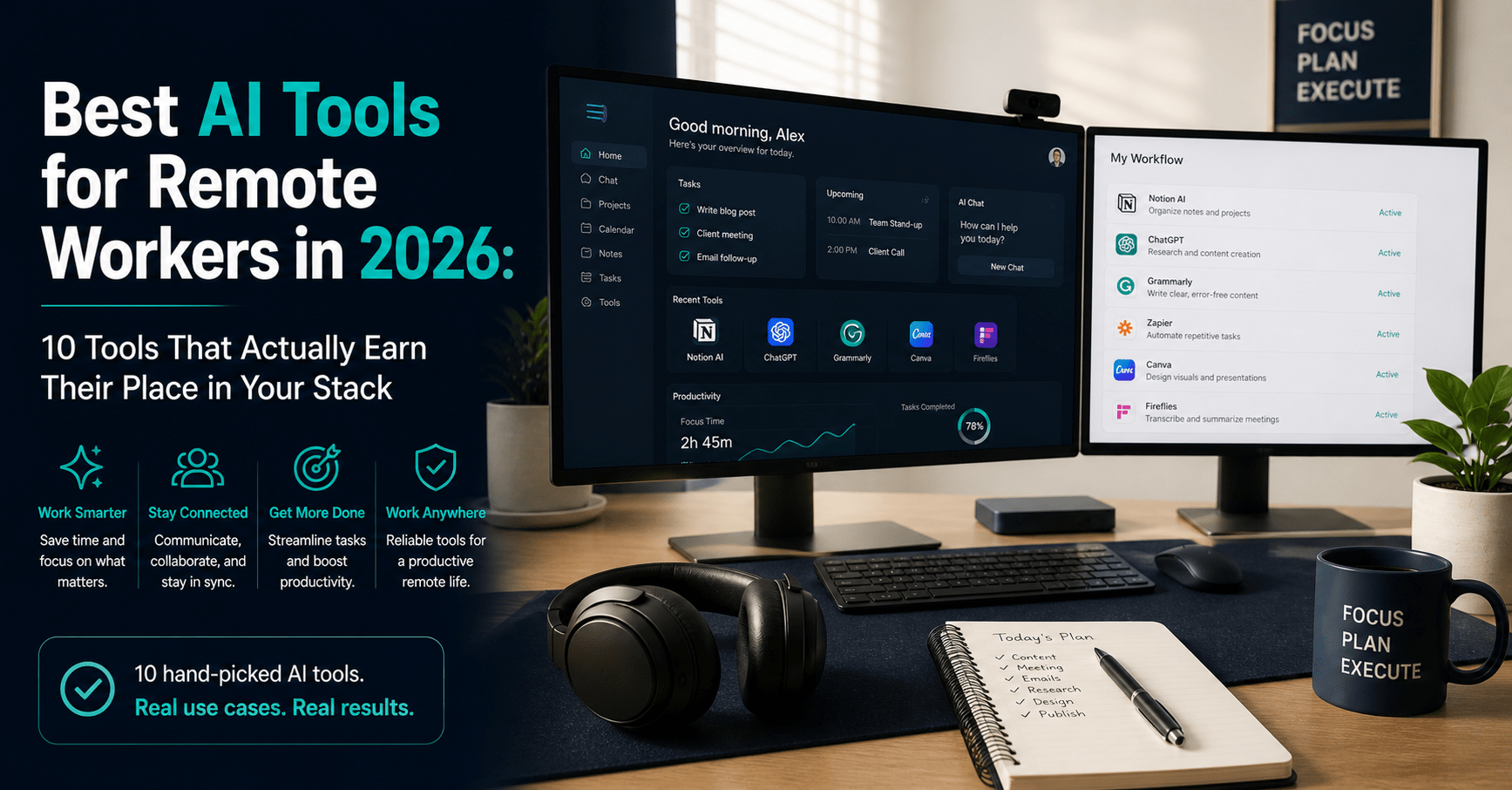
Best AI Tools for Remote Workers in 2026: 10 Tools That Actually Earn Their Place in Your Stack
Table of Contents
Remote work sounds ideal until you are halfway through your third context-switch of the morning, buried in unread Slack messages, with a half-finished client deliverable open in one tab and a video call you forgot to prepare for starting in four minutes.
The tools are not the problem. Every remote worker has tools. The problem is having the wrong tools — or the right tools used without a coherent system. Most remote workers underestimate how much overhead their stack creates: logging into six platforms, re-establishing context after every interruption, manually tracking what was decided in which call, and writing the same status update three ways for three different channels.
The right AI tools do not just make remote work faster. They reduce the cognitive overhead that makes remote work feel fragmented and exhausting. The best ones run quietly in the background — capturing notes you did not have to take, drafting messages you did not have to write, connecting apps that would otherwise need a manual handoff.
I have tested every tool on this list in an active remote workflow. Here are the 10 best AI tools for remote workers in 2026, organised by the job they do — not by marketing category.
What to Look For in an AI Tool for Remote Work
Not every AI tool deserves a place in a remote worker’s stack. These are the criteria that separate the ones worth paying for from the ones that add a subscription cost and nothing else.
Solves a specific remote overhead. The best tools address one clear, recurring pain point — meeting notes, async writing, scheduling friction, security on public Wi-Fi. Tools that promise to do everything typically do nothing particularly well.
Low maintenance once set up. A remote worker’s day is already fragmented. An AI tool that requires constant configuration, prompting, or babysitting adds overhead rather than removing it. The best tools in this list run passively.
Integrates with what you already use. A tool that sits in isolation forces more context-switching. The tools below connect to Slack, Google Workspace, Notion, Zoom, and each other — becoming part of your workflow rather than separate from it.
Genuine free plan or low-cost trial. Remote workers often pay for their own tools. There is no reason to commit money before you have confirmed a tool works for your specific workflow. Every tool on this list has a free plan or a trial period.
Measurable time saving. If a tool cannot answer the question “what did this replace?” in concrete minutes, it is probably not worth the subscription.
The 10 Best AI Tools for Remote Workers in 2026
| Tool | Category | Starting Price | Free Plan |
|---|---|---|---|
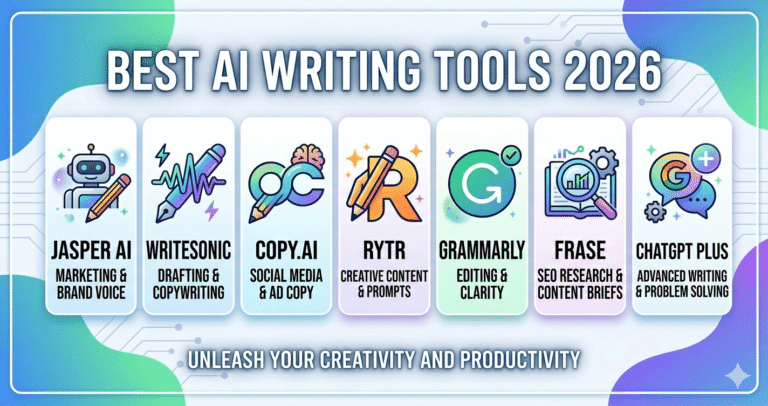
| ChatGPT Plus | AI writing and research | $20/month | Yes (GPT-3.5) |
| Fireflies.ai | Meeting transcription | $10/month (annual) | Yes (800 min storage) |
| Grammarly Pro | Writing and communication | $12/month (annual) | Yes |
| Notion AI | Knowledge and project management | $10/month (annual) | Yes |
| Zapier | Workflow automation | $19.99/month (annual) | Yes (100 tasks) |
| NordVPN | Security and privacy | $3.09/month (2-year) | No (30-day guarantee) |
| Canva Pro | Visual content creation | $12.99/month | Yes |
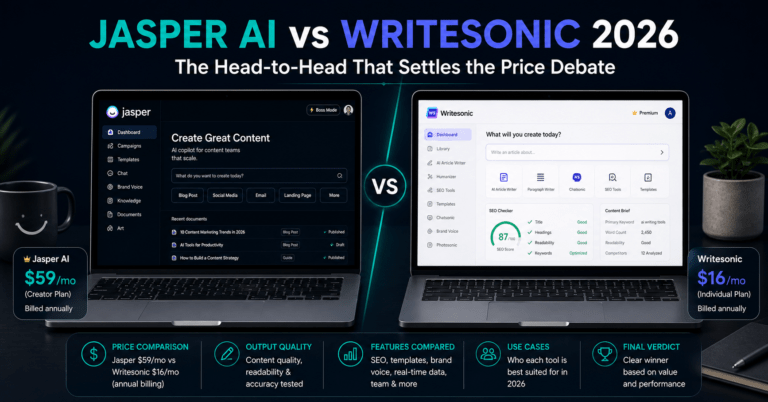
| Writesonic | AI writing and SEO content | $16/month (annual) | Yes (10K words) |
| Calendly | Scheduling automation | $10/month (annual) | Yes |
| Slack (AI tier) | Team communication | $7.25/user/month (annual) | Yes (90-day history) |
1. ChatGPT Plus — The Remote Worker’s Thinking Partner
Remote work generates a disproportionate volume of written communication. Status updates, async meeting summaries, client emails, project briefs, Slack threads that require a careful response — the daily writing load for a remote worker is significantly higher than it is for someone in an office who can resolve things face-to-face in 30 seconds.
ChatGPT Plus ($20/month) is the tool that handles that load without friction. Describe what you need to communicate — the context, the tone, the outcome, the relationship with the recipient — and GPT-4o drafts it in under 30 seconds. You edit for 90 seconds. What used to take 15 minutes takes under three.
The daily use cases that save the most time for remote workers specifically: drafting async project updates that cover the right level of detail without over-explaining, writing diplomatically worded responses to difficult Slack messages, summarising long email threads into a two-sentence brief before a call, and preparing quick research orientation notes before entering a meeting on an unfamiliar topic.
GPT-4o’s extended context window also means you can paste in an entire document, contract, or Slack thread and get a coherent summary or response based on it — without having to read every line yourself.
What ChatGPT is great at:
- Reducing the writing overhead of async-first remote communication
- Fast research orientation on any topic before a meeting or project
- Drafting sensitive messages where tone matters and time is short
- Summarising long documents, threads, and email chains
Where it falls short:
- No real-time web access on the free tier — outdated information on fast-changing topics
- Requires good prompting to get consistent, high-quality output — the skill compounds with practice
- No native integration with remote work tools like Slack or Notion (use Zapier to bridge)
- Does not retain context between separate conversations
Pricing:
- Free: GPT-3.5, limited access during high demand
- Plus: $20/month (GPT-4o, file uploads, faster responses)
- Team: $25/user/month (collaborative workspace, admin controls)
Bottom line: The $20/month is the easiest productivity investment in any remote worker’s stack. Start here before any other tool.
→ Try ChatGPT free or upgrade to Plus
2. Fireflies.ai — Stop Taking Notes in Meetings
The single biggest time drain in remote work is not the meetings themselves — it is everything around them. Reading back through handwritten notes to extract action items. Writing up a summary for the team member who could not attend. Searching three weeks later for what was decided about a specific deliverable.
Fireflies eliminates all of that. It joins every Zoom, Google Meet, or Microsoft Teams call automatically — no setup needed after the initial integration — and delivers a structured summary to your inbox within minutes of the call ending. The summary includes key decisions, action items, questions raised, and a full searchable transcript.
In practice, the impact on a remote workflow is immediate. You stop splitting your attention between following the conversation and capturing it. You arrive at every call knowing the notes will be handled. Post-meeting follow-up shrinks from 20–30 minutes to under five.
The transcript accuracy sits at around 95% in clear audio conditions. For calls with heavy accents, technical jargon, or multiple speakers talking over each other, minor errors appear and the summary needs a quick review — budget two to three minutes, not 20.
What Fireflies is great at:
- Automatic meeting transcription across Zoom, Google Meet, and Teams
- AI-generated summaries with decisions, action items, and questions extracted
- Searchable call library — find what was discussed in any past meeting in seconds
- Integration with Notion, Slack, HubSpot, and Zapier for direct workflow handoff
Where it falls short:
- AI credits for advanced features (AskFred, Smart Highlights) expire monthly and are capped even on paid plans — heavy users of these features hit the ceiling faster than expected
- Audio quality directly affects transcript accuracy — poor connection equals more errors
- The free plan’s 800-minute storage limit is reached quickly with daily calls
- Customer support response times have drawn criticism in third-party reviews
Pricing:
- Free: 800 minutes of storage, basic transcription, limited AI summaries
- Pro: $10/month (billed annually) — unlimited transcription, integrations
- Business: $19/month (billed annually) — video recording, conversation intelligence
Bottom line: Start on the free plan and run it across five calls. If accurate transcription and auto-summaries change how you work — and they will — upgrade to Pro at $10/month.
→ Start using Fireflies.ai for free
3. Grammarly Pro — The Communication Layer Every Remote Worker Needs
Remote work is written work. A remote professional sends dozens of written messages per day — Slack messages, emails, comments in shared documents, client updates, async briefs. Every one of those carries tone. Every one reflects professional judgement. And unlike in-person communication, there is no facial expression or voice inflection to soften an ambiguous sentence.
Grammarly Pro runs passively across every platform you write in — Gmail, Google Docs, Notion, Slack, LinkedIn, WordPress — and catches errors in real time. Grammar and spelling are the basics. The Pro plan ($12/month annually) adds sentence-level clarity rewrites, tone detection, passive voice identification, and a plagiarism checker.
The tone detection feature is particularly valuable for remote workers. Before sending a message that might read as blunt or overly formal, Grammarly flags it. You see whether your current draft reads as confident, friendly, analytical, or cautious — and you can adjust before it lands in someone’s inbox.
Unlike most tools on this list, Grammarly requires no workflow change. It installs once and operates invisibly in the background. Every piece of writing you produce improves as a result of it, without any additional effort.
What Grammarly is great at:
- Real-time grammar, spelling, and clarity corrections across every app you write in
- Tone detection — flags messages that might land differently than intended
- Passive voice and wordiness flags for cleaner, more direct async communication
- Plagiarism checking for any published content
Where it falls short:
- English only — no support for multilingual remote workers who write in other languages
- The free plan covers only basic corrections — the real value requires Pro
- Not a content generator — it polishes what you write, it does not write for you
- Occasionally overzealous with comma suggestions — treat its advice as a recommendation, not a rule
Pricing:
- Free: Basic grammar and spelling corrections
- Pro: $12/month (billed annually) / $30/month (monthly)
- Business: Custom pricing with team analytics
Bottom line: Install the free plan today. It is the lowest-friction AI upgrade available for remote workers. Upgrade to Pro once you have seen the quality gap between the two tiers.
4. Notion AI — The Workspace That Holds Everything Together
The biggest invisible cost in remote work is context loss. Information gets scattered across email threads, Slack channels, Google Docs, and memory. Reconstructing context — “what did we decide about this?”, “where is that brief?”, “who owns this task?” — consumes significant time every single working day.
Notion solves the scattered information problem by making one place the default for everything. Client projects, content plans, team wikis, meeting notes, personal task lists, research databases, and financial records all live in a single searchable workspace. The AI layer turns that workspace into something you can query in natural language.
Ask Notion AI “what is the current status of the Singapore client project?” and it searches your workspace, surfaces the relevant notes and task database entries, and returns a coherent answer in seconds. Ask it to convert messy meeting notes into a structured action item list and it does so in under a minute.
For remote workers specifically, Notion’s asynchronous-friendly structure removes the need for meetings as the primary knowledge-sharing mechanism. Documentation built in Notion means your teammates in different time zones can get up to speed on any project without waiting for a synchronous call.
What Notion AI is great at:
- Centralising all project documentation, notes, and tasks in one searchable workspace
- Converting meeting notes and rough text into structured action items via AI
- Natural language search across your entire workspace — faster than any manual search
- Asynchronous knowledge sharing for distributed teams across time zones
Where it falls short:
- The quality of AI responses depends entirely on the quality of what is in your workspace — disorganised input produces unhelpful output
- The learning curve for setting up a useful Notion workspace is real — budget three to four hours of initial configuration
- Full Notion AI requires the Business plan at $20/month — the Plus plan at $10/month has limited AI responses
- Not ideal for teams that are not already committed to async-first workflows
Pricing:
- Free: Unlimited pages for individuals, limited AI responses
- Plus: $10/month (billed annually) — unlimited file uploads, version history
- Business: $20/month (billed annually) — full Notion AI, Google Drive and Slack integrations
Bottom line: The free plan is worth setting up even if you never upgrade. Build a basic workspace for your client projects and meeting notes. Upgrade to Plus when the storage limits become a constraint.
→ Get started with Notion for free
5. Zapier — The Automation That Connects Everything Else
Every remote worker has a version of this problem: a new lead fills in a form, and you manually add them to the CRM, create a follow-up task, send a confirmation email, and notify your team on Slack. Four manual steps across four apps, every time, without fail, or something slips.
Zapier eliminates that slip. It connects over 7,000 apps and automates the repetitive handoffs between them — no coding required. When something happens in one app, a sequence of actions fires automatically in others. The remote worker’s specific problem — information living in different places that never talk to each other — is precisely what Zapier is built to solve.
The 2026 version includes Zapier AI Copilot, which lets you describe an automation in plain language and have it built for you. “When a new Typeform submission comes in, add the contact to ConvertKit, create a Notion task, and send a Slack notification to the team channel” takes under five minutes to set up.
The most impactful Zaps for remote workers: new meeting bookings creating preparation tasks automatically in Notion, published blog posts triggering social promotion checklists, new email subscribers tagged and welcomed without manual intervention, and invoice payments updating project status dashboards without touching a spreadsheet.
What Zapier is great at:
- Automating repetitive cross-app handoffs that currently require manual action
- 7,000+ app integrations — if your tools are in the list, they can be connected
- AI Copilot for building automations via plain language conversation
- Multi-step Zaps that handle complex, multi-platform sequences automatically
Where it falls short:
- The free plan’s 100 tasks per month covers only three to four simple automations
- Costs escalate with volume — high-automation users will outgrow the Professional plan quickly
- Multi-step Zaps (where the real power lies) require the Professional plan at $19.99/month
- Debugging failed Zaps can be time-consuming without technical familiarity
Pricing:
- Free: 100 tasks/month, two-step Zaps only
- Professional: $19.99/month (billed annually) — 750 tasks, multi-step Zaps
- Team: $69/month — 2,000 tasks, 25 users
Bottom line: Start with the free plan and identify your three most repetitive manual cross-app tasks. Build a Zap for each. When you hit the 100-task ceiling, the Professional plan at $19.99/month will have already paid for itself.
→ Start automating with Zapier for free
6. NordVPN — Non-Negotiable for Any Remote Worker on Public Wi-Fi
This is the tool most remote workers skip — until something goes wrong.
Remote work means working from coffee shops, co-working spaces, hotel lobbies, and airport lounges. Every one of those networks is shared, unencrypted, and monitored. Without a VPN, every piece of data you send and receive on those networks — client credentials, financial documents, login sessions, business communications — is visible to anyone on the same network with the right tools.
NordVPN encrypts your internet connection end-to-end, routes it through its server network of 8,000+ servers across 111 countries, and masks your IP address. You can work from any public network with the same security you would have on a private office connection.
The practical benefits beyond security: NordVPN’s server network lets you access region-locked tools and services from anywhere, which matters for remote workers who travel or are based in countries with restricted internet access. Singapore-based remote workers accessing US-hosted platforms with geo-restrictions benefit directly.
The 2026 pricing is genuinely low. The Basic plan on a two-year commitment costs $3.09/month — roughly $74 for two years of security coverage across 10 devices. The Plus plan at $3.89/month adds Threat Protection Pro, which blocks ads, trackers, and malware even when the VPN is not active, and NordPass, a password manager.
What NordVPN is great at:
- Full encryption on any network — public Wi-Fi, hotel connections, co-working spaces
- 8,000+ servers across 111 countries for fast, reliable connections wherever you work
- NordLynx protocol (WireGuard-based) for the fastest encrypted connections available
- Up to 10 simultaneous device connections on a single subscription
Where it falls short:
- Auto-renewal pricing increases substantially after the initial promotional period — read the renewal terms before committing to a two-year plan
- The monthly plan at $12.99/month is expensive relative to the two-year commitment price
- NordVPN does not have a free plan — only a 30-day money-back guarantee
- Some users report connection speed drops on certain server locations during peak hours
Pricing:
- Basic (2-year): $3.09/month — core VPN, 10 devices, Dark Web Monitor
- Plus (2-year): $3.89/month — adds Threat Protection Pro and NordPass
- Complete (2-year): $5.39/month — adds 1TB NordLocker encrypted cloud storage
- Monthly: $12.99–$25.29/month depending on tier
Bottom line: If you ever work from a location that is not your home network, NordVPN is non-negotiable. The two-year Basic plan at $3.09/month is one of the best value tools in this entire list. Do not skip this one.
→ Get NordVPN from $3.09/month
7. Canva Pro — Professional Visuals Without a Designer
→ Try Canva Pro free for 30 days
Remote workers produce visual content constantly — presentation slides, project status decks, team update graphics, social posts, client reports with formatted charts. Most remote workers are not designers. Most also do not have a designer available on demand.
Canva Pro solves both problems. The drag-and-drop editor, 250,000-plus templates, and AI-powered generation tools produce professional-grade visuals without design skills. Magic Resize reformats any design for every platform in a single click. Background Remover cleans product images in seconds. Magic Design generates layout options from a text description.
For remote workers specifically, the Brand Kit is the highest-value feature. Upload your brand’s logo, set the exact colours and fonts once, and every presentation, report, or social graphic you produce automatically uses the correct brand assets — without hunting for a hex code or asking the designer for the right file.
The free plan is genuinely capable for basic needs. The Pro plan’s value comes from unlimited Brand Kit access, 140 million premium assets, one-click Magic Resize, and 500 monthly AI credits.
What Canva Pro is great at:
- Professional visual content without design skills or a designer on retainer
- Magic Resize — one design reformatted for every platform in under 30 seconds
- Brand Kit — consistent brand assets across all team content automatically
- Presentation and report templates that look polished straight out of the box
Where it falls short:
- Not suitable for complex, bespoke design work requiring precise technical specifications
- AI-generated layouts often need significant editing to fully match your vision
- The free plan limits access to premium templates and Brand Kit features
- Storage limits on the free plan become restrictive with regular use
Pricing:
- Free: Core editor, 250,000+ templates (limited), 5GB storage
- Pro: $12.99/month (or $119.99/year)
- Teams: $14.99/month per user (up to five users)
Bottom line: If you produce slides, reports, or graphics more than three times a week, Canva Pro at $12.99/month pays for itself inside a single working day. Start with the 30-day free trial — no credit card required.
→ Start your 30-day Canva Pro free trial
8. Writesonic — AI Writing Built for Content and Communication at Scale
For remote workers who produce content — blog posts, email newsletters, LinkedIn articles, client-facing guides — a dedicated AI writing tool handles the first-draft scaffolding that would otherwise eat hours per piece.
Writesonic is the best-value option in this category. At $16/month on the Individual plan (with a free tier offering 10,000 words per month), it covers the full content writing workflow: keyword research, competitor analysis, SEO-optimized draft generation, and content grading — without requiring a separate Surfer SEO subscription.
The real-time web access via Chatsonic means drafts include current information rather than training-data snapshots. For remote workers producing technology, finance, or product-related content, outdated information is a credibility risk. Writesonic removes it.
For remote teams producing async content — team wikis, internal guides, onboarding documents — Writesonic’s Article Writer generates structured first drafts in under two minutes that the team can edit collaboratively in Notion or Google Docs.
What Writesonic is great at:
- Long-form SEO content with built-in keyword research and content grading
- Real-time web access for factually current drafts
- Fast first-draft generation for any written format — articles, emails, social posts, briefs
- Free plan with 10,000 words/month — enough to evaluate the tool before paying
Where it falls short:
- Brand voice consistency requires active prompting each session — not as persistent as Jasper
- Complex, technical topics produce shallower output that requires more human editing
- No campaign workflow automation for multi-format content operations
- Real-time web access can occasionally surface unreliable sources — verify key claims
Pricing:
- Free: 10,000 words/month, no credit card required
- Individual: $16/month (billed annually)
- Small Team: $45/month (four users)
Bottom line: For remote workers producing written content regularly, Writesonic’s free plan is the starting point. Upgrade to Individual ($16/month) when the word limit becomes a constraint.
→ Get started with Writesonic for free
9. Calendly — Eliminate Scheduling Emails Entirely
Scheduling a meeting between two people in different time zones takes an average of six to eight email exchanges. For a remote worker with 10 external meetings per week, that is 60–80 emails per week on logistics alone — before a single productive conversation has taken place.
Calendly eliminates every one of those emails. You share a link. The other person picks a time that works for both of you based on your live availability. The meeting appears in both calendars automatically, with the video call link already embedded.
In 2026, Calendly’s AI features include Calendly Assist — a conversational AI that handles scheduling requests via email and chat — and automated no-show workflows that reduce cancellations by an estimated 50% through smart reminder sequences.
The free plan covers one event type and one calendar integration — enough for a solo remote worker with a single meeting format. The Standard plan at $10/month adds multiple event types, payment collection for paid consultations, and group meeting scheduling.
What Calendly is great at:
- Eliminating scheduling email chains completely — one link, done
- Automatic time zone detection for international meeting booking
- Buffer times between meetings to prevent back-to-back scheduling
- Integration with Zoom, Google Meet, HubSpot, Salesforce, and Zapier
Where it falls short:
- The free plan allows only one event type — a significant limitation for remote workers with multiple meeting formats
- Advanced routing, round-robin scheduling, and team features require the Teams plan at $16/month per user
- Some users find the link-sharing approach impersonal for high-touch client relationships
- No native AI writing or summarisation — purely a scheduling tool
Pricing:
- Free: One event type, one calendar integration
- Standard: $10/month (billed annually) — multiple event types, payment collection
- Teams: $16/month per user (billed annually) — routing, round-robin, team scheduling
Bottom line: The free plan handles basic meeting booking with zero setup friction. If you book more than five external meetings per week, Calendly Standard at $10/month reclaims more time than any other tool at that price point.
→ Get started with Calendly for free
10. Slack (AI Tier) — Async Communication That Does Not Drown You
Slack is already the default communication layer for most remote teams. The AI features added in 2026 are what make it worth listing specifically here.
Slack AI — available on the Pro plan and above — adds channel summarisation, thread recaps, and intelligent search to the platform most remote workers already live in. Catch up on 200 unread messages in a channel with a two-paragraph AI summary instead of reading every one. Surface the decision that was buried in a thread from last Tuesday without scrolling through 60 replies.
The AI Workflow Builder lets you describe an automation in plain language — “every Monday, post a summary of last week’s completed tasks from our project channel to the team standup channel” — and Slack builds it. Routine coordination tasks that previously required a dedicated team process now happen automatically.
For remote teams where information moves primarily through Slack, the AI layer reduces the cognitive load of staying current without requiring members to be always-on.
What Slack AI is great at:
- Channel and thread summarisation — catch up on missed conversations without reading every message
- AI-powered search — find specific information across your entire Slack history instantly
- Workflow Builder — automate recurring team communications and status updates
- Integration with virtually every other tool in this list via 2,600-plus app connections
Where it falls short:
- Slack AI requires the Pro plan at $7.25/user/month (billed annually) — the free plan has a 90-day message history limit and no AI features
- For small teams under five people, the per-seat pricing adds up quickly
- Slack’s notification system, even with AI, can still be a source of constant interruption without deliberate management
- Channel proliferation on large teams creates its own form of information fragmentation
Pricing:
- Free: 90-day message history, 10 app integrations, one-on-one calls
- Pro: $7.25/user/month (billed annually) — full message history, Slack AI
- Business+: $12.50/user/month — advanced identity management, compliance tools
Bottom line: If your team already uses Slack, upgrading from Free to Pro to access AI summarisation is worth it for any team with more than five active members producing a significant volume of daily messages.
How to Build Your Remote Work AI Stack
The 10 tools above cover every major category of remote work overhead. Not every remote worker needs all 10. Here is how to build your stack based on your specific situation.
If you are a solo remote worker or freelancer ($55/month): Start with ChatGPT Plus ($20), Grammarly Pro ($12), Fireflies free, NordVPN Basic 2-year ($3.09), and Calendly free. This covers writing, communication quality, meeting capture, security, and scheduling — the four biggest remote overhead categories — for under $40/month in paid subscriptions.
If you are a remote worker within a team ($90–$120/month): Add Notion Plus ($10) for shared project management, Slack Pro ($7.25) for AI-powered team communication, and Zapier Professional ($19.99) for cross-app automation. The team-facing tools compound in value as more members adopt the same stack.
If you produce content alongside your remote work ($120–$140/month): Add Writesonic Individual ($16) and Canva Pro ($12.99). The content creation tools pay for themselves immediately if any part of your remote work involves producing written or visual material.
Frequently Asked Questions
What is the most important AI tool for remote workers?
It depends entirely on your biggest daily bottleneck. For most remote workers, the highest-impact starting point is either ChatGPT Plus (if writing and communication are the primary overhead) or Fireflies.ai (if meeting volume and manual note-taking are the pain point). Both have free plans that let you confirm the value before paying. Start with the one that addresses your most time-consuming daily task.
Are these AI tools secure enough for professional remote work?
The tools on this list all operate on enterprise-grade infrastructure with standard security protocols. That said, no tool eliminates the need for basic security hygiene. NordVPN is non-negotiable for public Wi-Fi use. For tools that process sensitive client or business data — Notion, Slack, Fireflies transcripts — confirm that your organisation’s data governance policy permits their use before integrating them into client-facing workflows.
Do I need all 10 tools, or can I start with fewer?
Start with two — one communication tool and one meeting tool. ChatGPT Plus and Fireflies free together cost $20/month and reclaim an estimated one to two hours per day for most remote workers. Add tools one at a time as you identify specific bottlenecks. The remote workers who struggle with AI tools are almost always those who adopted too many simultaneously and built a habit with none of them.
How much should a remote worker budget for AI tools per month?
A complete, professional-grade remote work AI stack costs $75–$120/month across this list. A lean starter stack — ChatGPT Plus, Grammarly Pro, NordVPN Basic — costs approximately $35/month. Most remote workers find that starting lean and adding tools as specific needs emerge is more effective than building the full stack at once. The tools that stay in use after 90 days are the ones actually earning their place.
Are there free alternatives to these tools?
Most tools on this list have free plans. ChatGPT (GPT-3.5), Grammarly basic, Notion free, Zapier free (100 tasks), Canva free, Writesonic free (10,000 words), Calendly free, Fireflies free (800 minutes), and Slack free all provide genuine baseline functionality. The paid upgrades are worth it when you hit specific limitations — not before. NordVPN is the one exception: there is no credible free VPN that delivers the speed and security of a paid service.
Do these tools work for remote workers in Singapore?
Yes, all 10 tools are available and fully functional in Singapore. NordVPN’s server network includes multiple Singapore nodes for fast local connections. Canva, Notion, and Slack are widely used by Singapore-based distributed teams. Calendly handles Singapore Standard Time (SGT) automatically in its scheduling links. Pricing is in USD for all tools on this list — at current exchange rates, the full stack costs approximately SGD $160–$200/month.
Final Verdict
Remote work does not create the overhead. The wrong tools do — or the right tools used without a system.
The 10 tools in this guide each address a specific, recurring pain point in a remote workflow. Used together, they handle the communication overhead, meeting documentation, security, scheduling friction, and content creation tasks that fragment a remote worker’s day. Used individually, any one of them produces a measurable time saving from the first week.
Start with one. Build the habit. Add the next tool only when the first is genuinely embedded.
- ChatGPT Plus is the foundation — writing, research, thinking partner, $20/month
- Fireflies.ai eliminates manual note-taking — free to start, $10/month for unlimited
- Grammarly Pro is the passive communication quality layer — free to start, $12/month
- NordVPN is non-negotiable for any public network use — from $3.09/month
- Notion AI organises everything in one searchable place — free to start
→ Try ChatGPT Plus
→ Start Fireflies.ai free
→ Get NordVPN from $3.09/month
Which tool has made the biggest difference in your remote workflow? Drop it in the comments below — I read every one.
Continue reading: