
Synthesia Review 2026: Is AI Video Generation Actually Worth the Price?
Table of Contents
There is a version of your business that produces professional video content every single week — explainer videos, product walkthroughs, onboarding modules, social clips — without ever booking a studio, hiring a presenter, or learning video editing software.
Synthesia is the tool most often cited when people describe that version of their business.
It sounds almost too good: type a script, pick an AI avatar, and receive a polished, 1080p video in minutes. Used by over 50,000 teams worldwide including names like Zoom, Heineken, and Xerox, Synthesia is the market leader in AI video generation — and it holds G2’s top rating in its category.
But the reality is more nuanced than the marketing. Minute caps, credits that expire monthly, enterprise features locked behind a sales conversation, and AI avatars that occasionally drift into uncanny valley territory all complicate the decision.
This review covers everything: what Synthesia actually does, what the pricing really costs when you account for hidden constraints, how the output quality holds up in practice, how it compares to HeyGen, and — most importantly — who should actually pay for it.
Synthesia at a Glance
| Factor | Rating |
|---|---|
| Avatar quality | ⭐⭐⭐⭐ 4.2/5 |
| Ease of use | ⭐⭐⭐⭐⭐ 4.8/5 |
| Value for money | ⭐⭐⭐ 3.6/5 |
| Language support | ⭐⭐⭐⭐⭐ 4.7/5 |
| Feature depth | ⭐⭐⭐⭐ 4.1/5 |
| Best for | Corporate training, HR, e-learning, internal comms |
| Not ideal for | Social media content, emotional storytelling, tight budgets |
| Free plan | Yes — 3 minutes/month, watermarked |
| Starting price | $18/month (Starter, billed annually) |
| Overall rating | ⭐⭐⭐⭐ 4.0 / 5 |
What Is Synthesia?
Synthesia launched in 2017 and has spent the years since building what is now the most widely adopted AI video platform for business. The core concept is deceptively simple: you write a script, select an AI avatar from a library of over 230 options, and Synthesia generates a professional video — complete with voiceover, lip-synced presenter, background music, and captions — without a single camera, microphone, or editing timeline.
The output is crisp 1080p Full HD. The process takes minutes, not days. Updates and corrections mean editing a text field and regenerating, not booking a reshoot.
For organisations that produce a high volume of structured video content — training modules, onboarding videos, product demonstrations, compliance updates — this is a genuine operational leap. What used to cost thousands of dollars and several working days per video becomes a one-hour task.
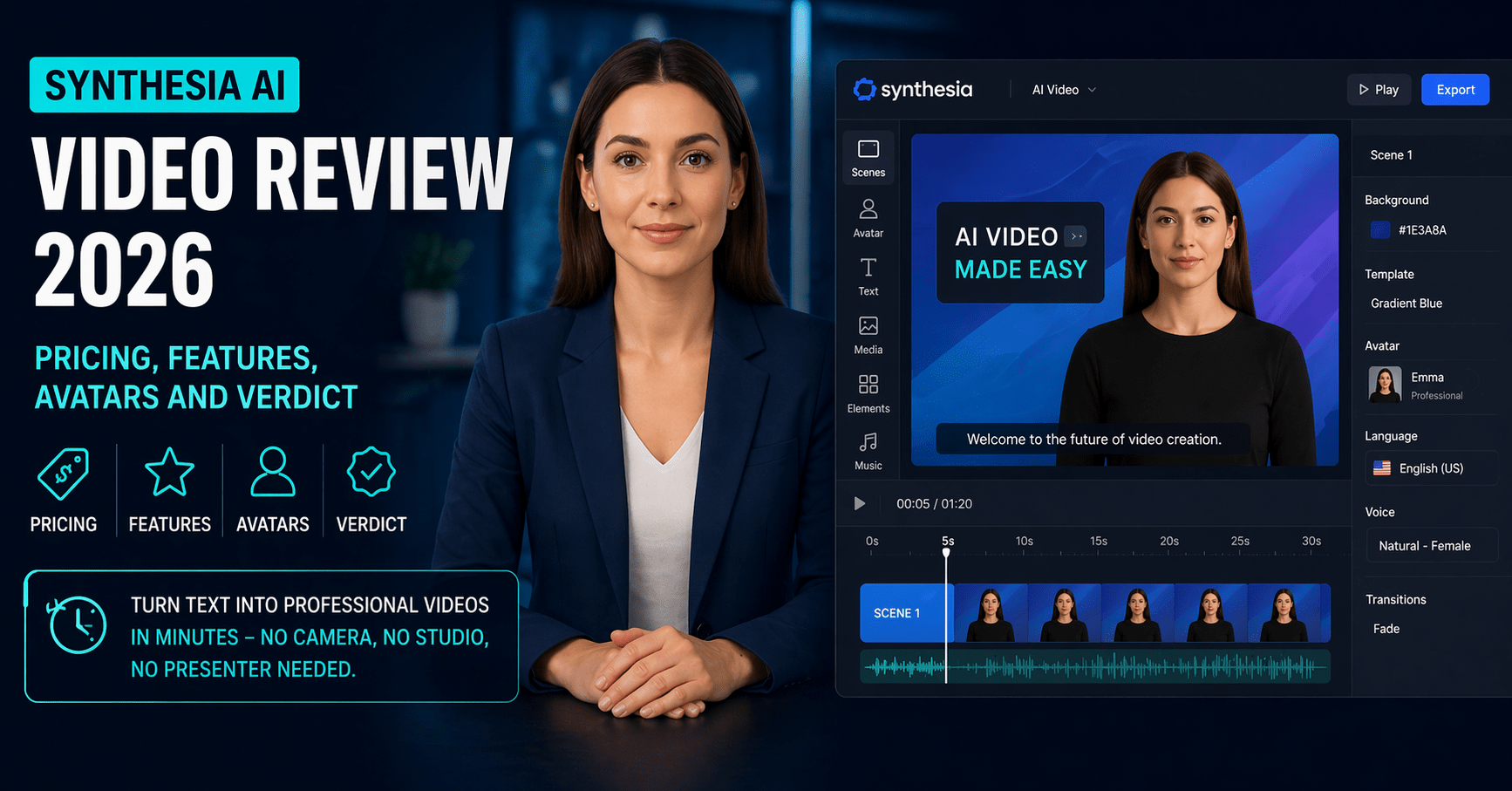
In 2026, Synthesia has expanded well beyond its original avatar-and-script formula. The platform now includes a full video editor with timeline control, over 250 scene templates, one-click translation across 160-plus languages, voice cloning, PowerPoint-to-video conversion, and — most recently — access to AI Playground with Veo 3.1 and Sora 2 for generating video assets from text prompts.
It holds SOC 2 Type II, GDPR, ISO 27001, and ISO 42001 certifications, making it one of the most compliance-ready AI video tools available. That matters enormously for enterprise buyers in regulated industries.
Synthesia Pricing in 2026: The Full Breakdown
Synthesia operates on a credit-based system in 2026. Credits are a shared pool used across all AI generation features — one minute of video costs one credit. Unused credits do not roll over at the end of each billing period, which is one of the most frequently cited frustrations in user reviews.
Free (Basic) Plan — $0/month
- 36 minutes of video per year (3 minutes/month equivalent)
- 9 stock AI avatars
- Videos include a Synthesia watermark
- Access to AI Playground (Veo 3.1, Sora 2)
- PowerPoint-to-video conversion
- No downloads without upgrade
Good for testing the workflow before committing. Not viable for ongoing content production.
Starter Plan — $18/month (billed annually) | ~$29/month (monthly)
- 120 minutes of video per year (10 minutes/month)
- 125+ AI avatars
- 1 Personal Avatar (custom digital twin — a ~$1,000 value as a standalone)
- No watermark
- Video downloads included
- AI dubbing (translating existing videos into new languages)
- 1 editor seat
- AI chat support
The core plan for solo creators and small teams. The 10 minutes per month is the critical constraint — roughly 5–8 short videos depending on length.
Creator Plan — $64/month (billed annually) | ~$89/month (monthly)
- 360 minutes of video per year (30 minutes/month)
- 230+ AI avatars
- 3 Personal Avatars
- Brand kit and custom colours
- Custom call-to-actions on video share pages
- API access
- Priority support
- Multiple editor seats
Designed for growing teams producing regular content. Thirty minutes per month is enough for a serious weekly video schedule across multiple formats.
Enterprise Plan — Custom pricing (contact sales)
- Unlimited video minutes
- Full avatar library (160+ languages)
- Custom studio avatars (professional recordings of real people)
- SCORM export (for LMS integration)
- One-click translation
- SSO and advanced security controls
- Dedicated account manager
- Bulk personalisation
The plan where Synthesia’s full power is unlocked. Notably, SCORM export — essential for organisations deploying training videos through a Learning Management System — is Enterprise-only, which pushes mid-sized L&D teams into a sales conversation regardless of their actual feature needs.
Hidden Costs to Know
Credits expire monthly. This is the most practically frustrating aspect of Synthesia’s pricing. A busy month followed by a quiet month means you lose credits you have already paid for. Consultants and project-based workers are the most affected, as one G2 reviewer described at length: some months require 20 videos for a client launch, others just two or three. The credit system does not accommodate that reality.
Custom avatars beyond plan limits cost extra. The Starter plan includes one Personal Avatar. A second costs approximately $1,000/year. Studio Express-1 Avatars — professionally recorded for higher fidelity — are a paid add-on at $1,000/year on annual plans only, and take up to 10 days to process.
SCORM is Enterprise-locked. For any organisation deploying videos into an LMS, this is a meaningful hidden cost. Moving from Creator to Enterprise pricing for this one feature can represent a substantial jump in annual spend.
Plagiarism checking is not included. Unlike some content platforms, Synthesia does not include any originality-checking tools. Script review is entirely the user’s responsibility.
Core Features: What Synthesia Actually Does
AI Avatars — The Centrepiece
Synthesia’s avatar library is the product’s most visible feature, and it is genuinely impressive in scope. Over 230 stock avatars cover a broad range of ages, ethnicities, professions, and visual styles. Avatars on the Creator and Enterprise plans are customisable — clothing, logos, and environment can be adjusted in Avatar Studio.
The quality of avatar realism has improved significantly since Synthesia’s early days. Lip sync accuracy has been measured at approximately 94% in testing, facial micro-expressions are noticeably more natural than they were two years ago, and the overall output is clearly professional-grade for corporate and educational contexts.
The honest limitation: avatars remain best suited to neutral, instructional content delivered at a steady pace. Emotional range is restricted — subtle humour, warmth, frustration, or dramatic emphasis are outside what the current generation of avatars can convincingly convey. This is not a criticism unique to Synthesia; it applies to AI avatar technology broadly. But it does mean that content requiring genuine human connection — customer testimonials, brand storytelling, emotional fundraising appeals — is not the right use case.
Some users report minor “uncanny valley” moments, particularly in non-English language videos where lip sync timing can drift slightly. These are rare in English content and typically correctable with script adjustments.
160+ Language Support and One-Click Translation
This is arguably Synthesia’s most powerful feature for global organisations. The platform supports over 160 languages and accents, covering more than enough for most multinational teams.
The one-click translation feature — available on Enterprise plans — is where the real operational value lies. Record one English training module, then generate versions in Spanish, Mandarin, French, Arabic, and ten other languages in minutes, with the avatar’s lip sync automatically adjusted to match the new audio. For organisations that previously handled localisation through expensive dubbing or reshooting, the time and cost savings are dramatic.
Voice quality is consistently praised for major languages. Minor degradation in fluency and naturalness has been noted in less widely spoken languages, so human review of translated content is advisable — particularly for technical or regulated material.
The Video Editor
Synthesia’s editor has evolved from a basic script-and-avatar tool into a credible video production environment. The timeline-based editor handles scene management, text overlays, transitions, background music, brand elements, and screen recording imports.
For non-editors — HR managers, trainers, marketers who have never used Premiere Pro or DaVinci Resolve — the learning curve is minimal. The drag-and-drop interface with 250-plus pre-built templates means most users are producing finished videos within an hour of signing up.
For experienced video editors, the lack of fine-grained timing controls, camera movement, and layered compositing will feel constraining. Synthesia is a video production tool optimised for efficiency and accessibility, not for creative directors who want pixel-level control.
PowerPoint-to-Video
An underrated feature that addresses one of the most common enterprise content workflows: the PowerPoint presentation that needs to become a video.
Upload any PowerPoint file and Synthesia converts it into a video draft — retaining the original slide design, transforming speaker notes into the video script, and converting text and shapes into editable video components. For organisations with libraries of existing presentations that need to become training or onboarding content, this is a significant time saver.
AI Playground (New in 2026)
Synthesia’s newest addition gives all users — including the free plan — access to AI Playground, a workspace for generating video assets using Veo 3.1, Veo 3.1 Fast, and Sora 2. Users can generate AI video clips from text prompts, preview and download results, and pull generated media directly into the video editor.
This positions Synthesia as a more complete production environment rather than just an avatar delivery tool, and is a meaningful addition for creators who want to supplement avatar-led content with generative B-roll footage.
Voice Cloning and Custom Avatars
Personal Avatars — digital replicas of a real person — are available from the Starter plan upward. You record a short consent video, Synthesia processes it, and the resulting avatar can deliver any script in your voice and likeness.
Voice cloning lets you replicate a specific voice for consistent branding — particularly useful for companies with a recognisable spokesperson who cannot be available for every video. As with all voice cloning, script review is essential to catch pronunciation errors on technical terms and brand names.
Output Quality: The Honest Assessment
In practice, Synthesia produces genuinely professional video output for its target use cases. Corporate training videos, employee onboarding, product walkthroughs, and internal communications come out polished and consistent — suitable for direct deployment without post-production work.
Rendering a typical two-minute video takes around 8–12 minutes. G2 and Capterra reviewers consistently praise the speed and ease of updates (“just edit the text and regenerate”) as a major operational advantage over traditional video workflows.
The G2 rating sits at 4.6 out of 5 across over 300 verified reviews. Praise centres on ease of use, multilingual capabilities, and time savings. Criticism focuses on the credit expiry system, pricing jumps between tiers, occasional rendering errors on complex scenes, and some reviewers noting that the AI voices — while clear and intelligible — still carry a slightly robotic quality in languages beyond English.
The most consistent negative pattern across Product Hunt and Reddit reviews involves customer support responsiveness — particularly around refund requests and content policy enforcement. Synthesia has strict content moderation policies (financial institutions and certain regulated industries have faced video rejections without clear upfront disclosure), and its no-refund policy has generated genuine user frustration when those restrictions were not clear at purchase.
Synthesia vs HeyGen: Which Should You Choose?
HeyGen is the main competitor worth comparing. Both are AI avatar video platforms, but they have diverged meaningfully in focus.
| Synthesia | HeyGen | |
|---|---|---|
| Starting price | $18/month (annual) | $24/month |
| Avatar realism | ⭐⭐⭐⭐ Corporate-grade | ⭐⭐⭐⭐⭐ More expressive |
| Language support | 160+ languages | 175+ languages |
| Video length limit | 10 min/month (Starter) | Varies by plan |
| Enterprise features | ⭐⭐⭐⭐⭐ Best-in-class | ⭐⭐⭐⭐ Strong |
| SCORM export | Enterprise only | Available from lower tiers |
| Ease of use | ⭐⭐⭐⭐⭐ Very easy | ⭐⭐⭐⭐ Easy |
| Best for | Training, L&D, internal comms | Marketing, social, personalised outreach |
The consensus across multiple 2026 comparisons is fairly consistent: HeyGen produces more lifelike avatars for short-form content and is better suited to marketing and social media, while Synthesia’s consistency over longer videos, enterprise security posture, and structured workflow features make it the stronger choice for corporate training, HR, and L&D teams.
For solopreneurs and content creators who need video for social or marketing purposes, HeyGen’s more expressive avatars and slightly lower starting price offer better value. For organisations deploying video at scale for internal use, Synthesia is the more mature, enterprise-ready platform.
Who Should Use Synthesia
Synthesia is a strong fit if:
You work in L&D, HR, corporate communications, or training and need to produce structured video content at scale. You serve a global audience and one-click translation would eliminate significant localisation cost and time. Your videos are primarily instructional rather than emotional or promotional. You need enterprise-grade security and compliance certifications. Your video production need is predictable enough that monthly credit caps are not a meaningful constraint.
Synthesia is not a strong fit if:
Your primary video need is social media or marketing content where authentic human presence drives engagement. You work on a project basis with unpredictable month-to-month volume — the no-rollover credit system will frustrate you. You need SCORM export without paying Enterprise pricing. Budget is a primary concern — 10 minutes per month on the Starter plan may not be enough, and the Creator plan at $64/month is a significant step up. You need videos that convey warmth, emotion, or humour effectively.
Is Synthesia Worth It in 2026?
For the right use case, yes — significantly so.
A single corporate training video produced the traditional way (video crew, presenter, editing, review rounds) routinely costs $1,000–$5,000 and takes days to weeks. Synthesia’s Creator plan at $64/month can produce the equivalent of that video in two hours. For organisations that need to update training content regularly, the ROI calculation is clear.
The pricing structure is the main source of friction. The no-rollover credit policy, the jump from $18/month Starter to $64/month Creator, and SCORM being Enterprise-only all push users into either underusing the tool or paying significantly more than anticipated to access features they genuinely need.
The practical test: if you need more than 10 minutes of video per month consistently, the Starter plan will leave you capped. Evaluate whether Creator’s 30 minutes/month fits your actual production volume before committing annually.
Start with the free plan. Produce one or two videos representative of your real workflow. Check whether the avatar quality and output format work for your specific audience. Then commit to a paid plan only if the output passes the test.
→ Get started with Synthesia for free
Frequently Asked Questions
Does Synthesia have a free plan? Yes. The Basic plan is free and gives you 36 minutes of video per year (approximately 3 minutes per month). Videos include a Synthesia watermark on the free plan. The free tier also includes access to AI Playground, PowerPoint-to-video conversion, and 9 stock avatars — enough to genuinely evaluate whether the platform suits your workflow before paying.
How much does Synthesia cost per month? The Starter plan costs $18/month billed annually (approximately $29/month on monthly billing). The Creator plan is $64/month annually (approximately $89/month monthly). The Enterprise plan requires a custom quote from Synthesia’s sales team. All paid plans are billed in USD.
Do Synthesia credits roll over if unused? No. This is one of the most consistently cited limitations in user reviews. Credits expire at the end of each billing period and do not carry over to the following month. If you produce fewer videos than planned in a given month, those unused minutes are lost. For users with unpredictable or project-based production schedules, this is a meaningful practical and financial constraint.
Can I create a custom avatar of myself on Synthesia? Yes, from the Starter plan upward. You record a short consent video, submit it for processing, and Synthesia creates a Personal Avatar that can deliver any script in your likeness. The Starter plan includes one Personal Avatar. Additional custom avatars cost approximately $1,000/year each. Studio Express-1 Avatars — professional recordings with higher fidelity — are an annual add-on and take up to 10 days to process.
Is Synthesia better than HeyGen? It depends on your use case. Synthesia is the stronger choice for corporate training, L&D, and enterprise internal communications — where consistency, security compliance, and workflow structure matter most. HeyGen produces more expressive avatars and is better suited to marketing content and social media where realism and emotional engagement drive performance. For individual creators and marketers, HeyGen often offers better value. For organisations deploying structured video at scale, Synthesia is the more mature platform.
What types of content can Synthesia not be used for? Synthesia has strict content moderation policies that restrict certain use cases. Known restrictions include financial institution promotional content, some categories of regulated industry content, and anything involving deceptive or misleading video. These restrictions are enforced through automated and human review of generated videos. Several users have reported video rejections without clear upfront disclosure of these policies. If your use case involves a regulated industry, it is worth contacting Synthesia’s sales team before purchasing to confirm your specific content type is supported under your chosen plan.
Final Verdict
Synthesia earns 4.0 out of 5 stars.
It is a genuinely excellent tool for its target audience — organisations and creators who need to produce professional, structured video content at scale without traditional production infrastructure. The ease of use is best-in-class for its category, the multilingual capabilities are unmatched for most use cases, and the output quality is consistently professional for corporate and educational contexts.
The deductions come from the no-rollover credit policy, the steep step from Starter to Creator pricing, SCORM being locked behind an Enterprise paywall, occasional avatar realism limitations for emotionally expressive content, and customer support and refund handling that has drawn legitimate criticism in third-party reviews.
If you produce structured video content for training, onboarding, or internal communications and your production volume is predictable, Synthesia will save you significant time and money compared to traditional production. If you need video primarily for marketing or social media and want maximum avatar realism, start with HeyGen. If you are budget-conscious with unpredictable production needs, the credit expiry system will frustrate you.
→ Try Synthesia for free — no credit card required
Last reviewed: April 2026. Pricing and features accurate as of publication. Always verify current pricing at synthesia.io before purchasing.
Continue reading: