ShopBack Promo Code October 2026: S$5 New User Bonus and 11.11
Table of Contents
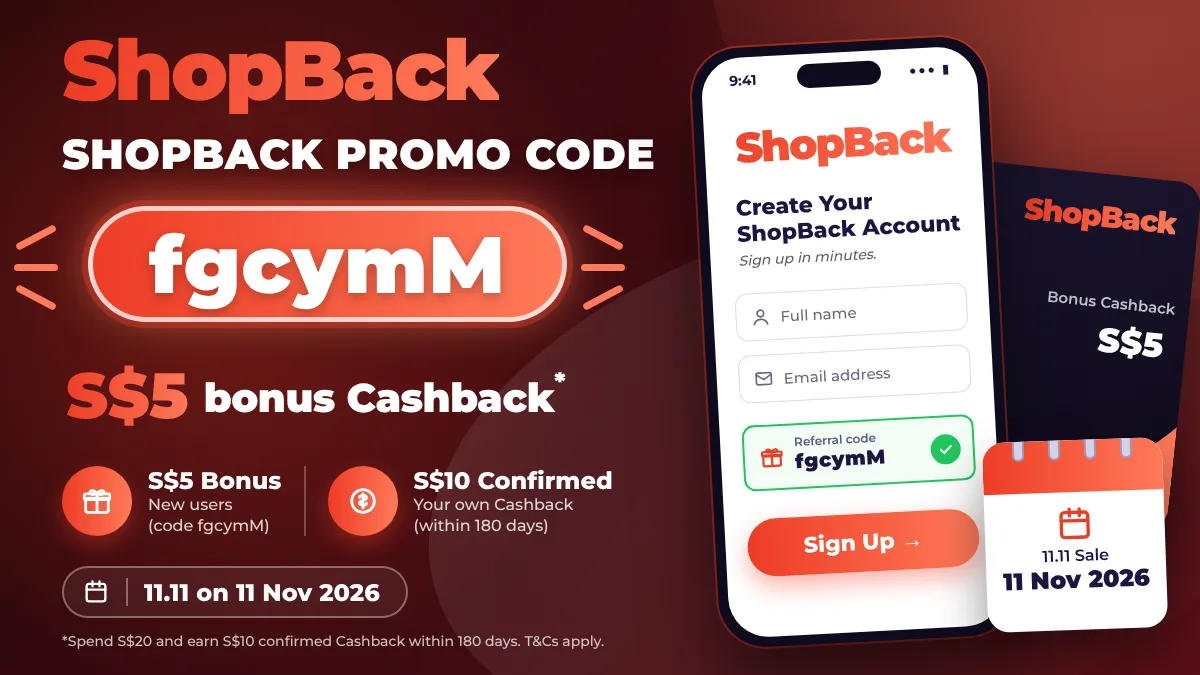
If you are searching for a ShopBack promo code, here is the short answer: the new user bonus is S$5 in bonus Cashback, you get it with a referral code at sign-up, and it is not instant.
ShopBack pays the S$5 only after you spend S$20 through ShopBack and earn S$10 of your own confirmed Cashback, within 180 days. Most people who miss the bonus miss it on that second condition.
The timing matters too. ShopBack raised the new user bonus to S$10 during 9.9 and 10.10, and 11.11 falls on Wednesday 11 November. If you plan to sign up anyway, it is worth checking the in-app amount in early November.
I check ShopBack’s offers every month and update this page. This is every ShopBack promo for Singapore in October 2026, and how to actually unlock the bonus.
→ Get the ShopBack referral code fgcymM (S$5 bonus Cashback)
Current ShopBack Promo (Updated October 2026)
| Promotion | Who It’s For | Reward | When |
|---|---|---|---|
| New user bonus (referral code fgcymM) | New ShopBack users | S$5 bonus Cashback | Ongoing |
| Store Cashback | Everyone | A % of your spend back, per store | Ongoing |
| 11.11 Sale | Everyone | Upsized Cashback on selected stores | Around 11 Nov 2026 |
| Refer friends | Existing users | Bonus for each friend who qualifies | Ongoing |
ShopBack Promo Code for New Users: S$5 Bonus
New users who sign up with a referral code get S$5 in bonus Cashback once they meet ShopBack’s referral terms. The amount is set in the app and changes during big sales: it was S$10 during 9.9 and 10.10, and S$5 from mid October.
To unlock it, all three must happen within 180 days of signing up:
- Sign up with a referral code or link. Enter the code under “I have a referral or reward code” before you finish registering.
- Spend at least S$20 through ShopBack. One purchase or several both count.
- Earn S$10 of confirmed Cashback, not counting the bonus itself.
Once both conditions are met, the referral can take up to 48 hours to show as Confirmed.
→ Sign up with the ShopBack referral code fgcymM
How to Claim the S$5
- Download ShopBack or open the referral link.
- Tap “I have a referral or reward code” at sign-up and type fgcymM exactly. Do it before you finish registering.
- Use a phone that has never had a ShopBack account. ShopBack requires a unique device.
- Shop through ShopBack: open the store from the ShopBack app, website or browser extension, then check out in the same session.
- Wait for Cashback to confirm. Retail Cashback usually confirms within weeks. Travel confirms only after the trip.
My guide on how to use a ShopBack referral code covers each screen.
The S$10 Confirmed Cashback Is the Real Hurdle
S$20 of spend is easy. S$10 of your own confirmed Cashback is not. At a typical 5% Cashback rate, you need to spend about S$200 through ShopBack to earn S$10.
The fastest routes are higher-rate stores and travel bookings, such as hotels on Trip.com or Klook through ShopBack. Travel Cashback only confirms after your stay, though, so a booking for next year may not confirm within 180 days.
Who Doesn’t Get the S$5
- Existing or former ShopBack users.
- A device that already had a ShopBack account, such as a shared family phone.
- Anyone who clicks another person’s referral link later. ShopBack credits the last referral link clicked.
- Cancelled, refunded or exchanged orders, which do not count.
- Purchases at excluded merchants: Barnes & Noble, Brooks Brothers, Calvin Klein, Cyberlink, Kohl’s, Lens.com, Mindvalley, Survey Wall and Airbnb.
- A first purchase stacked with another new customer promotion, which ShopBack does not allow.
ShopBack 11.11 Sale (11 November 2026)
ShopBack’s big three sales are 9.9, 10.10 and 11.11. This year 11.11 is on Wednesday 11 November. Store Cashback rates change around the sale, so check each store’s ShopBack page on the day before you buy.
During 9.9 and 10.10, ShopBack also raised the new user bonus to S$10. It has not announced 11.11 terms yet. I will update this page when it does.
ShopBack Promo Code for Existing Users
There is no sign-up bonus for existing users. What you can still get:
- Store Cashback on every purchase through ShopBack, with upsized rates during sales.
- Referral bonuses for each friend who signs up with your code and qualifies. Find your code under Refer & Earn in the app.
- Store promo codes listed on each merchant’s ShopBack page. Check the merchant terms, because some outside codes void the Cashback.
ShopBack on Trip.com and Klook
ShopBack pays Cashback on Trip.com and Klook bookings when you click through from ShopBack first. Rates change around sales, so check the live rate on the merchant page.
The Cashback is on top of the travel site’s own promo, subject to each merchant’s terms. For this month’s travel codes, see my Trip.com promo and Klook promo pages.
How to Withdraw ShopBack Cashback
You can withdraw once you have S$10 of confirmed Cashback, to a Singapore bank account. The S$5 bonus becomes withdrawable once your referral shows Confirmed.
Is ShopBack Safe?
ShopBack is a Singapore-founded company with over 45 million shoppers across 13 markets, and it is one of the most-used shopping apps in Singapore. Cashback is paid by ShopBack after the merchant confirms your order. It is not a bank or an e-wallet for savings, and Cashback has no interest.
Is the ShopBack Promo Worth It?
If you shop online anyway, yes. The S$5 bonus is small, but ShopBack’s store Cashback on regular purchases adds up to far more over a year.
Just know what the bonus takes: about S$200 of spend through ShopBack within 180 days. If you are about to book a hotel or buy something big, sign up first and route that purchase through ShopBack.
→ Get the ShopBack referral code fgcymM
Frequently Asked Questions
What is the ShopBack promo code for new users?
New users get S$5 bonus Cashback by entering referral code fgcymM at sign-up, under “I have a referral or reward code”. To unlock it, spend S$20 through ShopBack and earn S$10 of confirmed Cashback within 180 days of signing up.
Can I add a ShopBack referral code after signing up?
No. The code must be entered during registration, before you finish creating the account. If you click a different referral link later, ShopBack credits the last link clicked.
Why didn’t I get my ShopBack referral bonus?
ShopBack’s help page says the usual reason is that the minimum requirements were not met. Check that you reached S$20 of spend and S$10 of confirmed Cashback within 180 days, avoided excluded merchants, and signed up on a device with no previous ShopBack account.
When is ShopBack 11.11 in 2026?
ShopBack’s 11.11 sale is on Wednesday 11 November 2026. Store Cashback rates change around the sale, so check each store’s ShopBack page before you buy. ShopBack raised the new user bonus to S$10 for 9.9 and 10.10, and 11.11 terms are not announced yet.
Does ShopBack have a promo code for existing users?
There is no sign-up bonus for existing users. Existing users earn store Cashback on every purchase, upsized rates during sales, and a referral bonus for each friend who signs up with their code and qualifies.
What is the minimum to withdraw ShopBack Cashback?
You need S$10 of confirmed Cashback to withdraw to a Singapore bank account. Pending Cashback cannot be withdrawn until the merchant confirms the order.
Final Verdict
ShopBack’s new user bonus is S$5, and it takes S$10 of your own confirmed Cashback to unlock.
- Do now: sign up with fgcymM before your next big online purchase, and route it through ShopBack.
- Timing: check the in-app bonus in early November, before 11.11 on Wednesday 11 November.
- Travel: click through ShopBack before booking Trip.com or Klook, then add their own promo code.
→ Open the ShopBack referral page
How long did your first S$10 of ShopBack Cashback take to confirm? Tell me in the comments.
Continue reading: