How to Use a Trust Bank Referral Code in 2026 (Step-by-Step)
Table of Contents
The October 2026 Trust Bank referral offer is the most generous the program has ever run — a sure-win Golden Scratch Card from S$50 to S$8,000 cashback with no minimum spend, or up to 100,000 Max Miles worth S$1,800 if you choose Miles mode on the Freedom card.
There is one way most people lose it: they enter the referral code at the wrong point in the sign-up flow. Or they do not enter it at all, assuming there will be a field at the end of the application.
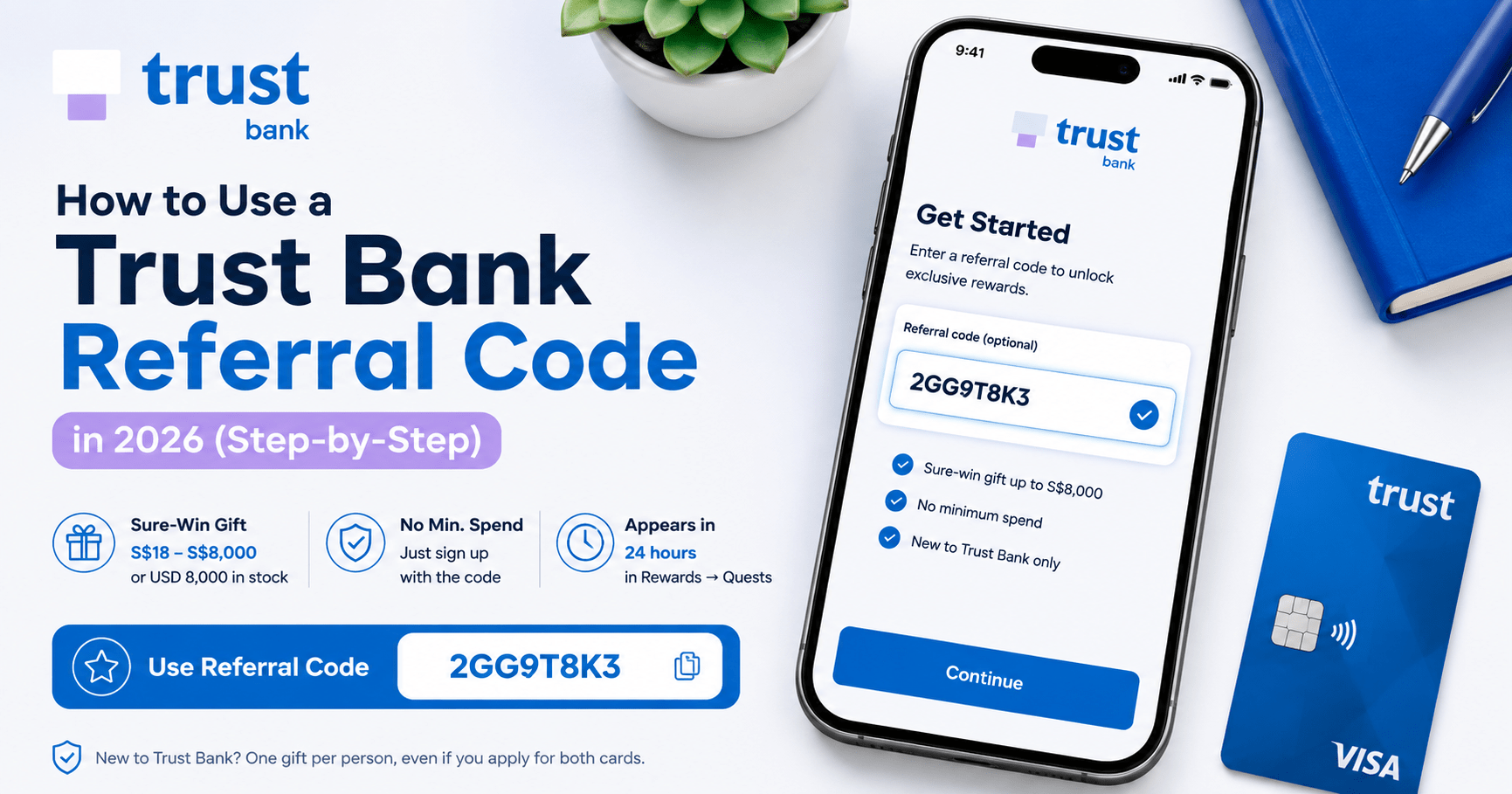
There will not be. The Trust Bank app asks for the referral code right after you tap “Get Started” — before any personal details, before product selection, before anything else. Miss that screen and the reward is gone, even if your card is fully approved.
I have walked through this process. The steps below cover the exact sequence, what changed in October 2026, the new Miles reward path, and how to troubleshoot if your scratch card does not appear on time.
→ Use referral code 2GG9T8K3 — full October 2026 terms and cashback tiers here
What Changed in October 2026
Before the steps — a quick update, because the October 2026 promotion is meaningfully different from earlier months.
New reward path: 100,000 Max Miles. From 21 September to 31 October 2026, new-to-Trust applicants who choose the Freedom card and select Miles as their rewards mode can earn up to 100,000 Max Miles via a tiered spend bonus. At HeyMax FlyAnywhere rates of 1.8 cents per mile, that is worth S$1,800.
Updated cashback tiers for October. The credit card scratch card now reads S$50 to S$8,000 — with confirmed cashback tiers of S$180, S$288, S$1,888, and S$8,000. The previous tiers (S$18, S$28, S$88 etc.) no longer apply.
You now choose one path, not both. If you apply for the Freedom card in Miles mode, your sign-up reward is miles-based, not the cashback scratch card. If you apply for any Trust credit card in cashback or stockback mode, you receive the cashback scratch card. Pick the path before you start the application.
The savings account reward remains separate — a scratch card from S$8 to S$1,888, triggered by signing up for a Trust savings account in addition to a credit card.
What You Need Before You Start
Three things to confirm before opening the app:
- You have never held a Trust Bank account. The referral reward is for new-to-bank customers only. A previously cancelled account also disqualifies you.
- You have the referral code. Use 2GG9T8K3. I earn a referral reward when you sign up with it, at no cost to you.
- You know which path you want. Path 1 is the cashback scratch card (any Trust credit card, any rewards mode except Miles). Path 2 is up to 100,000 Max Miles (Freedom card, Miles mode only, until 31 Oct 2026). Decide before you open the app.
A stable internet connection helps. The identity verification step uses SingPass MyInfo, and dropping connection mid-flow adds friction you do not need.
The Full Workflow: Step by Step
Step 1 — Download the Trust Bank app (2 minutes)
Search “Trust Bank SG” on the App Store (iOS) or Google Play Store (Android). The developer is Trust Bank Singapore Limited. Download and open the app.
Do not sign in — you are creating a new account. If you see a login screen, look for the “Get Started” or “New to Trust” option instead.
One important note for Miles mode applicants: Update the app to the latest version before proceeding. The Miles mode option during onboarding may not appear on older app versions. Update in the App Store or Play Store before signing up.
What you end up with: The Trust Bank app open at the welcome screen.
Step 2 — Tap “Get Started” and enter referral code 2GG9T8K3 (1 minute)
This is the step that determines whether you receive any reward at all.
Tap Get Started. The very next screen will prompt you to enter a referral code. Enter 2GG9T8K3 and confirm it. You will see a brief confirmation that the code was accepted.
Only then continue.
⚠️ There is no way to add a referral code after this screen. It cannot be entered at the end of the application, in account settings, or via customer service. If you advance past this screen without entering the code, the reward will not apply — even if your application is fully approved.
What you end up with: Referral code locked to your application. Every product you sign up for in this session will be tied to the referral.
Step 3 — Verify your identity via SingPass / MyInfo (5–10 minutes)
Trust Bank uses SingPass MyInfo to pull your NRIC details, residential address, and income information automatically. Have your SingPass login and 2FA ready.
If MyInfo does not pull your income data — common for self-employed applicants or those whose latest Notice of Assessment has not yet been reflected — you will need to upload income documents manually. Prepare your latest Notice of Assessment or three months of payslips before starting.
What you end up with: Identity verified, personal details pre-filled into your application form.
Step 4 — Apply for your Trust credit card and select your reward path (5 minutes)
This is where the October 2026 split matters. You are choosing a path, not just a card.
Path 1 — Cashback (sure-win S$50–S$8,000, no minimum spend)
Apply for either the Freedom credit card or the Trust Link credit card. During onboarding, select any reward mode other than Miles — Unlimited Cashback, Bonus Cashback, or Stockback. You will receive a sure-win Golden Scratch Card worth S$180, S$288, S$1,888, or S$8,000 after approval. No minimum spend required.
Path 2 — 100,000 Max Miles (Freedom card, until 31 Oct 2026)
Apply for the Trust Freedom credit card specifically. During onboarding, select Miles as your rewards mode. You unlock a tiered spend bonus within 31 days of card approval:
| Spend within 31 days | Max Miles bonus | Cumulative total |
|---|---|---|
| S$1,000 | 20,000 Max Miles | 20,000 |
| S$5,000 | +30,000 Max Miles | 50,000 |
| S$15,000 | +50,000 Max Miles | 100,000 |
Each tier triggers a separate scratch card in Rewards → Quests. Reveal the voucher code and redeem it in the HeyMax app under Profile → Redeem a Code by 31 December 2026.
Which card to choose for Path 1:
- Trust Freedom credit card — best for flexible spenders. Pick your quarterly reward: 3% Stockback (on local and foreign spend, capped at S$500 per quarter, promoted rate until 31 Dec 2026), unlimited 1.5% local / 0.5% foreign instant cashback, or Bonus Cashback of 1.0%/0.5% plus up to 15% in one chosen category. Zero annual fee, zero FX fees, free overseas ATM withdrawals. Minimum annual income S$30,000 (Singapore citizens and PRs), S$60,000 (foreigners).
- Trust Link / NTUC Link credit card — best for regular FairPrice Group shoppers and NTUC Union members. Earns Linkpoints at an accelerated rate, redeemable from 99 points (S$0.99). No annual fee. Especially valuable if your grocery and dining spend is concentrated at FairPrice outlets.
For a detailed breakdown, I have written a full Trust Freedom card review that covers the modes and the Miles proposition in depth.
Optional: Sign up for a Trust savings account too
Adding a savings account to your sign-up triggers a separate scratch card — S$8 to S$1,888 cashback credited to the savings account. This is independent of your credit card scratch card, so both can be claimed in the same session.
What you end up with: Credit card application submitted. Approval typically comes within minutes for standard applications.
Step 5 — Claim your Golden Scratch Card (up to 24 hours)
After your credit card application is successfully processed, your sure-win Golden Scratch Card appears in the Trust app under Rewards → Quests within 24 hours.
For cashback paths (Freedom or Trust Link, non-Miles mode):
The scratch card reveals one of four guaranteed amounts: S$180, S$288, S$1,888, or S$8,000. Tap to scratch. Cashback is credited directly to your credit card account automatically — no action required after scratching.
For Miles mode (Freedom card):
Scratch cards appear in Rewards → Quests within 24 hours after each spend tier is validated — one card per tier. Reveal the voucher code from each card and redeem it in the HeyMax app (Profile → Redeem a Code) by 31 December 2026. Max Miles are credited instantly upon redemption.
For savings account sign-ups:
The savings account scratch card (S$8, S$88, S$288, or S$1,888) appears separately in Rewards → Quests and is credited to your Trust savings account.
If your scratch card has not appeared after one full business day from your approval date, contact Trust Bank via the in-app chat — do not email. In-app chat provides a reference number and is faster to resolve.
What you end up with: Your sure-win reward revealed and credited to your account.
The Full Time Breakdown
| Step | Task | Time required |
|---|---|---|
| 1 | Download and update app | 2–3 minutes |
| 2 | Enter referral code at “Get Started” | 1 minute |
| 3 | SingPass / MyInfo verification | 5–10 minutes |
| 4 | Credit card application | 5 minutes |
| 5 | Wait for Golden Scratch Card | Up to 24 hours (passive) |
| Total active time | ~15 minutes |
The waiting period is passive. Once the application is submitted, the scratch card appears automatically when processing is complete.
October 2026 Cashback and Miles Tiers at a Glance
| Product | Reward type | Tiers | Minimum spend |
|---|---|---|---|
| Any Trust credit card (non-Miles mode) | Sure-win cashback | S$180 / S$288 / S$1,888 / S$8,000 | None |
| Trust Freedom card (Miles mode) | Max Miles bonus | 20k / 50k / 100k Max Miles | S$1k / S$5k / S$15k within 31 days |
| Trust savings account | Sure-win cashback | S$8 / S$88 / S$288 / S$1,888 | None |
The Freedom card in Miles mode also earns 1.3 Trust Miles per S$1 on all local and foreign spend as a base rate — with no FX fees and no annual fee. Trust Miles convert to KrisFlyer or Max Miles at a 1:1 ratio (S$27.25 transfer fee applies to KrisFlyer; Max Miles transfers via HeyMax). This makes it Singapore’s first miles-earning credit card with zero FX fees, which changes the calculus for overseas spending relative to most other miles cards.
What the Referral Process Cannot Do
You cannot add a referral code after the onboarding flow. There is no field in settings, no customer service workaround. The code must be entered at the “Get Started” screen. This is the single most important constraint in the entire process.
Switching from cashback to Miles mode retroactively is not guaranteed. If you apply for the Freedom card in cashback mode, you are on the cashback path. To earn the 100,000 Max Miles sign-up bonus, Miles mode must be selected during the original onboarding — not changed later. Trust Bank may allow mode changes quarterly for ongoing earning, but the welcome bonus is tied to the mode selected at application.
You cannot receive both the cashback scratch card and the Miles bonus from the same credit card sign-up. The two reward paths are mutually exclusive. You can, however, receive both a credit card reward and a savings account reward by signing up for both products.
You cannot refer yourself using a second device or a family member’s NRIC. Trust Bank verifies identity via SingPass. Each NRIC can only be a referee once.
The referral reward does not apply to a savings account alone. A Trust savings account sign-up without a credit card sign-up still earns a savings account scratch card (S$8–S$1,888) — but the credit card scratch card (S$50–S$8,000) requires a credit card application.
Tips to Get Better Results From the Sign-Up
Update the app before you start if you plan to choose Miles mode. The Miles option during onboarding may not appear on older versions of the Trust Bank app. Go to the App Store or Play Store, update first, then open the sign-up flow.
Prepare your SingPass 2FA before opening the app. The MyInfo pull requires SingPass authentication. If your 2FA app is on the same phone, switch quickly between apps — or use a backup OTP method. Dropping connection during SingPass auth can require you to restart that step.
Choose Freedom card Miles mode only if you can realistically hit the spend tiers. The 20,000 Max Miles tier at S$1,000 is accessible to most people. The 100,000 Max Miles tier requires S$15,000 in qualifying spend within 31 days — that is a meaningful commitment. Education, utilities, insurance, government services, GrabPay top-ups, and CardUp payments are excluded from qualifying spend. Run your numbers before selecting Miles mode.
Set your Freedom card quarterly reward before your first statement closes. Go to Rewards → My earnings → Freedom card → Switch rewards. The 3% Stockback promo is active until 31 December 2026, then drops to 2%. If you are on cashback mode, this step determines how your ongoing card spending earns.
Screenshot your referral code confirmation screen. If there is any dispute about whether the code was entered and accepted, that screenshot is your evidence.
Sign up for both a credit card and a savings account in the same session if you want both scratch cards. Each triggers a separate reward and they stack — the credit card gift goes to your card, the savings account gift goes to your savings balance.
Frequently Asked Questions
Where exactly do I enter the Trust Bank referral code?
You enter it immediately after tapping “Get Started” in the Trust Bank app — before any personal information is filled in and before you select a product. The app will explicitly ask if you have a referral code. Enter 2GG9T8K3 at that prompt and confirm it. This is the only point in the sign-up flow where the code can be entered. It cannot be added retroactively after your account setup has advanced past that screen.
Can I still get the referral reward if I already have a Trust savings account?
No. The referral programme requires you to be entirely new to Trust Bank — no existing account of any kind, including savings accounts. If you already have a Trust savings account, even a dormant one, you do not qualify for the referee reward. The programme is for first-time Trust Bank customers only.
What is the difference between the cashback path and the Miles path for October 2026?
Cashback path: Apply for any Trust credit card (Freedom or Trust Link), choose any mode except Miles, and receive a sure-win Golden Scratch Card worth S$180, S$288, S$1,888, or S$8,000 — no minimum spend. Miles path: Apply for the Trust Freedom card specifically, select Miles as your rewards mode during onboarding, and earn up to 100,000 Max Miles via tiered spend (S$1,000 → 20,000 miles; S$5,000 → 50,000 miles; S$15,000 → 100,000 miles) within 31 days of approval. The Miles path is only available until 31 October 2026 and requires spending to unlock the bonus. The two paths are mutually exclusive for the same credit card sign-up.
How long does the Trust Bank Golden Scratch Card take to appear?
The sure-win cashback scratch card typically appears in Rewards → Quests within 24 hours of your credit card application being successfully approved. For Miles mode, each tiered scratch card appears within 24 hours after the qualifying spend tier is validated. If nothing has appeared after one full business day from your approval date (cashback) or from the point the spend tier was met (Miles), contact Trust Bank via the in-app chat with your application reference number.
Is the 100,000 Max Miles offer available to all Trust Bank applicants?
No. The 100,000 Max Miles welcome bonus is available only to new-to-Trust applicants who apply for the Trust Freedom credit card — not the Trust Link card — and who select Miles as their rewards mode during onboarding. The card must be approved between 21 September and 31 October 2026. Existing Trust credit cardholders do not qualify for the welcome bonus, regardless of rewards mode.
What happens if I entered the referral code but did not see a confirmation?
If the app accepted the code, it will show a brief confirmation message on the same screen. If the code was rejected, you would have been prompted to try again before continuing. If you advanced past the code screen without seeing a confirmation, the referral is likely not attached to your account. In that case, contact Trust Bank support via in-app chat before your application is finalised, if possible. There is no guaranteed retroactive fix — which is why entering the code and confirming it before proceeding is critical.
Is Trust Bank a legitimate licensed bank?
Yes. Trust Bank Singapore Limited (Co. Reg. No. 202039712G) is a digital bank backed by Standard Chartered and FairPrice Group, regulated by the Monetary Authority of Singapore under a Digital Full Bank licence. By February 2025, Trust had crossed 1 million customers — Singapore’s fourth-largest retail bank by customer count at that time. Singapore dollar deposits in Trust savings accounts are insured under the Singapore Deposit Insurance Corporation (SDIC) Deposit Insurance Scheme up to S$100,000 per depositor.
What is the DLCuration Bonus Campaign?
This is a separate monthly lucky draw funded entirely by DLCuration — not affiliated with or administered by Trust Bank. After signing up with referral code 2GG9T8K3 and making your first card transaction, email dlcuration@gmail.com with your last four phone digits and the date of your first transaction to enter. Monthly winners receive up to S$5 in e-vouchers (Amazon, NTUC FairPrice, Sheng Siong, or CapitaLand Mall). All monthly entrants are automatically enrolled in the annual grand draw for up to S$50. Full T&Cs on the referral code page.
Final Thoughts
The October 2026 Trust Bank referral offer is the best version of this promotion since the programme launched. The cashback path — a sure-win S$50 to S$8,000 with no minimum spend — remains exceptional for a credit card sign-up bonus. The Miles path, added in September 2026, adds a second viable option for miles collectors: up to 100,000 Max Miles on Singapore’s only miles card with zero FX fees.
The entire active process takes about 15 minutes. The only thing that can go wrong is entering the referral code too late.
Enter 2GG9T8K3 at “Get Started”. Decide your path before you start. Apply for the credit card that matches it. Then wait for the scratch card to appear in Rewards → Quests.
That is the entire process.
Used a Trust Bank referral code recently? Drop your experience in the comments — especially which path you chose and what tier your scratch card revealed.
Continue reading:
- Trust Freedom Card Miles: How to Get Up to 100,000 Max Miles as a New Cardholder (Worth S$1,800)
- Trust Bank Freedom Credit Card Review 2026: Three Rewards, One Card — Which Mode Should You Pick?
- Best Digital Bank Referral Codes in Singapore (2026)
- Trust Bank Referral Code 2GG9T8K3 — October 2026 Sure-Win Gift Details

One Comment