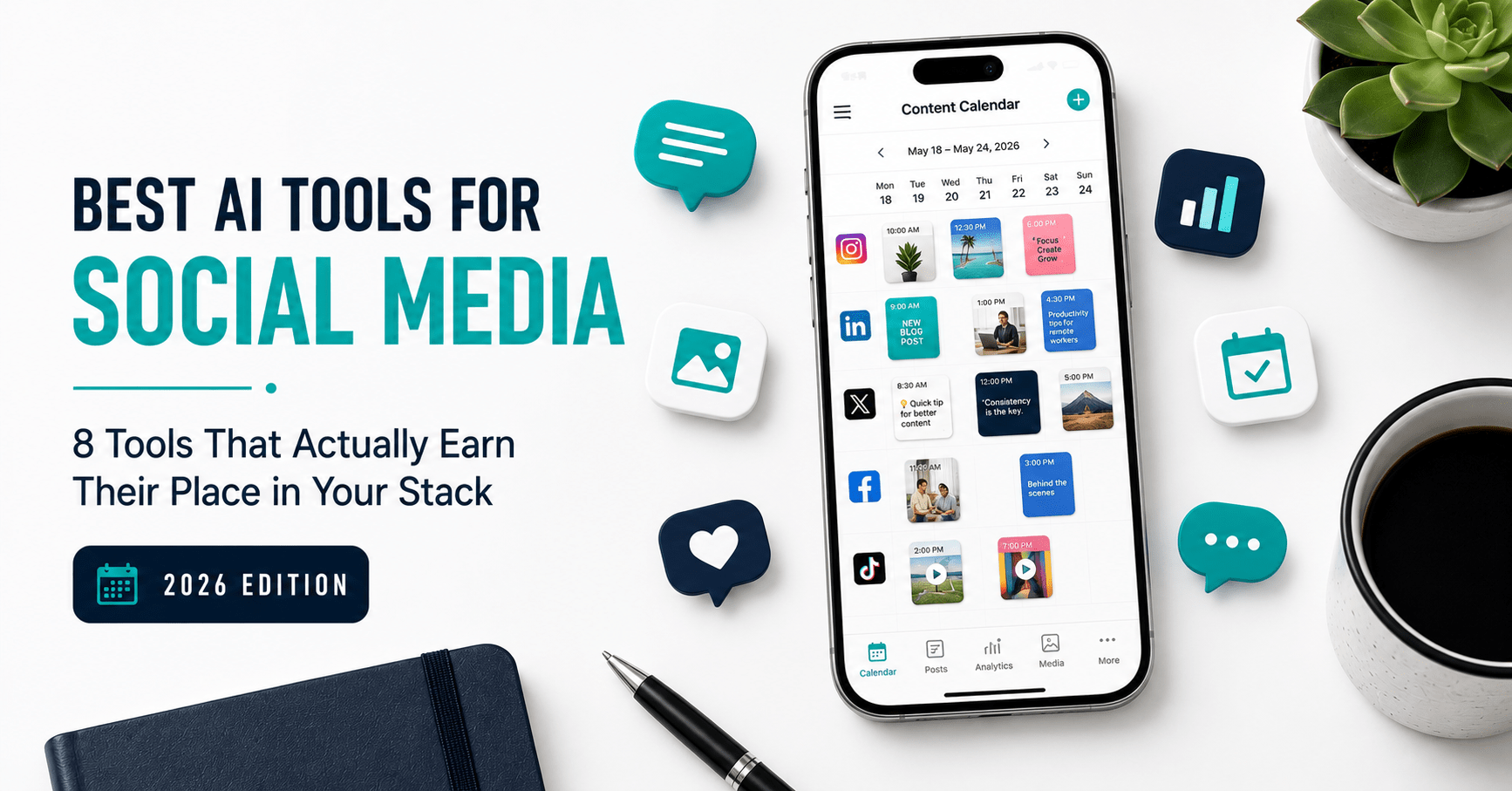
Best AI Tools for Social Media in 2026: 8 Tools That Actually Earn Their Place in Your Stack
Table of Contents
Social media is supposed to grow your audience. Most of the time it just eats your day.
Writing captions for five platforms. Resizing graphics for each format. Scheduling posts at optimal times. Checking what performed and what flopped. Repeating the whole cycle next week. For a solopreneur or solo content creator, this is not a minor overhead — it is a significant recurring time cost that grows with every platform you add.
AI tools have changed the social media equation more dramatically than almost any other category of work. In 2026, there are tools that draft platform-native captions from a single prompt, resize one graphic for every platform in a single click, schedule posts automatically at the times your specific audience is most active, and surface content ideas based on what is actually performing in your niche right now.
The problem is not a shortage of tools. It is knowing which ones genuinely deliver and which are expensive schedulers with AI bolted on as an afterthought.
I have tested every tool on this list in an active content workflow. Here are the eight best AI tools for social media in 2026 — covering scheduling, caption generation, visual design, analytics, and ideation — with honest pricing and clear guidance on who each one is built for.
What to Look For in an AI Social Media Tool
The category is cluttered. Before the tool-by-tool breakdown, these are the five criteria that actually separate useful from overpriced.
Native AI content generation. Not “AI features” buried in a settings menu — actual caption drafting, content ideation, and copy generation built into the core workflow. Tools that schedule but do not create are limited half-solutions for solo operators.
Platform coverage. Does it support the platforms you actually use? Instagram, LinkedIn, TikTok, and X cover most creator and solopreneur needs. Tools that miss TikTok entirely in 2026 are already behind.
Genuine free plan or low entry cost. Most solopreneurs cannot justify $99/month for a social media tool before it has proven its value. Every tool worth considering has a free plan or a sub-$20/month entry point.
Scheduling intelligence. Smart scheduling — posting at the times your specific audience engages, not generic best-practice windows — delivers meaningfully better reach than manual scheduling at arbitrary times.
Integration with your existing stack. A social media tool that requires you to leave Canva, Writesonic, or your existing workflow to use it creates more switching friction than it removes. The best tools integrate or complement what you already use.
The 8 Best AI Tools for Social Media in 2026
| Tool | Best For | Starting Price | Free Plan |
|---|---|---|---|
| Buffer | Scheduling + AI captions, solo creators | $5/channel/month | Yes (3 channels) |
| Canva Pro | Social graphics, all platforms | $12.99/month | Yes |
| ChatGPT Plus | Caption writing, content ideation | $20/month | Yes (limited) |
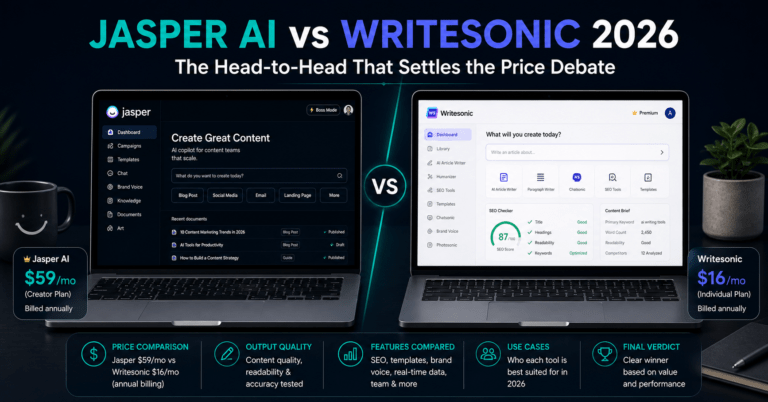
| Writesonic | Long-form social content, LinkedIn | $16/month | Yes (10K words) |
| Later | Visual planning, Instagram + TikTok | $18.75/month | Yes (limited) |
| Metricool | Analytics + scheduling, all-in-one | Free–$22/month | Yes (1 brand) |
| Hootsuite | Multi-account teams, enterprise | $99/month | No (30-day trial) |
| Predis.ai | AI-first content generation | $29/month | Yes (limited) |
1. Buffer — Best AI Scheduling Tool for Solo Creators
Buffer is the most honest social media tool on this list. It does not pretend to do everything. What it does — scheduling, AI-assisted caption drafting, and basic analytics across multiple platforms — it does cleanly and without charging enterprise prices to access the core functionality.
The free plan is genuinely generous for 2026: three connected channels, 10 scheduled posts per channel in the queue at any time, the AI Assistant for caption drafts and rewrites, 100 saved content ideas, basic analytics, and a community inbox. For a solopreneur testing whether scheduling changes their workflow before committing to a paid plan, the free tier covers everything needed for a proper 30-day evaluation.
Buffer’s AI Assistant handles the part of social media that most people find the most draining: generating caption options from a topic or rough idea. You give it context — a link, a headline, a few words about the post — and it produces three to five platform-adapted caption variations. They are not always publish-ready, but they eliminate the blank-page problem that eats 15 minutes per post.
The per-channel pricing model is the important detail to understand before committing. Buffer charges $5/channel/month (Essentials, billed annually) or $10/channel/month (Team). That is excellent value at three to five channels — $15–$25/month total — but compounds quickly at scale. A creator managing 10 channels on the Team plan pays $100/month. Calculate your actual channel count before upgrading.
What Buffer is great at:
- Clean, fast scheduling across Instagram, TikTok, LinkedIn, X, Facebook, Pinterest, and Bluesky
- AI Assistant for caption drafts built into the publishing workflow — no separate tool needed
- Per-channel pricing that keeps costs low for solo creators with three to five accounts
- Unlimited team members on the Team plan — adding collaborators does not raise the bill
Where it falls short:
- No content recycling or evergreen queue — every post must be rescheduled manually if you want to republish it
- Analytics require the Team plan ($10/channel) — Essentials gives only basic post-level metrics
- The 3-channel free plan hard limit prompts an upgrade the moment you add a fourth account
- Not an AI-first creation tool — it drafts captions but does not generate visual content or full content strategies
Pricing:
- Free: 3 channels, 10 posts/channel queue, AI Assistant
- Essentials: $5/channel/month (annual) — unlimited scheduled posts, analytics
- Team: $10/channel/month (annual) — team collaboration, advanced analytics
Bottom line: For solo creators managing three to five channels who want reliable scheduling with AI caption assistance at a low entry cost, Buffer is the starting point. If your primary bottleneck is creating content rather than scheduling it, pair Buffer with Canva and Writesonic or consider an AI-first tool like Predis.ai.
→ Get started with Buffer’s free plan
2. Canva Pro — The Social Graphics Engine Every Creator Needs
→ Try Canva Pro free for 30 days
Every social media platform has different image dimensions. Every post needs a visual that matches the brand. Every week, that adds up to a significant design overhead for anyone without a designer on retainer.
Canva Pro solves this almost entirely. The social media-specific features make it the single highest-ROI tool in a solo creator’s visual content stack — and the Magic Resize feature is the reason.
Create one graphic. Click Magic Resize. Canva automatically reformats it for every platform you select — Instagram square, Instagram Story, LinkedIn banner, Facebook cover, Pinterest pin, X header — in under 30 seconds. What used to require rebuilding each format individually now takes one click. For a creator posting across four platforms three times per week, this feature alone saves 45–60 minutes weekly.
The Brand Kit — available from the Pro plan — stores your exact brand colours, fonts, and logo. Every design you produce automatically applies the correct brand assets without manual selection. One of the most persistent sources of off-brand content is not carelessness — it is the friction of manually loading brand assets every session. The Brand Kit removes that friction permanently.
For social media specifically, Canva’s 2026 AI additions include Magic Write for caption and copy generation inside designs, AI-generated images via text prompt (500 monthly credits on Pro), and Magic Animate for adding motion to static graphics — producing video-style content from image posts without video editing skills.
Canva integrates directly with Buffer for one-click publish from the Canva editor — a workflow detail that eliminates one unnecessary context switch per post.
What Canva Pro is great at:
- Magic Resize — one design reformatted for all platforms instantly
- Brand Kit — consistent brand assets applied automatically to every design
- 250,000-plus templates covering every social media format and platform
- AI image generation, animation, and copy tools built directly into the design environment
- Direct publish integration with Buffer, Hootsuite, and Later
Where it falls short:
- Not a scheduling or analytics tool — needs a companion scheduler like Buffer or Later
- AI image generation quality is functional but not at Midjourney level for bespoke creative work
- The free plan limits Brand Kit access and premium templates — meaningful for professional content
- 500 monthly AI credits on Pro can run low for heavy AI image generation users
Pricing:
- Free: Core editor, 250,000+ templates (limited), 5GB storage
- Pro: $12.99/month (or $119.99/year)
- Teams: $14.99/month per user
Bottom line: Canva Pro is not optional for any creator producing regular visual social content. The Magic Resize and Brand Kit features justify the $12.99/month within a single week of use. Start with the 30-day free trial — no credit card required.
→ Start your 30-day Canva Pro free trial
3. ChatGPT Plus — The Caption Writer That Never Runs Out of Ideas
Content ideation is the most unpredictable part of social media. Some weeks the ideas flow naturally. Other weeks — every creator knows this — you sit at a blank document and nothing comes.
ChatGPT Plus eliminates that blockage. At $20/month for GPT-4o access, it functions as an on-demand content strategist, caption writer, and creative director that responds to exactly your brief, at any hour, with zero judgment about the fourteenth variation of the same LinkedIn hook.
For social media specifically, the most valuable daily applications are: generating 10 caption variations from one idea and picking the strongest one, repurposing a long blog post into a five-post Twitter thread or a LinkedIn carousel script, writing platform-native hooks that match the conventions of each platform’s algorithm, and brainstorming content angles on any topic from the perspective of your specific audience.
Unlike purpose-built social media tools, ChatGPT requires deliberate prompting to get consistently useful output. The quality of what it produces reflects the quality of the brief you give it. For creators who invest 30 minutes learning how to prompt well — providing audience context, platform specifics, and tone direction — the output becomes genuinely publish-ready with minimal editing.
A practical note: ChatGPT Plus does not schedule posts, manage accounts, or track analytics. It is a pure content and ideation tool. Pair it with Buffer for scheduling and Canva for visuals, and you have a complete solo creator stack for under $33/month combined.
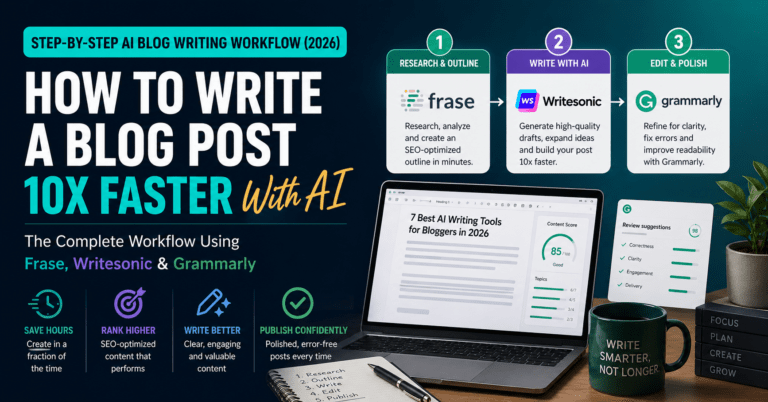
For a deeper look at using AI throughout the full content production workflow — not just captions — see the guide on how to write blog posts 10x faster with AI.
What ChatGPT Plus is great at:
- Platform-specific caption generation with voice and tone direction
- Content repurposing — turning one asset (blog post, video, newsletter) into multiple platform posts
- Brainstorming hooks, angles, and content series ideas on demand
- Writing carousel scripts, thread structures, and LinkedIn long-form posts
Where it falls short:
- No scheduling, publishing, or analytics — purely a creation and ideation tool
- No brand voice training — requires explicit tone and context instructions in every prompt
- The free tier’s GPT-4o limits interrupt workflow during peak usage hours
- Real-time web access on the free tier is limited — current trending content requires manual research
Pricing:
- Free: GPT-4o with daily limits
- Plus: $20/month — unlimited GPT-4o, file uploads
- Team: $25/user/month
Bottom line: ChatGPT Plus is the highest-leverage content tool in any creator’s social media stack. At $20/month, it replaces the cost of content ideation time more effectively than any other tool on this list. If you only pay for one thing, start here.
→ Try ChatGPT free or upgrade to Plus
4. Writesonic — Best for Long-Form Social Content and LinkedIn
Not all social media content is captions. LinkedIn articles, Twitter/X threads, newsletter-style posts, and long-form thought leadership content require a different tool than a caption generator — one with SEO awareness, real-time web access, and the ability to maintain a coherent argument across 500 to 1,500 words.
Writesonic handles this better than any other tool on this list. At $16/month (or free for 10,000 words per month), it produces long-form drafts with real-time web access — meaning content references current information, not training data that may be several months out of date.
For LinkedIn specifically, Writesonic’s Article Writer generates 800 to 1,200-word thought leadership posts from a topic brief. The Chatsonic feature can research trending conversations in your industry and suggest angles based on what is performing right now. For creators building a LinkedIn presence around expertise-driven content, this workflow removes the most time-intensive part of the process — research and first-draft generation — while leaving the expertise and editorial voice to the human.
Writesonic also integrates with the broader content workflow. Articles written in Writesonic can be reformatted into caption sets, thread structures, or carousel content with a follow-up prompt. One long-form LinkedIn article becomes five shorter posts across platforms in under 10 minutes.
For the full breakdown of Writesonic’s capabilities as a writing tool — beyond social media — see the best AI writing tools comparison.
What Writesonic is great at:
- Long-form LinkedIn articles and thought leadership content with research built in
- Real-time web access — content reflects current news, pricing, and industry developments
- Content repurposing from long-form to short-form formats across platforms
- Free plan with 10,000 words per month — enough to evaluate before paying
Where it falls short:
- No scheduling or publishing capability — needs a companion tool like Buffer
- Brand voice persistence requires active profile training — not automatic across sessions
- Short-form caption generation is functional but not as fast or polished as dedicated tools like Buffer’s AI Assistant
- SEO optimisation features are more useful for blog content than pure social content
Pricing:
- Free: 10,000 words/month, no credit card required
- Individual: $16/month (annual)
- Small Team: $45/month (4 users)
Bottom line: For creators producing LinkedIn articles, newsletters, or expertise-driven long-form social content, Writesonic is the most cost-effective tool available. The free plan covers light usage; the Individual plan at $16/month handles a serious weekly publishing schedule.
→ Get started with Writesonic free
5. Later — Best Visual Planning Tool for Instagram and TikTok
Later is purpose-built for visual-first platforms. If Instagram and TikTok are your primary channels — and for most consumer-facing brands and lifestyle creators, they are — Later’s visual content calendar and AI scheduling features are the most purpose-fit combination in this category.
The core differentiator is the visual drag-and-drop content calendar, which lets you see exactly how your Instagram grid will look before any post goes live. For creators managing aesthetic consistency across a visual feed, this preview capability is not a nice-to-have — it determines whether your grid looks intentional or accidental.
Later’s AI features in 2026 include Smart Scheduling (optimal posting times calculated from your specific audience’s engagement history, not generic benchmarks), Future Trends (an AI tool that identifies rising hashtags and content topics in your niche before they peak), and AI caption writing included on paid plans.
The AI Credits system is worth understanding before committing. Later’s AI features are credit-gated — the Starter plan gives only five AI credits per month, the Growth plan gives 50. For creators who want to use AI caption generation and trend analysis daily, the Starter plan’s five monthly credits will run out in the first week. Factor that into the plan selection.
What Later is great at:
- Visual content calendar with Instagram grid preview — essential for aesthetic-focused creators
- Smart Scheduling based on your actual audience engagement patterns
- Future Trends AI for identifying rising hashtags and content topics before they peak
- Strong TikTok and Instagram integration compared to general-purpose schedulers
Where it falls short:
- AI features are credit-gated — five credits per month on Starter is a genuine limitation
- Starting price of $18.75/month (annual) is higher than Buffer for comparable basic scheduling
- LinkedIn and X coverage is weaker than Instagram and TikTok focus
- The free plan is limited compared to Buffer’s free tier for multi-platform creators
Pricing:
- Free: Limited posts, 1 social set, basic features
- Starter: $18.75/month (annual) — 5 AI credits, 1 social set
- Growth: $40/month (annual) — 50 AI credits, 3 social sets
- Advanced: $80/month (annual) — unlimited AI credits, 6 social sets
Bottom line: For Instagram and TikTok-first creators who manage a visual brand and want grid preview plus Smart Scheduling, Later is the right tool. For creators managing four or more platforms with equal priority, Buffer’s lower per-channel cost and broader AI coverage delivers better value.
6. Metricool — Best Free Analytics and Scheduling Combination
Most scheduling tools treat analytics as a paid upgrade. Metricool gives you a genuinely useful analytics dashboard on the free plan — which immediately makes it the best starting point for any creator who wants data before paying for anything.
The free plan covers one brand (all your connected social profiles for a single entity), 50 scheduled posts per month, and a real-time analytics dashboard across all connected platforms. That analytics depth — showing engagement rate, reach, follower growth, optimal posting times, and hashtag performance — is typically locked behind $30–$99/month on competitor tools.
Metricool’s AI features in 2026 include caption generation, optimal posting time recommendations based on your historical data, and competitor analysis that tracks how comparable accounts in your niche are performing. For a creator trying to understand whether their content strategy is actually working, Metricool’s analytics layer answers that question with more precision than Buffer or Later at the same price point.
The paid plans — starting at $22/month for Starter (five brands, unlimited posts, AI credits) — are competitive for small businesses managing multiple brands or agencies handling client accounts. The free single-brand plan is genuinely sufficient for individual creators with a modest posting schedule.
What Metricool is great at:
- Best-in-category analytics on the free plan — depth that competitors lock behind paid tiers
- Competitor analysis to track content performance benchmarks in your niche
- Flat-rate pricing per brand rather than per channel — more predictable than Buffer at scale
- AI caption writing and optimal time recommendations included on paid plans
Where it falls short:
- The 50 posts/month free limit is adequate for light posting but constraining for daily publishers
- AI caption generation is less polished than Buffer’s AI Assistant or dedicated writing tools
- Interface is less streamlined than Buffer — steeper initial learning curve
- Free plan covers only one brand — agencies and multi-brand operators need paid tiers
Pricing:
- Free: 1 brand, 50 posts/month, full analytics dashboard
- Starter: $22/month — 5 brands, unlimited posts, AI features
- Advanced: $50/month — 10 brands, competitor tracking, advanced analytics
Bottom line: Metricool’s free plan is the best starting analytics tool available for any social media creator at zero cost. Use it alongside Buffer’s free scheduling plan and you have a complete analytics-and-scheduling workflow with no subscription required.
7. Hootsuite — Best for Multi-Account Teams, Not for Solo Creators
→ Try Hootsuite free for 30 days
Hootsuite is on this list because it is genuinely powerful — and because the most common mistake solo creators make is paying for it when they do not need to.
At $99/user/month (the 2026 Professional plan), Hootsuite is priced for marketing teams and agencies managing multiple brand accounts simultaneously. Its OwlyWriter AI generates captions with real-time trend integration, sentiment detection, and multi-account scheduling. The social listening features — tracking brand mentions, competitor activity, and trending conversations across the web — are best-in-class for teams that need that intelligence layer built into their publishing workflow.
For a solo creator managing their own accounts, none of those enterprise features justify the price. Buffer at $15–$25/month (three to five channels) handles scheduling and AI caption generation at a fraction of the cost, and Metricool covers analytics for free. The $99/month Hootsuite entry price represents a 4–6x premium for capabilities most solo operators will never touch.
The 30-day free trial is worth running if you are genuinely evaluating Hootsuite for a team context. Test OwlyWriter AI and the social listening features specifically — those are what justify the price gap over Buffer.
What Hootsuite is great at:
- OwlyWriter AI for platform-optimised captions with real-time trend integration
- Social listening — tracking brand mentions, competitor activity, and trending topics
- Multi-account management for agencies handling client social media at scale
- Approval workflows for teams that require content sign-off before publishing
Where it falls short:
- $99/month entry price is not justified for solo creators — Buffer and Metricool combined cost less than a quarter of that
- No genuinely free plan — only a 30-day trial
- Enterprise complexity creates friction for simple scheduling workflows
- Per-seat pricing compounds quickly for growing teams
Pricing:
- Professional: $99/user/month
- Team: $249/month (3 users)
- Business: $739/month (5 users)
- Enterprise: Custom
Bottom line: Hootsuite is the right tool when you manage social media for multiple clients or run a team with dedicated social managers. For individual creators and solopreneurs, it is a significant overspend. Start with Buffer and Metricool, and revisit Hootsuite only when team scale genuinely justifies it.
→ Try Hootsuite’s 30-day free trial
8. Predis.ai — Best AI-First Content Generation for Visual Platforms
Most social media tools are schedulers with AI added on top. Predis.ai is the opposite — it is an AI content generator first, with scheduling built in.
The core proposition: enter a topic, a URL, or a product description, and Predis.ai generates a complete social media post — caption, hashtags, and a branded visual — ready to publish. No separate Canva session. No separate caption writing. One prompt, one complete post.
This AI-first approach makes Predis.ai particularly well-suited to product-based businesses and e-commerce operators who need to generate high volumes of promotional posts without manual design work for each one. Feed it a product URL and it pulls the image, writes the caption, matches your brand colours, and formats for each platform automatically.
The competitor analysis feature is a genuine differentiator — Predis.ai tracks what your competitors are posting, identifies their top-performing content, and suggests content ideas based on that data. For creators in competitive niches who want content intelligence without paying for a separate listening tool, this built-in capability adds meaningful strategic value.
The free plan is limited (limited post generations per month, watermarked content), but provides enough to evaluate whether the AI-first workflow suits your process. The Solo plan at $29/month removes limitations and unlocks brand voice training, competitor tracking, and full analytics.
What Predis.ai is great at:
- Complete post generation from a single prompt — caption, visual, and hashtags together
- AI-first workflow that removes the need for separate design and writing tools for promotional content
- Competitor content analysis built into the platform — no separate listening tool needed
- Product and e-commerce content generation from URLs
Where it falls short:
- $29/month Solo entry price is higher than Buffer plus Canva combined at equivalent functionality for non-promotional content
- Visual generation quality is functional but less creatively flexible than Canva Pro
- Best suited to promotional and product content — less suited to thought leadership or expertise-driven social content
- Brand voice training is less sophisticated than Jasper AI’s Brand IQ for team-scale consistency
Pricing:
- Free: Limited monthly post generations, watermarked content
- Solo: $29/month — full AI content generation, competitor analysis, brand voice
- Agency: $59/month — multiple brands, white-label options
Bottom line: For product-based businesses and e-commerce operators who need volume promotional content generation without manual design work, Predis.ai’s AI-first workflow is the most efficient option on this list. For creators producing expertise-driven or editorial social content, ChatGPT Plus plus Canva Pro plus Buffer is more flexible at a lower combined cost.
How to Choose: The Right Stack for Your Situation
Not all of these tools belong in the same workflow. Here is the clearest path based on your specific situation.
Solo creator, three to five platforms, tight budget: Buffer free + Canva free + ChatGPT free. Zero cost, covers scheduling, visuals, and caption ideation. Upgrade Buffer to Essentials ($5/channel/month) when the queue limit becomes friction. Upgrade Canva to Pro ($12.99/month) when you produce visual content more than three times per week.
Solo creator or solopreneur building a brand seriously ($33–$49/month): Buffer Essentials (3–5 channels at $5/channel) + Canva Pro ($12.99) + ChatGPT Plus ($20). This three-tool stack covers scheduling, visual design, and AI content generation across every platform — with Brand Kit consistency and platform-adapted captions. Combined cost depends on channel count but starts around $33/month.
Instagram or TikTok-focused visual brand ($54–$73/month): Later Growth ($40/month) + Canva Pro ($12.99). Later’s visual grid planning and Smart Scheduling for visual-first platforms, plus Canva Pro for branded graphic creation. Writesonic free covers any long-form social content at no extra cost.
Analytics-led creator who wants data before paying anything: Metricool free + Buffer free + Canva free. A complete free-tier stack that covers scheduling (Buffer), analytics (Metricool), and visual content (Canva) at zero cost. Upgrade individual tools only when specific limits create genuine workflow friction.
For the broader picture of which AI tools are worth upgrading from free, see the full free vs paid AI tools guide.
Frequently Asked Questions
What is the best free AI tool for social media in 2026?
Buffer’s free plan is the strongest starting point — three channels, AI-assisted caption drafting, and basic analytics at no cost. Combine it with Metricool free for deeper analytics and Canva free for visual content, and you have a complete three-tool stack at zero cost. If content ideation is your primary bottleneck rather than scheduling, ChatGPT’s free tier handles caption brainstorming and repurposing well enough to evaluate before upgrading to Plus.
Do I need a separate AI tool for social media captions or does my scheduler cover it?
Most schedulers include AI caption drafting — Buffer, Hootsuite, and Later all have it built in. The honest assessment: for short-form captions on Instagram and X, these built-in tools are adequate. For long-form LinkedIn posts, thought leadership content, or thread structures that require genuine argument development, a dedicated writing tool like ChatGPT Plus or Writesonic produces noticeably better output. The two categories of need are different enough that most active content creators end up using both.
Is Hootsuite worth the $99/month for solo creators?
No. Hootsuite’s price reflects enterprise features — social listening, multi-account team management, approval workflows, and analytics depth — that solo creators do not need. Buffer Essentials at $5/channel/month, Metricool free for analytics, and ChatGPT Plus at $20/month cover the same functional ground for a solo creator at roughly one-fifth the cost. Revisit Hootsuite when you manage social media for multiple clients or lead a team.
How do these AI social media tools work with Canva?
Buffer integrates directly with Canva — you can create a graphic in Canva and publish it to Buffer in one click without downloading or re-uploading the file. Later also has a Canva integration. Hootsuite supports Canva content creation from within the platform. For creators already using Canva Pro, these integrations eliminate one step per post — a minor but meaningful friction reduction across hundreds of posts per year.
What is the best AI tool for LinkedIn specifically?
Writesonic is the strongest tool for LinkedIn long-form content — articles, thought leadership posts, and expertise-driven content — because of its real-time web access and Article Writer capability. For LinkedIn captions and short-form posts, ChatGPT Plus produces more nuanced, voice-consistent output than most built-in scheduler AI tools. Buffer handles LinkedIn scheduling reliably and is included in its standard channel pricing. For a deeper look at using Writesonic for content creation, see the best AI writing tools comparison.
Can AI tools replace a social media manager?
For a solo creator or solopreneur managing their own accounts, these tools collectively replace most of what a part-time social media manager would handle — scheduling, caption drafting, visual resizing, performance tracking, and content ideation. What they do not replace: community management (responding to comments and DMs with genuine relationship-building), strategic brand positioning, and the judgement calls that come from knowing your audience deeply. The tools handle the mechanical layer. The human layer — voice, relationships, and strategy — remains irreplaceable.
Final Verdict
Social media does not need to take three hours a day. With the right tools handling scheduling, visual creation, caption drafting, and analytics, it takes 45 to 60 minutes — and produces more consistent, better-performing content than a manual workflow at twice the time.
The stack that delivers the most value for the most creators in 2026:
- Buffer for scheduling and AI caption drafting — free to start, scales per channel
- Canva Pro for visual content and Magic Resize across all platforms — $12.99/month
- ChatGPT Plus for content ideation, repurposing, and long-form social copy — $20/month
- Metricool for analytics — genuinely free, no upgrade needed for individual creators
That four-tool combination costs $33–$49/month depending on your Buffer channel count. It covers every core social media job without enterprise pricing, without overlapping subscriptions, and without features you will not use.
Start with the free tiers. Build one tool into your workflow at a time. Upgrade when the specific limit is costing you time — not before.
→ Try Buffer free — the best starting point
→ Start Canva Pro free for 30 days
→ Get ChatGPT Plus
Which AI tool has made the biggest difference to your social media workflow? Drop it in the comments — I read every one.
Continue reading: