
The Pomodoro Technique: Does It Actually Work? (The Honest Answer)
Table of Contents
The Pomodoro Technique is one of the most recommended productivity methods on the internet. The premise is simple: set a timer for 25 minutes, work on one task without interruption, take a five-minute break, and repeat. After four rounds, take a longer break of 15 to 30 minutes.
Millions of people swear by it. Dozens of apps are built around it. Productivity writers recommend it constantly.
And yet a growing body of research suggests the technique is more nuanced than its fan base implies — that 25 minutes is the wrong interval for many types of work, that the rigid structure can fragment flow states rather than create them, and that the technique’s real value has less to do with the timer and more to do with something else entirely.
Here is the honest, research-informed answer — what Pomodoro actually does, where it works, where it doesn’t, and exactly how to modify it so it fits the way you actually think.
Why Most People Use the Pomodoro Technique Wrong
The most common mistake isn’t failing to use a timer. It’s treating the 25-minute interval as a universal rule rather than a starting point.
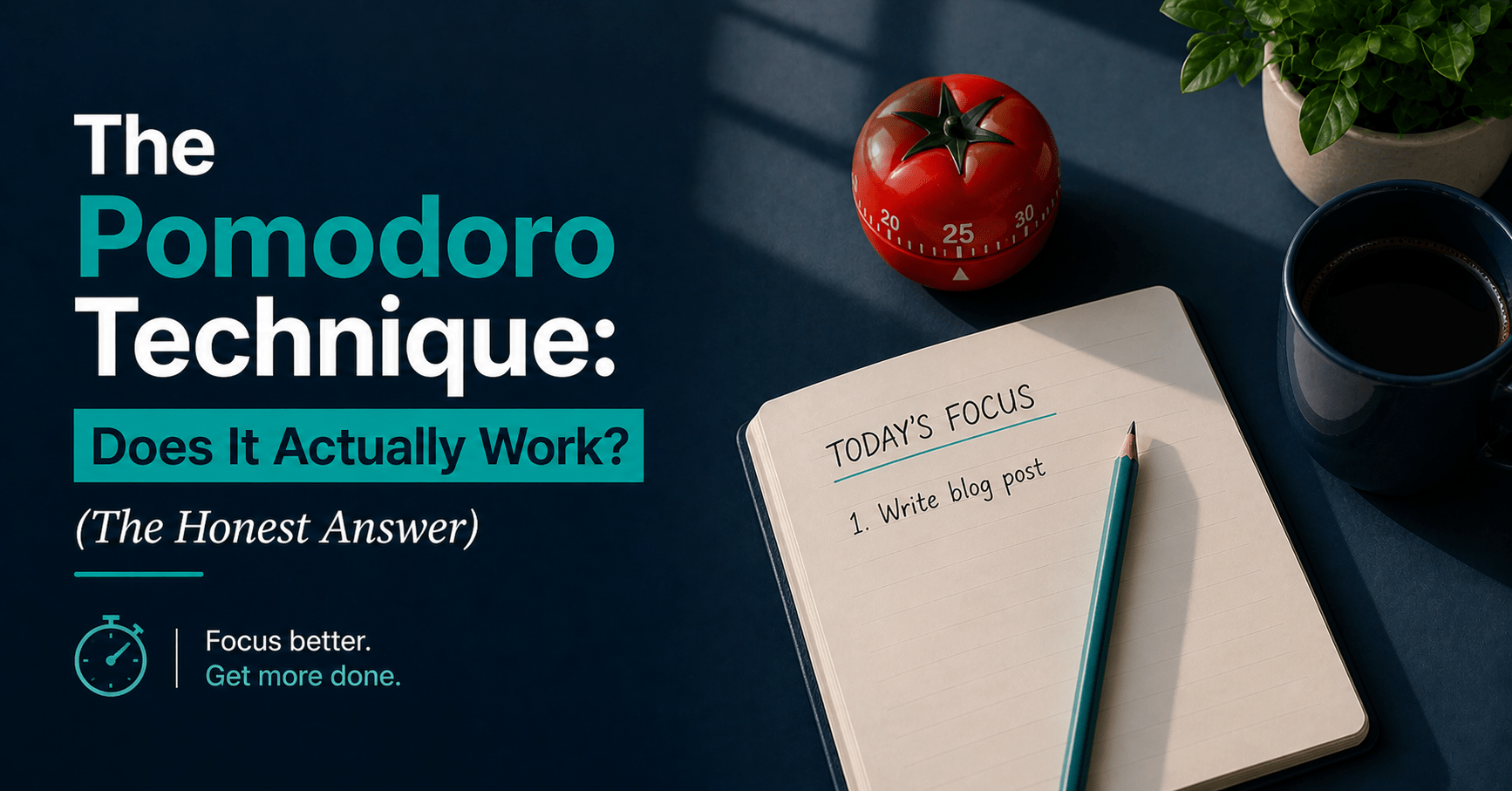
Francesco Cirillo developed the technique in the late 1980s while struggling to focus as a university student. After testing intervals from two minutes to an hour, he settled on 25 minutes as a workable unit for his own focus patterns — named after the tomato-shaped kitchen timer he used (pomodoro is Italian for tomato). The full technique, as Cirillo originally described it, involves five stages: planning, tracking, recording, processing, and visualizing. The timer is one component of a larger system designed to improve how you estimate, execute, and review your work.
Most people who use “Pomodoro” use only the timer part. And they apply one interval — 25 minutes — to every type of work, regardless of whether that work requires five minutes of attention or two hours of deep immersion.
The result: the technique helps some of the time, frustrates the rest of the time, and people conclude either that Pomodoro is the answer to everything or that it doesn’t work at all. Both conclusions miss the point.
The core principle — protected, timed work intervals with structured recovery breaks — is sound. The 25-minute default is not sacred.
What the Research Actually Says
The evidence on Pomodoro is more mixed — and more interesting — than the productivity community typically acknowledges.
The case for timed intervals
A 2025 meta-analysis found that structured, time-based work intervals consistently improved focus, reduced mental fatigue, and enhanced sustained task performance compared to self-paced work with unstructured breaks. When you don’t have an external structure telling you when to stop and rest, you tend to either push past the point of effective concentration or pull back too early. A timer provides the external regulation most people can’t reliably provide themselves.
A scoping review published in BMC Medical Education in 2025, synthesizing 32 studies covering 5,270 participants, found consistent positive associations between the Pomodoro Technique and improved cognitive outcomes — including enhanced task focus, better time management, and reduced cognitive fatigue. Across multiple domains, the structured approach produced better results than working without time constraints.
Research on interruption costs also supports the core logic. It takes an average of 23 minutes to fully refocus after an interruption. Workers are interrupted, on average, every 11 minutes. The Pomodoro Technique addresses this directly — the timer creates a permission structure for deferring interruptions, because the session is defined and finite. “I’ll handle that in 12 minutes when this Pomodoro ends” is much easier to act on than “I’ll handle that after I finish” when there’s no defined end point.
The case against the standard 25-minute protocol
A 2025 study published in Behavioral Sciences compared Pomodoro breaks, Flowtime breaks, and self-regulated breaks across a two-hour session with 94 university students. The results were notable: Pomodoro breaks led to a faster increase in fatigue compared to self-regulated breaks, and both Pomodoro and Flowtime breaks led to a faster decrease in motivation than self-regulated breaks. No significant differences were found in productivity, task completion, or flow state between the three conditions.
In plain language: for a two-hour work session, being forced to stop every 25 minutes wasn’t measurably more productive than deciding for yourself when to stop — and it depleted motivation faster.
The most consistent criticism from both practitioners and researchers is that 25-minute intervals are poorly matched to deep, complex work. Creative writing, analytical thinking, programming, and strategic work all benefit from what psychologist Mihaly Csikszentmihalyi called “flow” — a state of deep absorption that typically takes 15 to 20 minutes to enter and is disrupted by interruptions. A timer that fires every 25 minutes can pull you out of flow just as you’ve finally reached it.
The Tools You Need
This system requires no paid software to start. Here’s what each tool does and what it costs.
A timer — any timer. Your phone’s built-in timer works. Pomofocus.io (free) — browser-based, clean, no account required — is the best free dedicated option. The physical act of winding a mechanical kitchen timer ($8–$15) creates a commitment signal a phone timer doesn’t.
TickTick Premium ($3.99/month or $27.99/year) — the best option if you want Pomodoro integrated with your task list. Start a timed session directly on a task, track completed sessions, and see your focus history over time. The Pomodoro timer is built into the app — no switching required.
Forest ($3.99 one-time on iOS, free on Android) — uses a tree-growing mechanic to make leaving your phone feel costly. The best option if phone distraction is your primary focus problem during sessions.
Flow ($4.99 one-time, Mac only) — a native Mac Pomodoro timer with adjustable intervals, full-screen focus mode, and menubar integration. The best polished option for Mac users who want dedicated software.
A parking document — a single open note (Apple Notes, Google Docs, or a paper notebook) for capturing intrusive thoughts during sessions. Not optional. This is what keeps your sessions clean.
Total cost: $0 to $3.99/month depending on your setup.
The Full System: Step by Step
Step 1 — Choose the right interval for your task type (2 minutes)
Before setting any timer, identify what type of work you’re about to do. The interval should match the task — not the other way around.
| Task type | Recommended interval | Break |
|---|---|---|
| Avoided tasks, starting resistance | 25 minutes | 5 minutes |
| Email, admin, routine processing | 25–30 minutes | 5–10 minutes |
| Writing, analytical work, coding | 45–60 minutes | 10–15 minutes |
| Deep research, strategic thinking | 60–90 minutes | 15–20 minutes |
| Creative sessions, workshops | Flowtime — stop at natural breakpoints | 15+ minutes |
Applying a 25-minute Pomodoro to a 90-minute deep work task isn’t a discipline upgrade — it’s an interruption pattern. Match the tool to the work.
What you end up with: A timer setting that fits what you’re actually doing — not a default that fights your task type.
Time saved vs manual: Choosing the right interval upfront prevents the two most common Pomodoro failure modes: stopping productive flow sessions too early and failing to start avoided tasks because the session feels too long.
Step 2 — Set up your session environment (3 minutes)
Once you know your interval, prepare the session before starting the timer.
Close every tab that isn’t needed for the task. Put your phone face-down or in another room — not on silent, in another room. Open your parking document. If you’re using Forest or a website blocker, activate it now. Write the one task you’re working on at the top of your parking document so it’s visible throughout the session.
Only then set the timer. Starting the timer is a commitment signal. Everything before it is setup.
What you end up with: A closed environment with no open distractions and one clear task in front of you.
Time saved vs manual: Most people lose 10–15 minutes at the start of each work block to tab-switching, checking notifications, and deciding what to work on. This step eliminates all three.
Step 3 — Run the session with a single interruption rule (interval length)
Work on the one task. Nothing else.
Every time an unrelated thought arrives — “I need to reply to that email,” “Did I pay that bill?” — write it in the parking document and return immediately to the task. Do not act on it. Do not open a new tab. Do not check your phone. Write it down and return.
If an unavoidable external interruption arrives — someone urgent, something genuinely time-sensitive — end the session, handle it, and start a fresh one. Don’t try to resume a broken session and count it as complete. The value of the session is the uninterrupted block, not the time elapsed.
The single most important element of any Pomodoro session is not the timer. It’s this rule: one task, interruptions deferred, parking document for everything else.
What you end up with: A genuine block of focused work — not the fragmented, tab-switching half-work most people mistake for productivity.
Time saved vs manual: Research on task-switching shows it takes an average of 23 minutes to fully regain focus after an interruption. A single 25-minute session with zero interruptions often produces more than 90 minutes of unfocused, distracted work.
Step 4 — Take a real break (5–20 minutes depending on interval)
When the timer ends, stop working. Not in two minutes — now.
A real break means: stand up, move away from your screen, look at something more than 20 feet away, drink water, step outside briefly. It does not mean checking social media, reading email, or opening a new browser tab. These activities use the same attentional networks as focused work and don’t provide cognitive recovery.
The break length should be proportional to the session length. A 25-minute session earns a five-minute break. A 90-minute session earns 15 to 20 minutes. After four sessions of any length, take a longer break of 20 to 30 minutes before continuing.
What you end up with: Genuine cognitive recovery that makes the next session as effective as the first.
Time saved vs manual: Skipping recovery breaks and pushing through leads to diminishing returns after the second or third session. A properly recovered brain at session four produces significantly better output than an exhausted brain grinding through session four without breaks.
Step 5 — Process the parking document and reset (5 minutes)
At the end of your final session for a block of work, open the parking document and process every item. Each one either gets added to your task list, deleted as irrelevant, or noted for later. Then close it and clear it for the next session.
Note exactly where you stopped on the main task — one sentence describing the next action — so tomorrow’s session starts without a re-orientation cost.
What you end up with: A clean handoff to your next session, and a processed list of captured thoughts that didn’t derail your focus block.
Time saved vs manual: Unprocessed intrusive thoughts loop repeatedly during sessions, each loop costing attentional resources. A session with a parking document runs cleaner than one without it, and the five-minute close removes the cognitive residue that follows you into the next task.
The Full Time Breakdown
| Step | Task | Old way | Pomodoro system |
|---|---|---|---|
| 1 | Choosing interval | Never considered — one size fits all | 2 minutes, matched to task type |
| 2 | Session setup | 10–15 mins of tab-switching and notification-checking | 3 minutes, environment closed before timer starts |
| 3 | Focus session | 90 mins elapsed, 30–40 mins of genuine focus | 25–90 mins depending on task — near-complete focus |
| 4 | Break | No structured break — fatigue accumulates invisibly | 5–20 mins genuine recovery, proportional to session |
| 5 | Close and reset | Rarely done — next session starts cold | 5 minutes, clear handoff to next session |
| Total for a 60-min task | Often 2–3 hours elapsed | 60–90 minutes, higher output quality |
What the Pomodoro Technique Cannot Do
It cannot fix a broken task list. If you don’t know what you’re working on before the timer starts, Pomodoro gives you a timed version of confusion. Clarity about what the task is must come before the session begins.
It cannot replace deep work intervals for complex tasks. For programming, research, strategic writing, or any work requiring sustained immersion — a 25-minute timer is the wrong tool. Extend the interval or use Flowtime. The principle remains, the specific timing doesn’t.
It cannot overcome a chronically noisy environment. If your workspace generates constant unavoidable interruptions — open-plan office, shared home, client-facing role — a timer doesn’t solve the environment problem. Address the environment first, then the session structure.
It cannot compensate for sleep deprivation. Pomodoro improves the quality of attentional resources you have. It doesn’t create resources that aren’t there. If focus is collapsing across all sessions regardless of technique, recovery — sleep, rest, reduced cognitive load — is the intervention needed, not a different timer app.
Tips to Get Better Results From Pomodoro
Start with avoided tasks, not your easiest ones. The 25-minute format is most powerful as an entry mechanism for work you’ve been putting off. “Just one Pomodoro” has a lower psychological cost than “work until it’s done.” Use it specifically for tasks that have been sitting on your list for more than two days.
Adjust the interval before abandoning the technique. If Pomodoro feels frustrating, the most likely cause is a wrong interval, not a wrong method. Try 45 minutes before deciding it doesn’t work for you.
Use Flowtime for creative sessions. Flowtime — start working, note the time, stop when you naturally want to, take a proportional break — is better suited to work requiring sustained creative immersion. Switch between Pomodoro and Flowtime based on the task type rather than committing to one permanently.
Keep the parking document open, not minimized. If the parking document requires switching windows, you’ll skip it and hold the thought in working memory instead — which is exactly what you’re trying to avoid. Keep it visible alongside your task.
Don’t count interrupted sessions. A session where you checked your phone twice isn’t a Pomodoro — it’s a 25-minute period of distracted work. Be honest with yourself. The discipline around counting sessions is what makes the technique meaningful over time.
Use a physical timer for high-stakes sessions. The act of winding a mechanical timer creates a commitment signal that a phone timer doesn’t. The sound of the ticking provides a subtle ambient reminder that a session is in progress. For work you’ve been avoiding most, a physical timer adds a layer of psychological commitment worth the $10–$15.
The Budget Version of This System
You need no paid tools to run an effective Pomodoro system.
Free timer: Phone built-in timer or Pomofocus.io — zero cost, zero setup.
Free parking document: A sticky note beside your keyboard, Apple Notes, or Google Keep.
Free task list: Apple Reminders, Google Tasks, or a notebook — the task must be identified before the session starts, regardless of the tool.
Free environment management: Phone physically in another room. Laptop notifications turned off. All tabs closed except the task.
The only meaningful upgrade from the free version is TickTick Premium ($27.99/year) if you want Pomodoro sessions tracked against specific tasks, or Forest ($3.99 one-time) if phone distraction is your primary problem during sessions.
The technique’s effectiveness comes from the protocol, not the software. A mechanical kitchen timer and a notebook can run a better Pomodoro practice than a premium app used carelessly.
Frequently Asked Questions
Does the Pomodoro Technique actually work?
It depends on the task. For routine, administrative, and avoided tasks — yes, consistently. For deep, complex work requiring sustained concentration — the 25-minute standard interval is often counterproductive, and longer intervals or Flowtime produce better results. The underlying principle (timed work with structured recovery) is well-supported by research. The specific 25-minute default is not a universal rule — it’s a starting point.
Why is the Pomodoro interval 25 minutes?
Francesco Cirillo settled on 25 minutes through personal experimentation, testing intervals from two minutes to one hour. There is no universal research consensus that 25 minutes is optimal — it was one person’s finding about their own concentration patterns, which generalized well enough to become a widely adopted default. The right interval depends on your task type and personal focus profile, not Cirillo’s 1980s notebook.
What should I do during a Pomodoro break?
Stand up, move, look away from your screen, drink water. The break should provide genuine cognitive recovery — not just a switch from one screen to another. Checking social media or email activates the same attentional networks as focused work and doesn’t restore them. A five-minute walk, a stretch, or simply looking out a window produces measurably better recovery than five minutes of passive scrolling.
How many Pomodoros should I do per day?
Four to six genuine focused sessions — whether 25 or 90 minutes each — represent a highly productive day for most knowledge workers. The rest of a typical workday is meetings, communication, planning, and administrative work. Cirillo’s original system suggested eight to ten 25-minute Pomodoros, but that assumed a workday with minimal meetings. For most professionals, four properly protected sessions at the right interval produce more useful output than eight fragmented ones.
Can I use Pomodoro for creative work?
Yes, with a modified interval. The 25-minute default is too short for creative work that benefits from sustained immersion. For writing, design, or any task requiring flow, extend to 45–60 minutes and allow yourself to work past the timer if the session is genuinely productive. Alternatively, use Flowtime — start working, stop when you naturally want to, take a proportional break. It’s better matched to creative rhythms than a fixed interval.
What do I do if I get interrupted during a Pomodoro?
Internal interruptions — thoughts, ideas, tasks that surface — go in the parking document immediately. Return to the task without acting on them. External unavoidable interruptions — something genuinely urgent — end the session. Handle the interruption, then start a fresh session from the beginning. Don’t resume a broken session and count it. If interruptions are chronic, the environment is the problem that needs fixing, not the timer.
Final Thoughts
The Pomodoro Technique works — but not for the reasons most people think, and not equally across all work types.
Its real strengths are specific: reducing the psychological cost of starting avoided tasks, creating a defensible boundary against external interruptions, and installing a focus habit in people who currently have none. A 25-minute “just one session” commitment is one of the most reliable ways to break a procrastination pattern on a specific task.
Its limitations are equally specific: the standard interval is too short for deep work, the rigid structure can disrupt flow states, and the research shows self-regulated breaks outperform Pomodoro breaks for motivation in extended sessions.
The system that actually works:
- Use 25-minute Pomodoro for avoided tasks and routine admin work
- Extend to 45–90 minutes for deep work requiring sustained concentration
- Use Flowtime for creative sessions where natural rhythm matters more than structure
- Keep the interruption discipline and parking document in every session — that’s the part that produces the real gains
Start today with what you already have. Open Pomofocus.io — it’s free and takes 30 seconds. Pick the one task you’ve been avoiding most this week. Set the timer for 25 minutes. Start.
If you want the timer integrated with your task list, → Try TickTick Premium at $27.99/year. If your phone is the distraction during sessions, → Get Forest at $3.99 one-time on iOS.
Most people know within two sessions whether Pomodoro works for them. Give it two sessions before deciding.
Real-life DLC for your daily living.
Have you tried the Pomodoro Technique? Drop your experience in the comments — especially if you’ve found an interval that works better than the standard 25 minutes.
Continue reading:
- How to Stop Procrastinating: A Practical, Science-Backed Guide
- Best Productivity Apps in 2026: Ranked, Tested, and Worth Your Time
- How to Build Good Habits That Last (The Right Way)