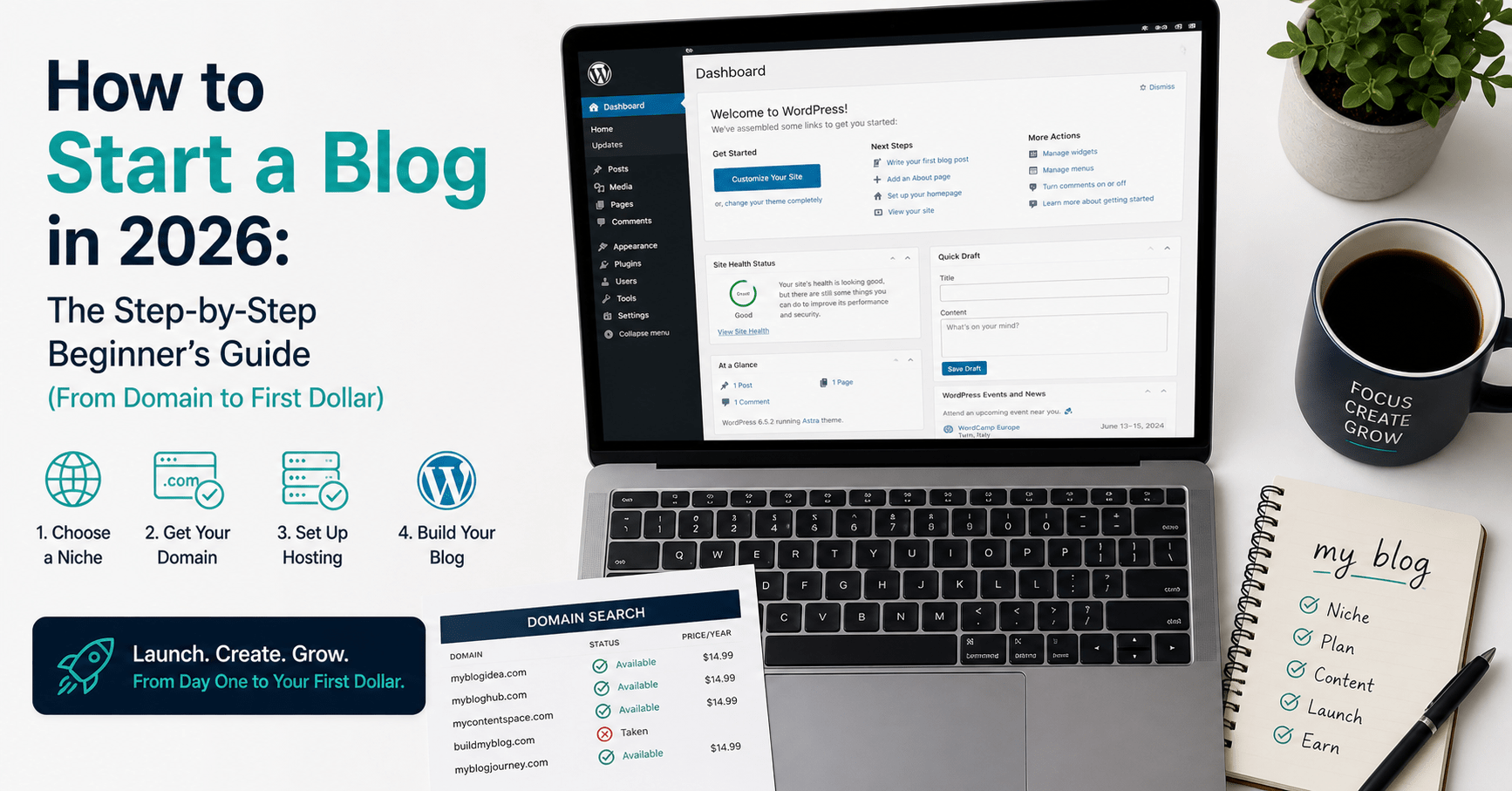
How to Start a Blog in 2026: The Step-by-Step Beginner’s Guide (From Domain to First Dollar)
Table of Contents
Most people who want to start a blog spend six weeks researching how to do it and never actually start.
The research rabbit hole is real. Platform comparisons, hosting reviews, niche selection frameworks, monetisation strategies — the volume of advice available is so large that it creates paralysis rather than action. Every article suggests something slightly different. Every choice feels consequential. So nothing gets done.
Here is the honest summary: starting a blog in 2026 takes about two hours and costs roughly $3–$4 per month for the first year. The technical setup is not the hard part. The hard part is what comes after — publishing consistently, building traffic, and treating the blog as an asset rather than a hobby.
This guide covers both. The setup, step by step, using the exact tools and configuration used on this site. And the strategy — what to publish, how to grow, and how to earn from it. By the end of this article, you will have everything you need to go from zero to a live, professional WordPress blog, with a clear path to making your first $1,000 from it.
Why This Still Matters in 2026
The question comes up every year: is it too late to start a blog?
The answer is consistently no — for a specific reason. Most blogs competing for search traffic are either low-quality AI content farms or outdated posts from 2019 that have not been touched since. A new blog in 2026 that publishes genuinely useful, specific, regularly updated content has a meaningful competitive advantage over both.
The economics are also better than they have ever been. AI writing tools cut content production time by 60–80%, meaning a solo blogger can now produce the content volume that used to require a team. Affiliate programmes pay higher commissions than they did five years ago. And AI search platforms like ChatGPT and Perplexity are creating new citation-based traffic channels that did not exist in 2020.
The window is not closing. It is different from what it was — more competitive in some niches, more open in others. The bloggers who start now with the right setup and the right content strategy will be the ones with compounding traffic and passive income in two years.
What You Need Before You Start
Three things, and only three things, stand between you and a live blog.
A domain name. Your blog’s address on the internet — the yourblog.com part. Choose one that is short, easy to spell, memorable, and relevant to your niche. Use a .com extension if at all possible. Available domains cost $10–$15 per year to register.
Web hosting. A server that stores your blog’s files and delivers them to visitors. This is the service you pay monthly or annually for. For a new blog, shared hosting on a reputable provider costs $2–$4 per month.
WordPress. The content management system you use to build and publish your blog. WordPress.org (self-hosted, not WordPress.com) powers 43% of all websites on the internet. It is free, open-source, and the only platform worth using for a blog you intend to own and monetise.
That is it. Everything else — themes, plugins, design, content — comes after.
Step 1 — Choose Your Niche (30 minutes)
Your niche is the specific topic your blog covers. This decision determines your audience, your SEO strategy, your monetisation options, and how quickly you will run out of ideas.
The common mistake is picking a niche that is too broad. “Technology” is not a niche. “AI productivity tools for solopreneurs” is. “Finance” is not a niche. “Personal finance for Singapore millennials in their 30s” is. Narrow niches build audiences faster because the content is more specific, the SEO competition is lower, and the readers feel more directly spoken to.
A viable niche sits at the intersection of three things: something you have genuine knowledge or experience in, something a specific audience wants to read about, and something with monetisation potential — affiliate programmes, digital products, or advertisers willing to pay to reach that audience.
The quickest monetisation viability test: search your niche topic on Google and look at whether companies are running ads in the results. If brands are paying to advertise, there is money in the niche — and affiliate programmes almost certainly exist.
Do not overthink this step. Pick a direction that feels right and that you can write about for two years without losing interest. You can narrow or pivot later. Many successful bloggers found their best niche by starting broad and following what resonated.
Step 2 — Register Your Domain and Get Hosting (20 minutes)
For a new blog, Hostinger is the recommended starting point. It is the top-rated web host for 2026, combines the lowest entry price with solid performance, and includes everything a new blog needs in a single plan — domain, SSL, one-click WordPress installation, and 24/7 support.
Hostinger plans for new bloggers
Premium Plan — $1.99/month (48-month term) | Renews at $10.99/month
- Up to 25 websites
- 100GB SSD storage
- Free domain for the first year
- Free SSL certificate
- Weekly backups
- One-click WordPress installation
Best for: personal blogs and side projects with modest traffic expectations.
Business Plan — $2.99/month (48-month term) | Renews at $16.99/month
- Up to 100 websites
- 200GB SSD storage
- Free domain for the first year
- Free CDN (faster load times globally)
- Daily and on-demand backups
- WordPress staging environment
- Priority support
Best for: blogs you intend to grow seriously and monetise. The daily backups and CDN are worth the extra dollar per month.
The honest note on renewal pricing: Hostinger’s promotional pricing is significantly lower than the renewal rate. The Business plan renews at $16.99/month after the initial term — a 467% increase from the $2.99 promotional rate. This is standard practice across hosting providers, but worth knowing before committing. Set a calendar reminder six weeks before your renewal date and compare alternatives at that point.
Choosing your domain name
Go to Hostinger’s domain search and enter your preferred name. If your first choice is taken, try these adjustments: add a relevant word (“the”, “my”, “guide”, “hq”), swap to a different but still credible extension (.co, .io, .net), or simplify the name.
Rules for a good domain name: easy to spell when heard aloud, no hyphens, no numbers, no more than three words, and a clear connection to your niche. Your domain is the first impression your brand makes. Spend 30 minutes here if needed — it is worth it.
Sign up and connect
After purchasing your hosting plan, Hostinger’s onboarding wizard walks you through connecting your domain and installing WordPress. The one-click WordPress installer completes the setup in under five minutes. No technical skills required.
→ Set up your blog on Hostinger from $2.99/month
Step 3 — Configure WordPress (45 minutes)
Your WordPress dashboard is the control panel for your entire blog. It is accessed at yourdomain.com/wp-admin. The first time you log in, it will be a blank installation — functional but unstyled.
Work through these four configuration steps in order.
Install a theme
Your theme controls your blog’s visual design. For a new blog in 2026, install one of two free themes: Kadence or Astra. Both are fast-loading, SEO-friendly, highly customisable, and free to use. Both have large support communities and regular updates.
In your WordPress dashboard: Appearance → Themes → Add New → search “Kadence” → Install → Activate.
Spend no more than two hours on initial design. Choose a clean, readable layout, set your brand colours, upload your logo, and move on. Design perfectionism at this stage is the single most common reason new bloggers delay publishing.
Install essential plugins
Plugins extend WordPress’s functionality. Install these five and nothing else to start:
Rank Math SEO (free) — the SEO plugin that guides keyword targeting, meta descriptions, and content optimisation for every post. Install at the start so every article you publish is SEO-configured from day one.
Pretty Links (free) — cloaks and manages your affiliate links. Instead of a raw affiliate URL, every link becomes yourdomain.com/go/toolname — cleaner, trackable, and much easier to update if an affiliate link changes.
WP Rocket or LiteSpeed Cache (free/paid) — caching plugin that speeds up your site by storing static versions of pages. Site speed directly affects Google rankings. Install a caching plugin before publishing your first post.
UpdraftPlus (free) — automated backups. Configure it to back up your site weekly to Google Drive or Dropbox. Losing a blog to a server failure or hack without a backup is a recoverable situation. Without a backup, it is not.
Akismet Anti-Spam (free) — spam filtering for your comments section. Enable it immediately to prevent spam comments from the moment your first post is indexed.
Create essential pages
Before publishing any blog posts, create these three static pages:
About — who you are, what your blog covers, and why a reader should trust your recommendations. This page builds credibility and is the second most visited page on most blogs after the homepage. Write it in the first person and be specific.
Privacy Policy — legally required if your blog uses cookies, analytics, or affiliate links, which it will. Generate a template using a free tool like Termly or iubenda and paste it into a Privacy Policy page.
Affiliate Disclaimer — required by the FTC and most affiliate programmes. A simple one-paragraph statement that your content may contain affiliate links and that you may earn a commission on purchases. Add this to your Privacy Policy page or as a standalone page linked in your footer.
Set your permalink structure
Go to Settings → Permalinks → select “Post name”. This creates clean URLs like yourdomain.com/post-title instead of yourdomain.com/?p=123. Do this before publishing anything — changing permalinks after publishing creates broken links that hurt SEO.
Connect Google Analytics 4 and Google Search Console
These two free tools from Google are non-negotiable from day one. Google Analytics 4 tracks who visits your site, where they came from, and what they read. Google Search Console shows which keywords your site ranks for and flags any technical issues that affect your search visibility.
Both connect to WordPress via the Rank Math plugin with a few clicks. Set them up before your first post goes live so you capture data from the beginning.
Step 4 — Write and Publish Your First Five Posts (Ongoing)
This is the step that matters most — and the one most new bloggers delay the longest.
Your first five posts do not need to be perfect. They need to exist. Google does not rank sites with one post. Readers do not return to sites with no archives. The blog you want in year two is built on the foundation of the imperfect posts you publish in month one.
The first post formula
Every first post on a new blog should be a high-value, comprehensive guide on the core topic of your niche. Not a “hello, welcome to my blog” introduction — a substantive, genuinely useful piece of content that a real person would bookmark.
For example: if your niche is AI tools for solopreneurs, your first post is not “about this blog.” It is “Best AI Tools for Solopreneurs in 2026: Ranked and Reviewed.”
That post earns traffic, establishes your credibility on the topic, and gives you something to link to from every subsequent post. It is the anchor post of your site.
How to structure your first five posts
| Post | Type | Purpose |
|---|---|---|
| 1 | Roundup / Best-of | Anchor post — broad niche overview, high SEO potential |
| 2 | Single review | Deep-dive on one specific product or tool |
| 3 | How-to guide | Step-by-step process post — high search intent |
| 4 | Comparison | Two products or approaches head-to-head |
| 5 | Personal angle | “What I use / what saved me X hours” — builds trust |
Each post should be 1,500–2,500 words minimum. Posts under 1,000 words rarely rank for competitive keywords. Posts over 3,000 words outperform shorter content on average for high-intent commercial keywords.
Using AI to accelerate content production
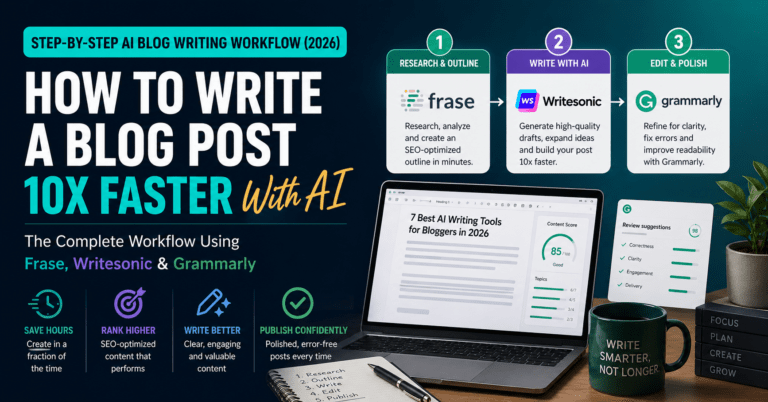
Writing five posts of 1,500–2,500 words each would take 20–30 hours at a traditional pace. With an AI writing workflow — Frase for SEO research, Writesonic for first drafts, Grammarly for editing — the same five posts take eight to ten hours.
The AI handles the scaffolding: keyword research, competitor analysis, structural outline, first draft. You supply the expertise, the specific examples, the honest verdict, and the editorial voice. The AI layer cuts production time. The human layer is what makes the content worth reading.
For the full workflow breakdown, see How to Write a Blog Post 10x Faster With AI.
Step 5 — Set Up Your Monetisation Infrastructure (Before You Have Traffic)
The most common blogging mistake: waiting until you have significant traffic before setting up monetisation. The right approach is the opposite — set up every revenue stream before your first 1,000 monthly visitors, so every reader from day one is a potential earner.
Affiliate marketing — the primary revenue stream
Sign up for affiliate programmes in your niche immediately after publishing your first post. You do not need traffic to be approved — most programmes approve based on having a live, real website with relevant content.
For technology and AI niches, the highest-paying programmes include: Jasper AI (30% recurring), Writesonic (30% lifetime recurring), Frase ($1 trial then commission), ConvertKit (30% recurring), Hostinger ($60–$100 per referral), NordVPN (40% per sale), and Canva Pro (up to 36% per subscription).
Use Pretty Links to create clean tracked URLs for every affiliate link (dlcuration.com/go/jasper, dlcuration.com/go/writesonic, etc.). Track which posts generate the most clicks in your Pretty Links dashboard.
The most important affiliate rule: never recommend a product you have not researched or would not use yourself. Trust, once lost, does not return.
Email list — the compounding asset
Your email list is the one audience asset the platform companies cannot take away from you. An Instagram algorithm change, a Google core update, a YouTube policy shift — all of these can zero out your traffic overnight. Your email list cannot be taken from you.
Start building it from day one. Set up a free ConvertKit account (free up to 1,000 subscribers) and create a simple lead magnet — a PDF guide, a template, a checklist relevant to your niche. Add an opt-in form to your homepage, sidebar, and the bottom of every post.
A weekly email newsletter keeps your audience engaged and creates a recurring distribution channel for every new post. Even at 200 subscribers, a weekly email drives more reliable traffic than most social platforms.
Digital products — long-term passive income
You do not need to create a digital product in month one. But plan for one by month three.
A single well-made Notion template, PDF guide, or email course related to your niche, priced at $17–$27 on Gumroad, earns money every day without any active effort after it is created. For a blog with 500 monthly readers, one sale per 50 visitors at $19 generates $190/month from a product that took one weekend to make.
The blog builds the audience. The digital product monetises it passively.
Step 6 — Build Traffic (The Long Game)
Traffic does not appear automatically when you publish. It is built deliberately, through three compounding channels.
SEO — the most important channel
Search Engine Optimisation is the process of making your content appear in Google search results for the keywords your target audience is searching for. It is the highest-leverage traffic channel for bloggers because it is passive — an article that ranks generates traffic every day without ongoing effort.
The fundamentals: target one specific keyword per post, use that keyword in your title, first paragraph, at least one H2 heading, and your meta description. Write comprehensive content that genuinely answers the search query better than the existing results. Build internal links between related posts on your site.
SEO takes time. Most new blogs see meaningful organic traffic after six to twelve months of consistent publishing. This is the channel to invest in first because the compound returns are the largest over time.
Pinterest — faster than SEO, more evergreen than social
Pinterest functions as a visual search engine. Pins linking to your blog posts appear in search results for months and years — unlike Instagram posts, which have a 24–48 hour lifespan in the feed.
Create three to five pins per article using Canva. Design them as vertical graphics (1000×1500px) with a bold title and your blog’s URL. Pin them to relevant boards with descriptive captions containing your target keywords. A single well-made pin can drive consistent traffic for 12+ months.
Pinterest works particularly well for lifestyle, finance, productivity, and how-to content — the categories that naturally produce shareable visual content.
Email — the channel you own
Every new subscriber receives your lead magnet automatically via ConvertKit. A welcome sequence of three to five emails, written once, introduces new subscribers to your best content, your editorial voice, and your affiliate recommendations — and runs on autopilot forever.
A weekly broadcast email to your list, linking to your latest post and including one tool recommendation, creates a recurring passive revenue channel that scales with your list. At 1,000 subscribers, a weekly email with a single relevant affiliate link generates two to five conversions per send — $100–$500 per week at average commission rates.
The Full Cost Breakdown: Starting a Blog in 2026
| Item | Cost | Notes |
|---|---|---|
| Hostinger Business (4-year) | $2.99/month | $143.52 paid upfront |
| Domain name | $10–15/year | Free first year with Hostinger |
| Rank Math SEO | Free | No paid upgrade needed to start |
| Kadence theme | Free | Pro version optional at $149/year |
| ConvertKit | Free | Up to 1,000 subscribers |
| Canva (basic) | Free | Upgrade to Pro at $12.99/month |
| Writesonic | Free | 10,000 words/month free tier |
| Grammarly | Free | Basic plan covers most needs |
| Gumroad (digital products) | Free + 10% per sale | No upfront cost |
| Total year one | ~$3–$16/month |
A fully functional, monetisation-ready blog costs $3–$4/month to run in year one. The optional paid upgrades — Canva Pro, Writesonic Individual, Rank Math Pro — add value but are not required before your first 1,000 monthly readers.
When to Expect Your First $1,000
There is no honest answer that involves a specific month — because it depends on niche, publishing consistency, and which monetisation channels you activate. What the data from blogs in competitive affiliate niches consistently shows:
Bloggers who publish two to three posts per week, use AI tools to maintain that volume, activate affiliate programmes from day one, and build an email list from the start typically reach $1,000/month in cumulative monthly revenue within six to twelve months.
The most common reason blogs do not reach that threshold is not competition or bad writing. It is inconsistency. Twelve posts published in month one, then four in month two, then two in month three, then none in month four. The algorithm rewards consistency. The email list rewards consistency. The affiliate commissions reward consistency.
Publish two posts per week. Every week. For twelve months.
That is the entire strategy.
Frequently Asked Questions
How much does it cost to start a blog in 2026?
The minimum cost is approximately $3–$4 per month for hosting and $10–15 per year for a domain name. WordPress itself is free. On Hostinger’s Business plan, the first four years cost $143.52 upfront — roughly $3/month averaged — with the domain included free for the first year. All other tools needed to launch and monetise a blog (Rank Math, ConvertKit, Canva basic, Writesonic free) have genuine free plans. A fully operational blog costs under $5/month in the first year.
Do I need technical skills to start a WordPress blog?
No. Hostinger’s one-click WordPress installer handles all technical setup. WordPress itself is designed for non-technical users — you write and publish posts in an editor that works like Google Docs. Installing themes and plugins involves clicking “Install” and “Activate”. No coding is required at any stage of a standard blog setup.
How long does it take to set up a blog?
The technical setup — hosting, domain, WordPress installation, theme, essential plugins, and essential pages — takes two to three hours for a complete beginner. Publishing the first post adds another two to four hours depending on length and research required. You can go from zero to a live blog with one published post in a single afternoon.
Can you still make money blogging in 2026?
Yes — but the bloggers making money in 2026 are doing it through a combination of affiliate commissions, digital products, and email list monetisation rather than display advertising alone. Display ads (Google AdSense) require significant traffic before they generate meaningful income. Affiliate programmes pay commissions on every qualifying referral, regardless of traffic volume — a blog with 200 monthly readers and three well-placed affiliate links can earn $200–$500/month if those readers are actively searching for product recommendations.
WordPress.com or WordPress.org — which should I use?
WordPress.org (self-hosted). Always. WordPress.com is a hosted platform with significant restrictions on monetisation, customisation, and ownership. WordPress.org is the free, open-source software you install on your own hosting — giving you full control over your content, your affiliate links, your design, and your data. Every serious blog and almost every blog earning meaningful income runs on self-hosted WordPress.org. The only reason to use WordPress.com is if you are testing whether you enjoy blogging before investing in hosting — in which case, set a one-month deadline and migrate to self-hosted WordPress immediately after.
How many posts do I need before I start monetising?
Zero. Set up your affiliate links and email opt-in before you publish your first post. There is no traffic threshold for joining most affiliate programmes — they approve based on having a real, live website with relevant content. Waiting to monetise until you have “enough” traffic means months of readers arriving with no way to convert them. Every reader from your first post is a potential subscriber, affiliate referral, or digital product customer. Build the infrastructure first. The traffic comes after.
Final Thoughts
The technical setup is an afternoon’s work. The blog itself is built over months — one post at a time, one reader at a time, one affiliate commission at a time.
The compounding math works in your favour. A blog with 10 posts earning 200 monthly visitors each generates 2,000 monthly visits. At 50 posts, that becomes 10,000 monthly visits. At 100 posts, 20,000 — enough traffic to generate $1,500–$3,000/month in affiliate commissions and digital product sales, passively, every month.
That blog does not exist yet. It exists after the decision to start and the discipline to keep going.
Start with the hosting. Write the first post. Publish it before it is perfect.
→ Start your blog with Hostinger from $2.99/month
→ Get ConvertKit free — build your email list from day one
→ Try Writesonic free — your AI writing partner for every post
Starting your blog this week? Drop your URL in the comments — I read every one.
Continue reading: